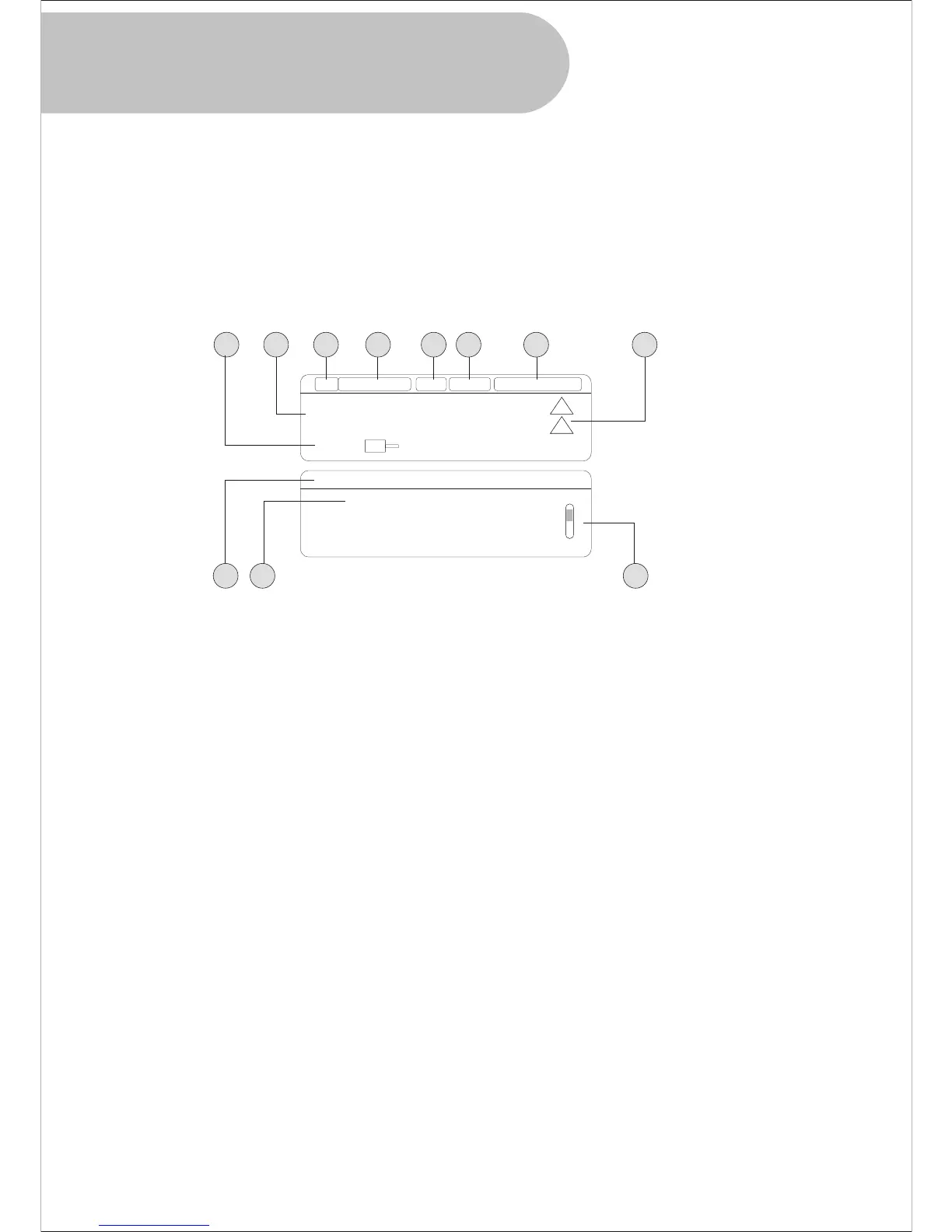
This HD-STB can display EPG information using INFO buttons.
Press INFO button while watching TV you will get NOW and NEXT program information. By
pressing INFO button again, you will get the more detailed information of NOW. Press INFO
button third time, you will get the more detailed information of NEXT.
Press EXIT button for quit the EPG Information display.
You can also move NOW and NEXT using PR t / u button.
For the detailed information display, you can scroll Up/ Down using CH p /q button.
1. EPG Information Display
1. Program Schedule
It shows Start Time, Stop Time and Duration Information.
2. NOW and NEXT Information
It shows NOW and NEXT Program Name
3. Current CH Number
It is display the Current CH Number
4. Current CH Name
It shows Current CH Name
5. Source Video Resolution
It is display the current program's video resolution information
6. Audio Information
It is display the current program's audio information
7. Date and Time
It display current date and time information from broadcaster.
Please make sure, this HD-STB cannot generate the date and time information.
8. Rating Information
It is rating information of NOW and NEXT program.
9. Program Name
It shows the Program Name of EPG information
10. Information contents
It displayed the current program's event title information contents
11. Scroll Bar
If this scroll bar display, the contents has followed more.
Please use CH p / q button for access more contents.
35
1
9
2
10
3 4 5 6 7 8
11
90
NINE HD Demo Program
11:30 am 1:30 pm
Press INFO for more
NOW : NINE HD Demo Program
NEXT : NINE HD Demo program
This is NINE HD Demo Program
NINE HD 1080i
Dolby D
Apr . 25 12:00 am
G
G
INFO button and
EPG Information Display


 To Next Page