Edit Program - Delete
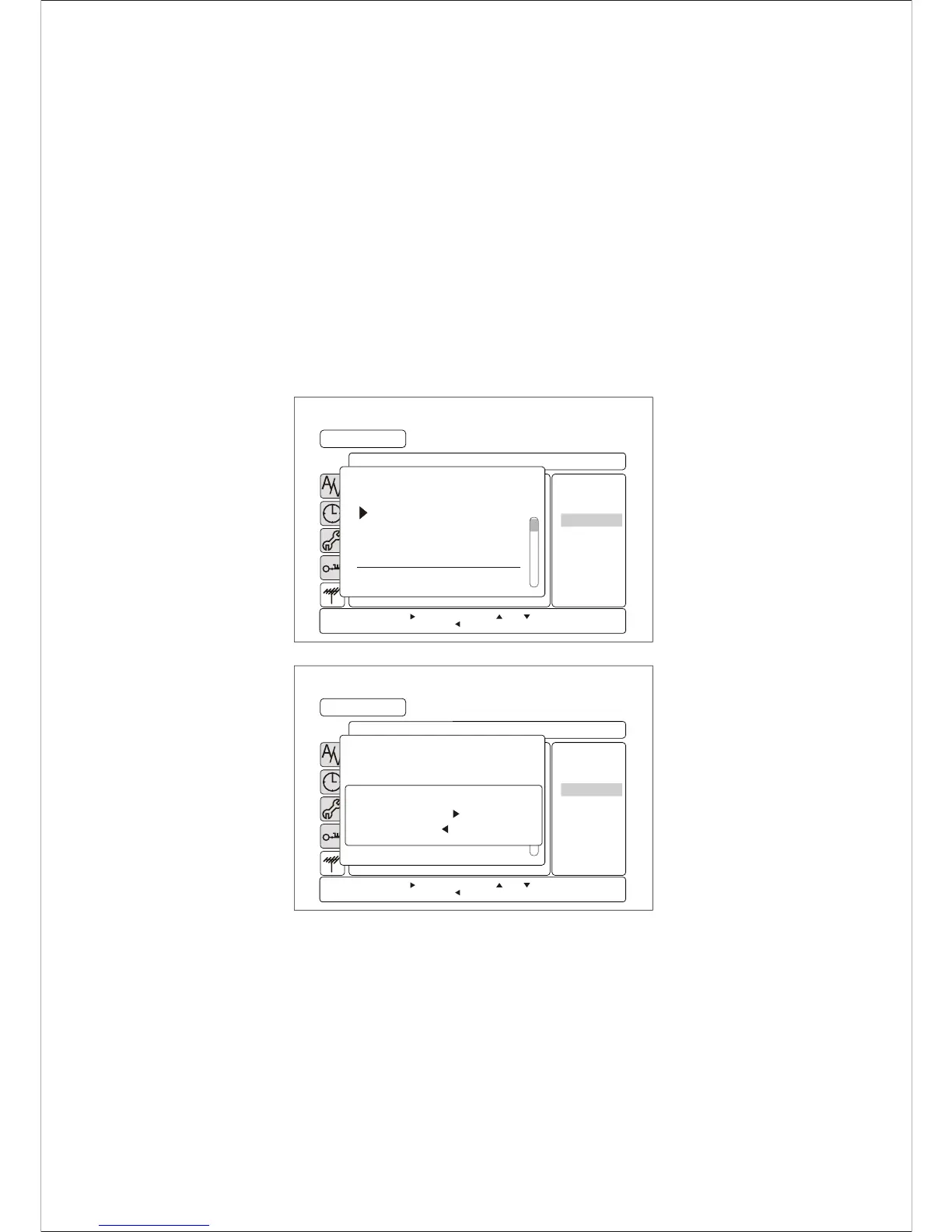
You can delete the unwanted channel in the internal memory. Once you delete the
channel, you cannot access using CH p /q , PR t /u . For access
deleted channels, you should perform Automatic CH Tuning or Manual CH
Search operation to recover the memory.
1) Press MENU button to display the menu.
Press UP or DOWN to select CHANNEL SETUP menu
ENTER or RIGHT to enter the CHANNEL SETUP menu.
2) Press UP or DOWN to select the Edit Program menu.
Press ENTER or RIGHT to enter the Edit Program menu.
3) Please UP or DOWN to select the program you want to delete.
Press ENTER or RIGHT to select the program.
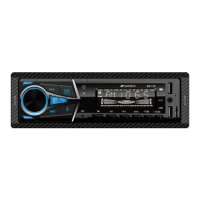
4) Press UP or DOWN to select Delete and Press ENTER.
It will appear the delete confirm message for selected channel.
5) Press ENTER to delete or Press EXIT to cancel.
32
Using the MENU System
MENU
A
V
/
CHANNEL SETUP
Ch10
Edit Program
CH Name
70 7 Orange
71 7 Yellow
72 7 Green
73 7 Blue
7 SEVEN
77 Program Guide
9 NINE DIGITAL
Press ENTER or to enter. Press or to move.
Press EXIT to exit. Press to go back.
Edit
Move
Delete
MENU
A
V
/
CHANNEL SETUP
Ch10
Edit Program
CH Name
70 7 Orange
71 7Yellow
72 7Green
73 7Blue
7 7Digital
77 Program Guide
9 NINE DIGITAL
Press ENTER or to enter. Press or to move.
Press EXIT to exit. Press to go back.
Edit
Move
Delete
Press ENTER or " " to delete.
Press EXIT or " " to cancel.
CH 7 : SEVEN


 To Next Page