OPTICAL TUNABLE FILTER OTF-930
5-1
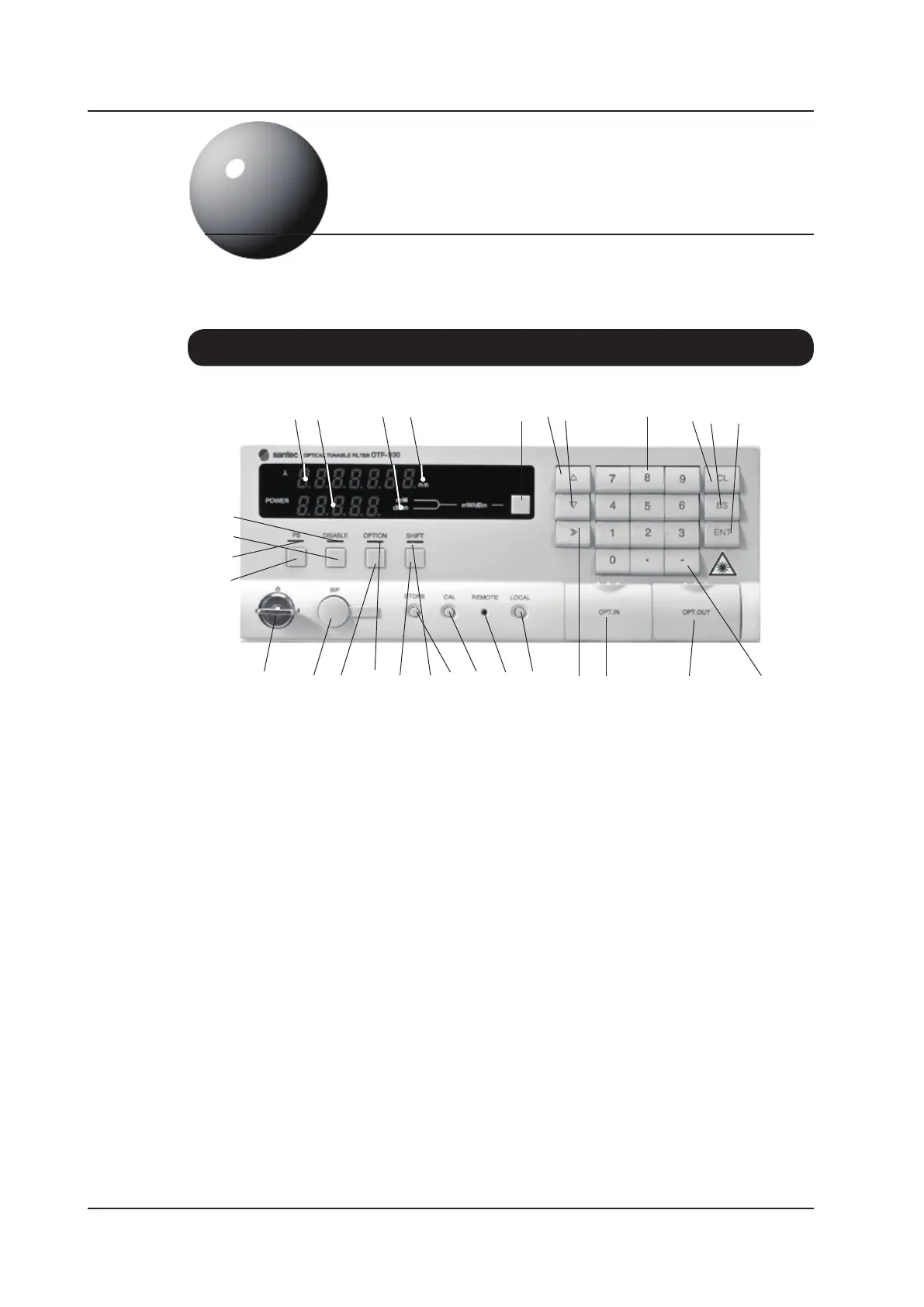
5-1. Front Panel
5
(1) Wavelength Display Panel
Displays the current wavelength setting in nm
(2) Optical Power Display Panel
Displays the optical output power. The measurement unit can be set to either mW or dBm and
is toggled by pressing the mW/dBm selector key (5). The power is calibrated according to the
wavelength setting shown in the Wavelength Display Panel (1).
(3) Optical Power Unit Indicator
Indicates unit of optical output power (mW or dBm).
(4) Wavelength Unit Indicator
Indicates units of displayed wavelength (nm).
(1) (2) (3) (4) (5) (6) (7) (8) (9) (10) (11)
(25) (24) (23) (22) (21) (20) (19) (18) (17) (16) (15) (14) (13) (12)
(26)
(27)
(28)
(29)
Panel Descriptions



 To Next Page