Polarization Extinction Ratio Meter PEM-340
8-5
8-6. Setting GP-IB address and Delimiter
The PEM-340 stores the GPIB address and delimiter settings in the internal memory. After changing
the settings, the settings will be stored in the memory and the data will be kept, even if power is lost.
The stored settings will be applied to the GPIB driver by issuing an IFC command or by restarting
the device.
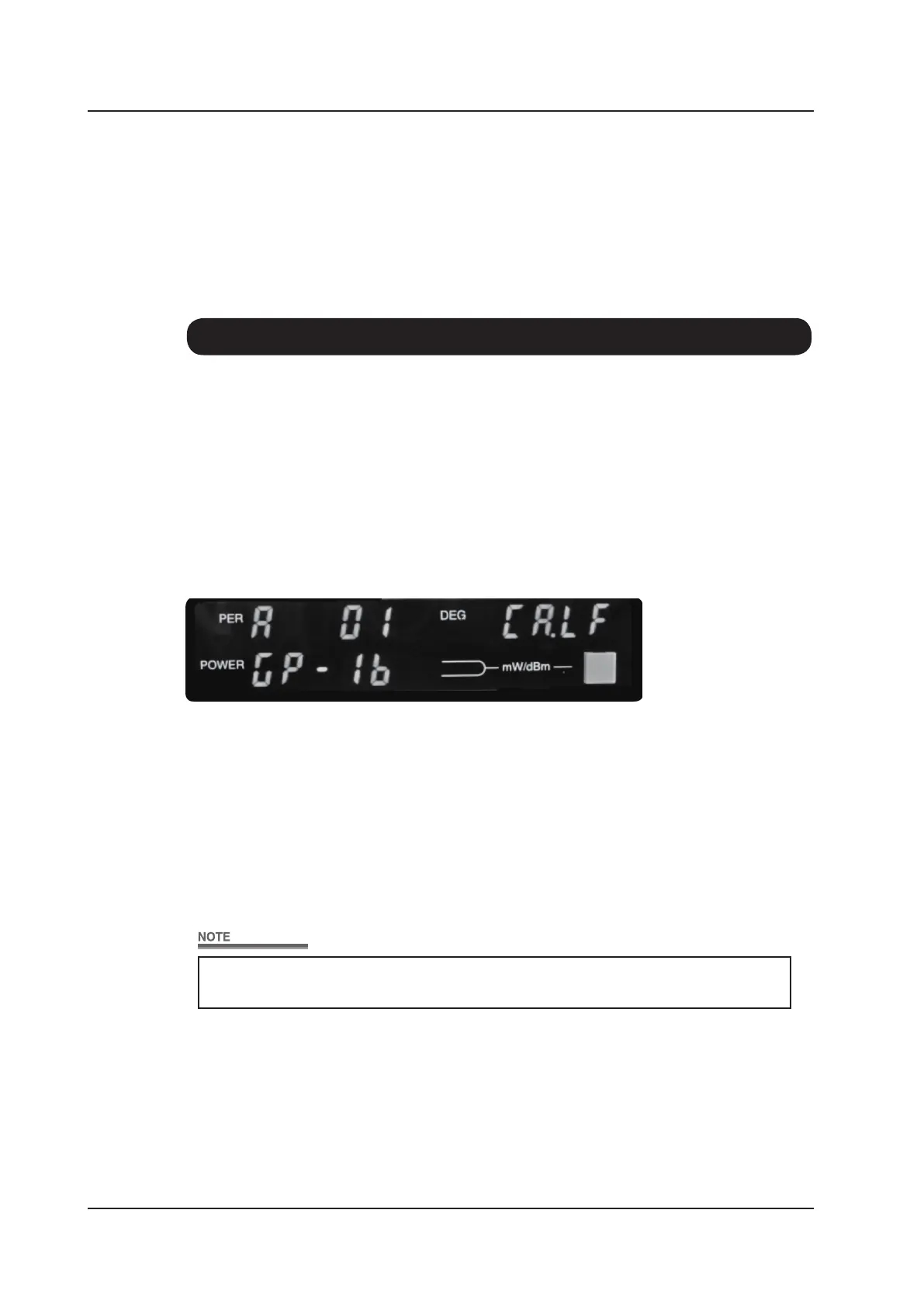
Press <Local> key and hold more than 2 seconds to enter the GPIB address and delimiter setting
mode. (The device must not be in GPIB remote operation). The front panel display will change as
shown below.
The blinking parameter (address or delimiter) can be changed.
Change GPIB address which ashes to indicate that it can be changed using the Optical Power Unit
Selector Key. Pressing the [LOCAL] key a second time causes the GPIB delimeter setting shown
in the Polarization Angle Display Panel to ash. Similarly, this can be changed using the Optical
Power Unit Selector Key. Pressing the [LOCAL] key a third time saves the displayed values and
returns control to normal operation.
At this point, the GPIB address and delivery is stored in the memory only.
Restart the PEM-340, or send an IFC command to reect the changes.



 To Next Page