SARK
SARKSARK
SARK-
--
-110
110110
110
User’s Manual
Rev 1.2.6 October 3
rd
, 2015 - 15 - © Melchor Varela – EA4FRB 2011-2015
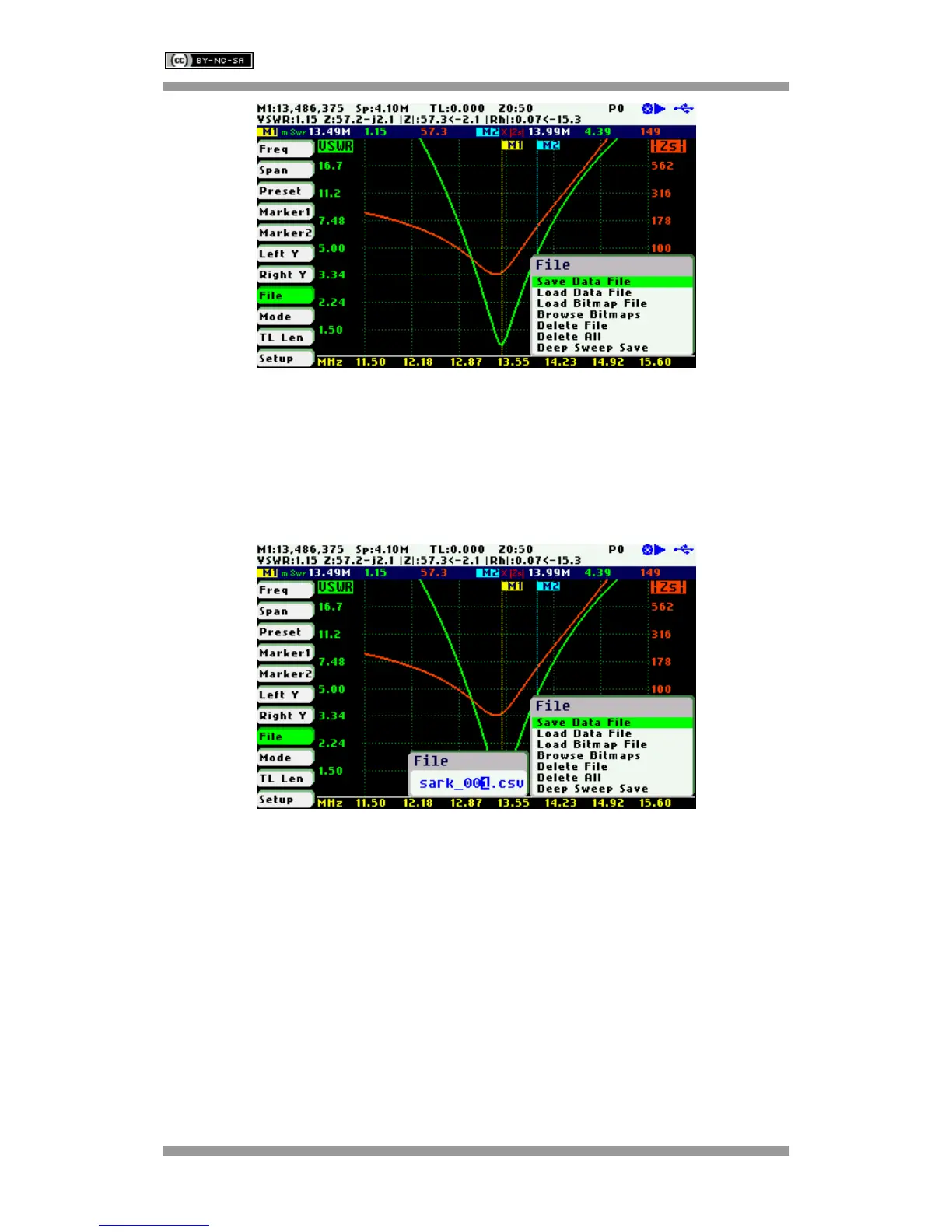
After selecting the «Save File» submenu option, enter the file name. By default, the file name
has the format “sark_xxx.csv” (or “sark_xxx.tdr” for Cable Test mode), where xxx is an
automatically assigned number. To change the file name, use Navigator B to change the
character value and Navigator A to change the character position highlighted in inverse video.
Press the Select [■] button to validate the selection. Press any other button to cancel the
operation.
«Load Data File»
To retrieve the stored data, select the «Load Data File» submenu option. A second popup
submenu is displayed with a list of available files. Use Navigator B to highlight the desired file.
Press the Select [■] button to validate the selection. Press any other button to cancel the
operation. Once the file is selected, the data is loaded and plotted.



 To Next Page