SARK
SARKSARK
SARK-
--
-110
110110
110
User’s Manual
Rev 1.2.6 October 3
rd
, 2015 - 82 - © Melchor Varela – EA4FRB 2011-2015
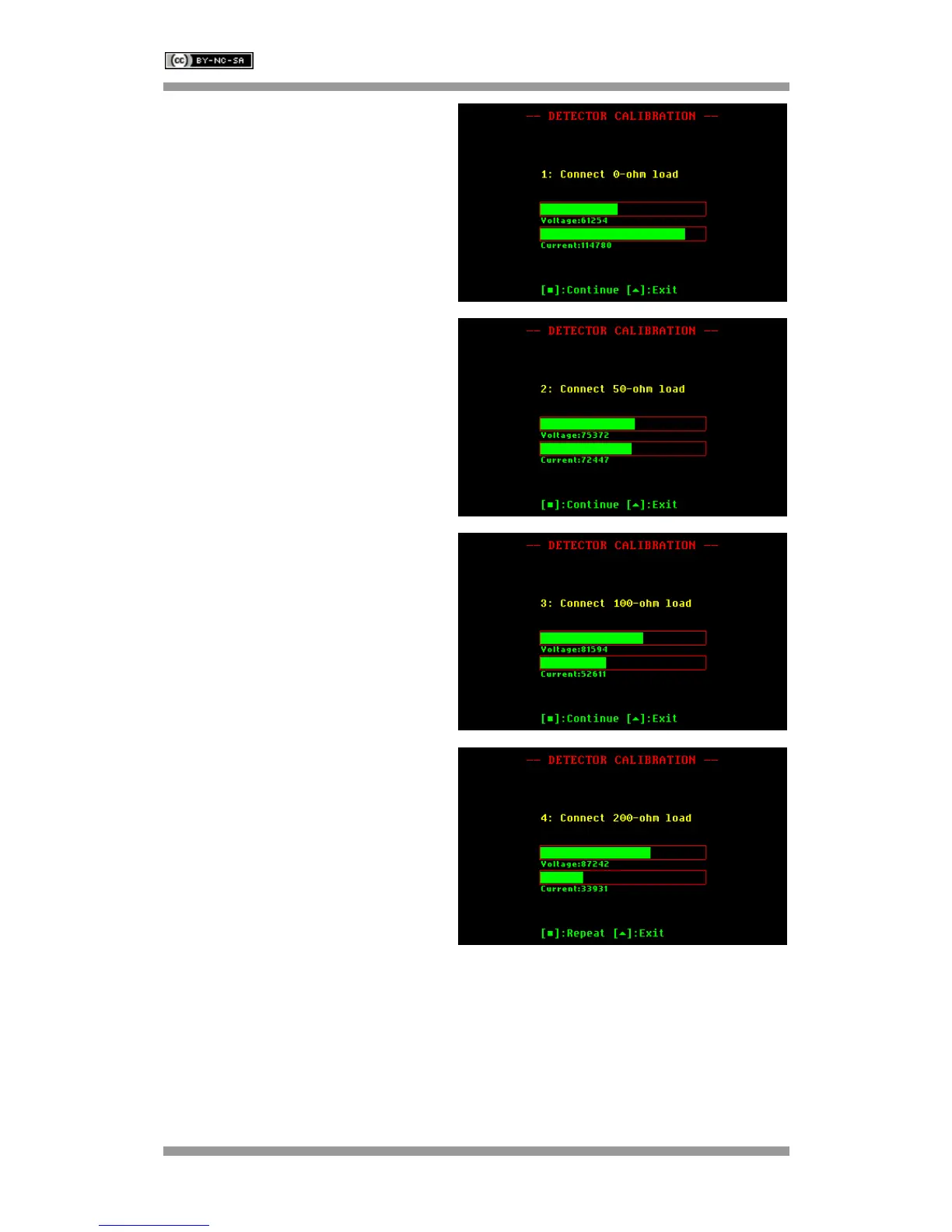
Connect the 0-ohm load.
Load status is indicated by the color of the
voltage and current detector indicators.
Green denotes a load good status.
Press the appropriate button to continue, or
to exit.
Connect the 50-ohm load.
Load status is indicated by the color of the
voltage and current detector indicators.
Green denotes a load good status.
Press the appropriate button to continue, or
to exit.
Connect the 100-ohm load.
Load status is indicated by the color of the
voltage and current detector indicators.
Green denotes a load good status.
Press the appropriate button to continue, or
to exit.
Connect the 200-ohm load.
Load status is indicated by the color of the
voltage and current detector indicators.
Green denotes a load good status.
Press the appropriate button to continue, or
to exit.



 To Next Page