8
Installing the Display and Control Unit on the Retainer
§ Turn the scale over and place it on a cushioned surface to prevent
damage to the weighing system
§ Remove the column retainer from the scale
§ Fasten the display and control unit retainer to the display and control unit
using the 2 Phillips head screws supplied (1) (M4x8)
§ Fastening the retainer to the scale:
Fasten the retainer to the scale using the Phillips head screws supplied (2)
(M4x8)
§ Press the cable into the raceway (channel)
§ Replace the cover on the cable raceway (1)
§ Close the 4 bore holes using the caps supplied (2)
Remote Operation of the Display and Control Unit
§ Turn the scale over and place it on a cushioned surface to prevent
damage to the weighing system
§ Remove the column retainer from the scale
§ Close the 4 bore holes using the caps supplied (2)
> Cable length: at least 80 cm (approximately 31 inches)
$ To order a longer cable, see the section entitled “Accessories”
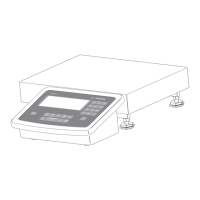
Adjusting the Angle of the Display and Control Unit (only for models
FBG34EDE-P0000B, FBG64EDE-S0000B or with Accessory YDH01F)
§ Tilt the display and control unit to the desired position and tighten the
knurled thumb screw to hold it in place.





 To Next Page