SATEL VERSA 11
Entering hexadecimal characters
To enter digits, use the numeric keys, and to enter characters from A to F, use the and
keys (keep pressing the key until the required character appears). The characters are
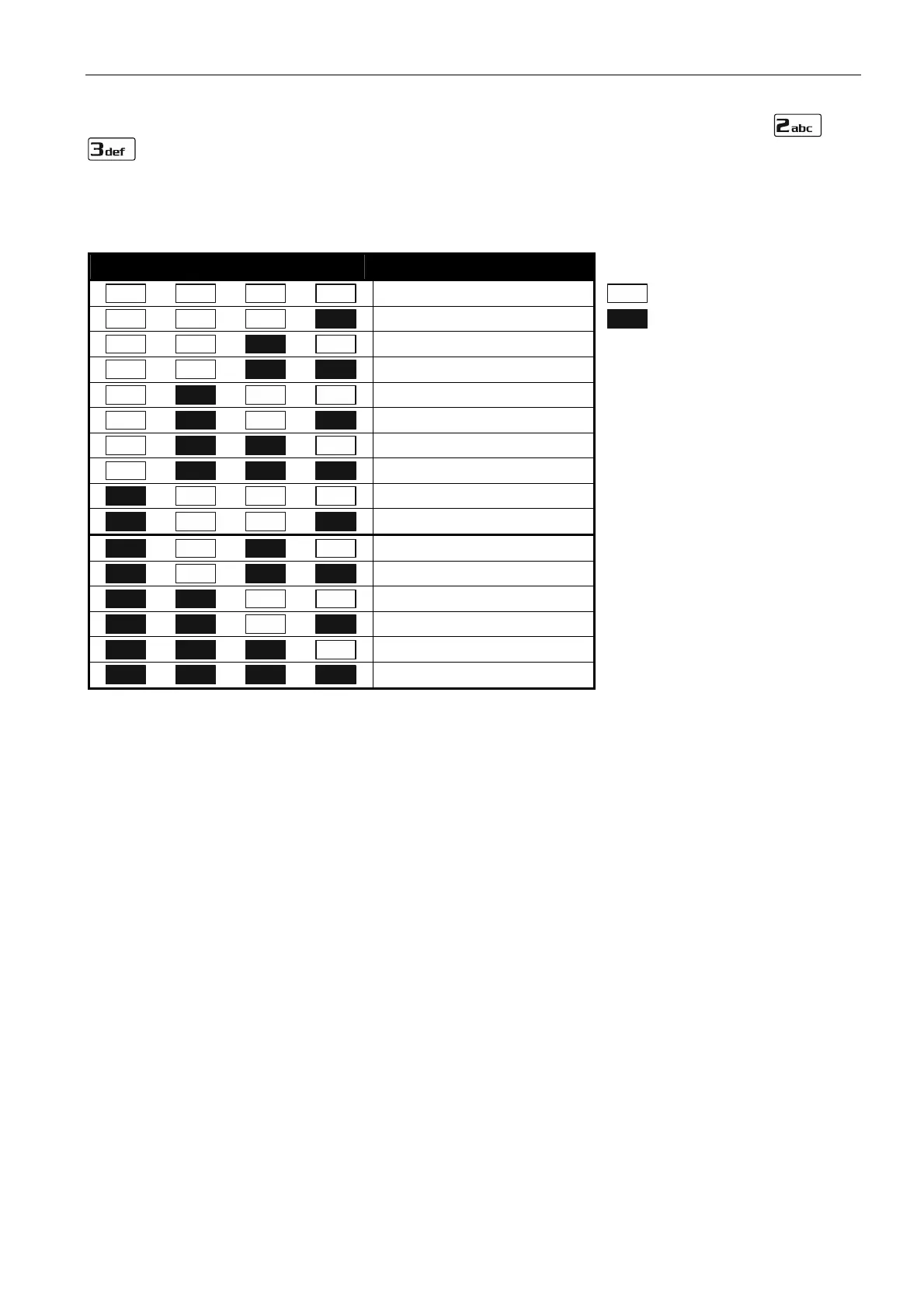
presented by means of LEDs (up to 6 digits). A single character is presented on four LEDs –
see Table 1. LEDs 1-4 present the first character, LEDs 5-8 – the second, LEDs 9-12 – the
third, LEDs 16-19 – the fourth, LEDs 20-23 – the fifth, and LEDs 24-27 – the sixth character.
LED status Digits and characters
0
– LED OFF
1
– LED ON
2
3
4
5
6
7
8
9
A
B
C
D
E
F
Table 1. The way of presenting digits and characters in binary format on LEDs.













 To Next Page