18 VERSA SATEL
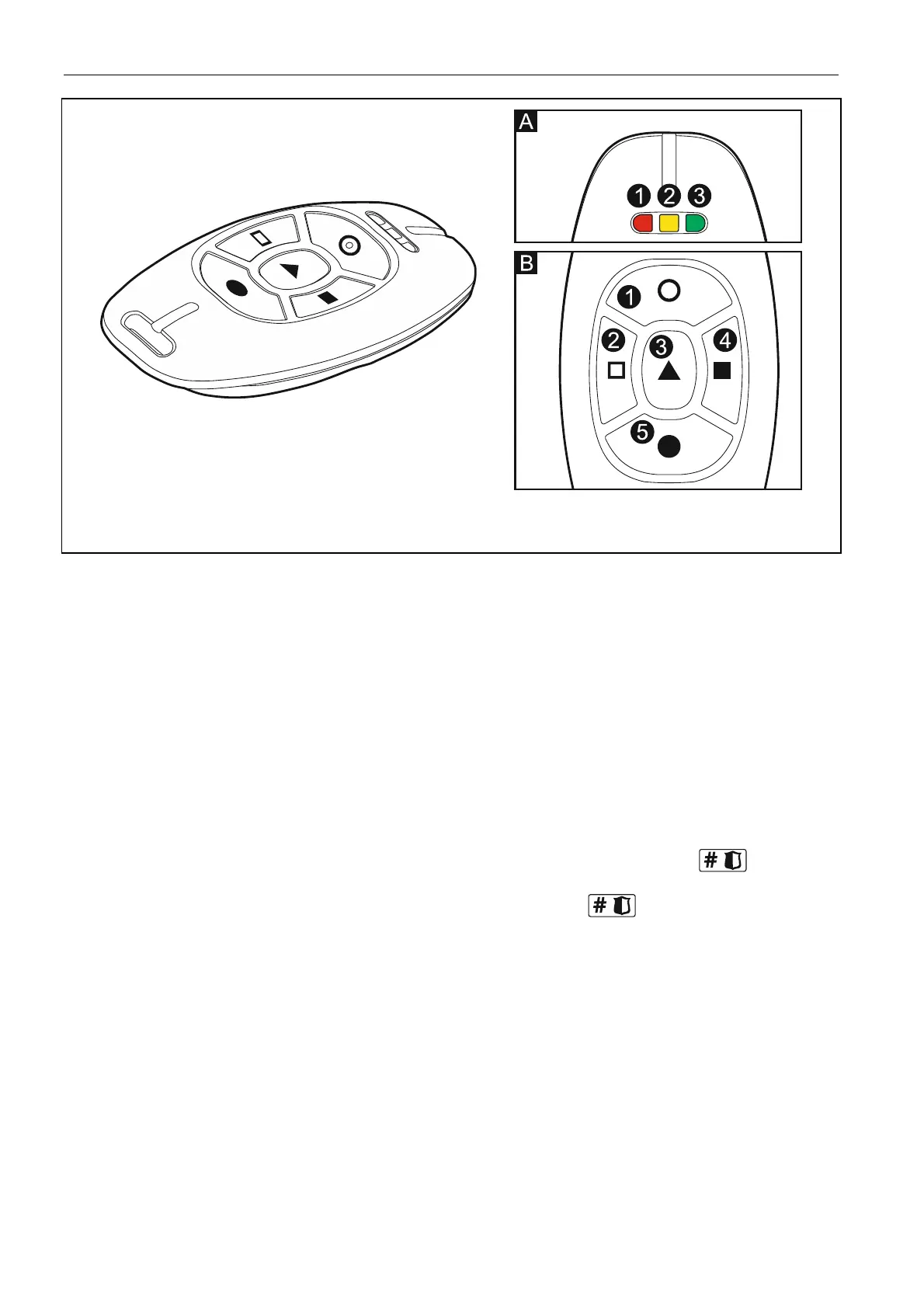
Fig. 5. APT-100 keyfob (dark gray enclosure). A – numeration of LEDs. B – numeration of
keyfob buttons (button 6 – pressing buttons 1 and 5 simultaneously).
17. Step 6c. Assigning function to APT-100 keyfob button 1. Proceed in the same way as
in Step 5c.
18. Step 6d. Assigning function to APT-100 keyfob button 2. Proceed in the same way as
in Step 5c.
19. Step 6e. Assigning function to APT-100 keyfob button 3. Proceed in the same way as
in Step 5c.
20. Step 6f. Assigning function to APT-100 keyfob button 4. Proceed in the same way as
in Step 5c.
21. Step 6g. Assigning function to APT-100 keyfob button 5. Proceed in the same way as
in Step 5c.
22. Step 6h. Assigning function to APT-100 keyfob button 6 (two buttons pressed
simultaneously: 1 and 5). Proceed in the same way as in Step 5c.
23. Step 6i. Selecting confirmation for LED 1 in APT-100 keyfob. Press
to confirm
the default method of confirmation (defined by the installer in the user schedule) or enter
the number of one of the following functions and then press
:
0. On LED is ON, when the control panel has acknowledged receiving
information on pressing a button
1. Output 1 state LED is ON, when the selected output is active
2. Output 2 state
3. Output 3 state
4. Output 4 state
5. Output 5 state
6. Output 6 state
7. Output 7 state
8. Output 8 state
9. Output 9 state
10. Output 10 state
11. Output 11 state
12. Output 12 state



 To Next Page