SATLINK FLEET ONE Installation Manual Ref: SL00-01191 Ver: 003
Page 27 of 38
Proprietary Information Not To Be Disclosed Without Written Authorisation From
Satlink S.L., All Rights Reserved
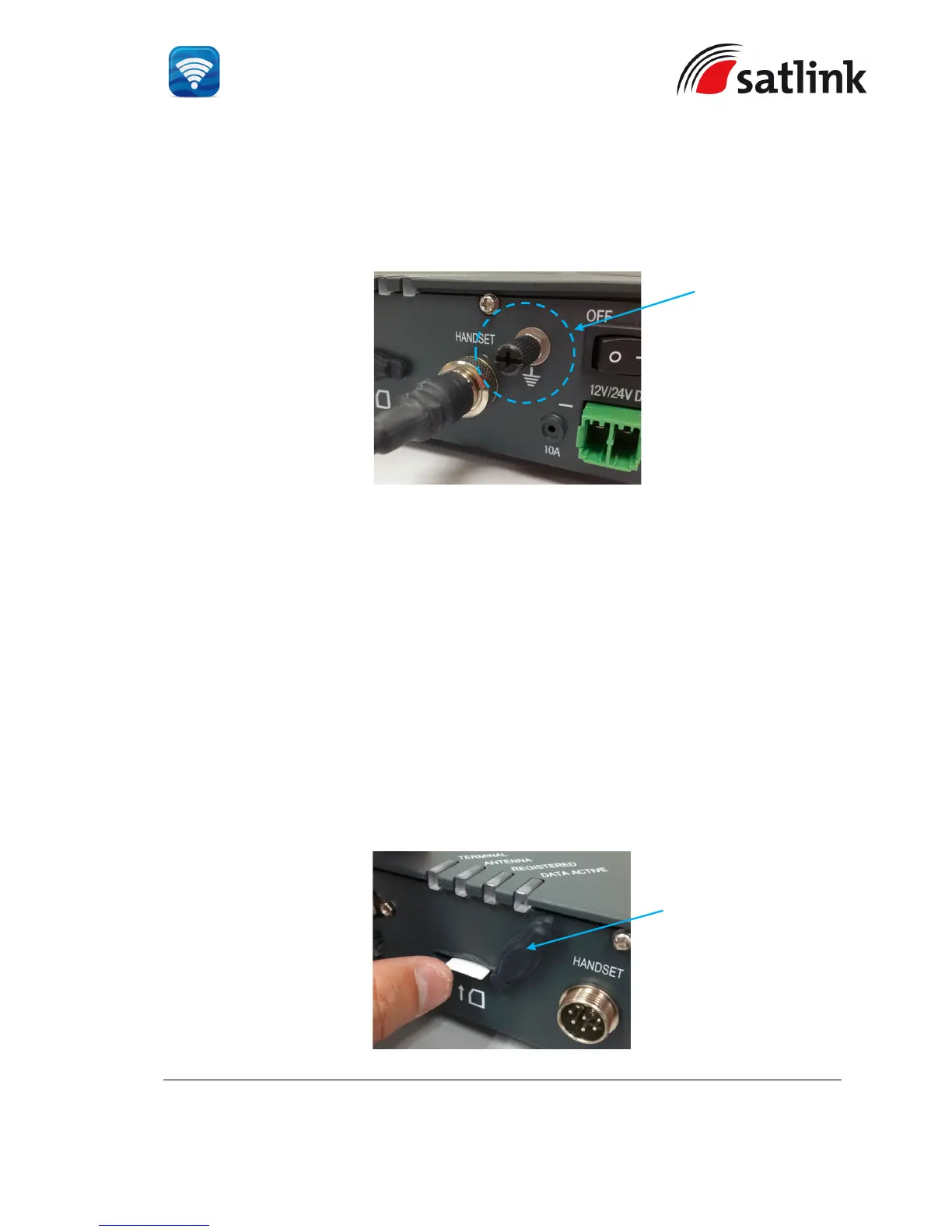
3.1.3 Grounding Stud
The BDU has a grounding stud with a locking screw for the earth cable (with its colors of green
and yellow) with its lug. It is recommended to include spring washers to secure the lug to the
grounding stud.
The other end of the earth cable must have good electrical contact to the vessel’s hull with the
removal of painting, dirt, grease and metal oxide at the mounting holes of the hull.
4 GETTING STARTED ON THE SYSTEM
4.1 Installing the SIM card
The system requires a Fleet One SIM card to access the Inmarsat’s network and it is provided
by your Airtime Service Provider. Insert the SIM card to the BDU as follow:
Tilt up the SIM card slot’s rubber cover.
Position the SIM card with its gold-contacts facing down. (There is a symbol of SIM Card
with its arrow on the front panel. It will ensure the correct orientation of the SIM Card when
it is being inserted. )


 To Next Page