SATLINK FLEET ONE Installation Manual Ref: SL00-01191 Ver: 003
Page 29 of 38
Proprietary Information Not To Be Disclosed Without Written Authorisation From
Satlink S.L., All Rights Reserved
4.2 Powering up the system
4.2.1 Switching on the BDU
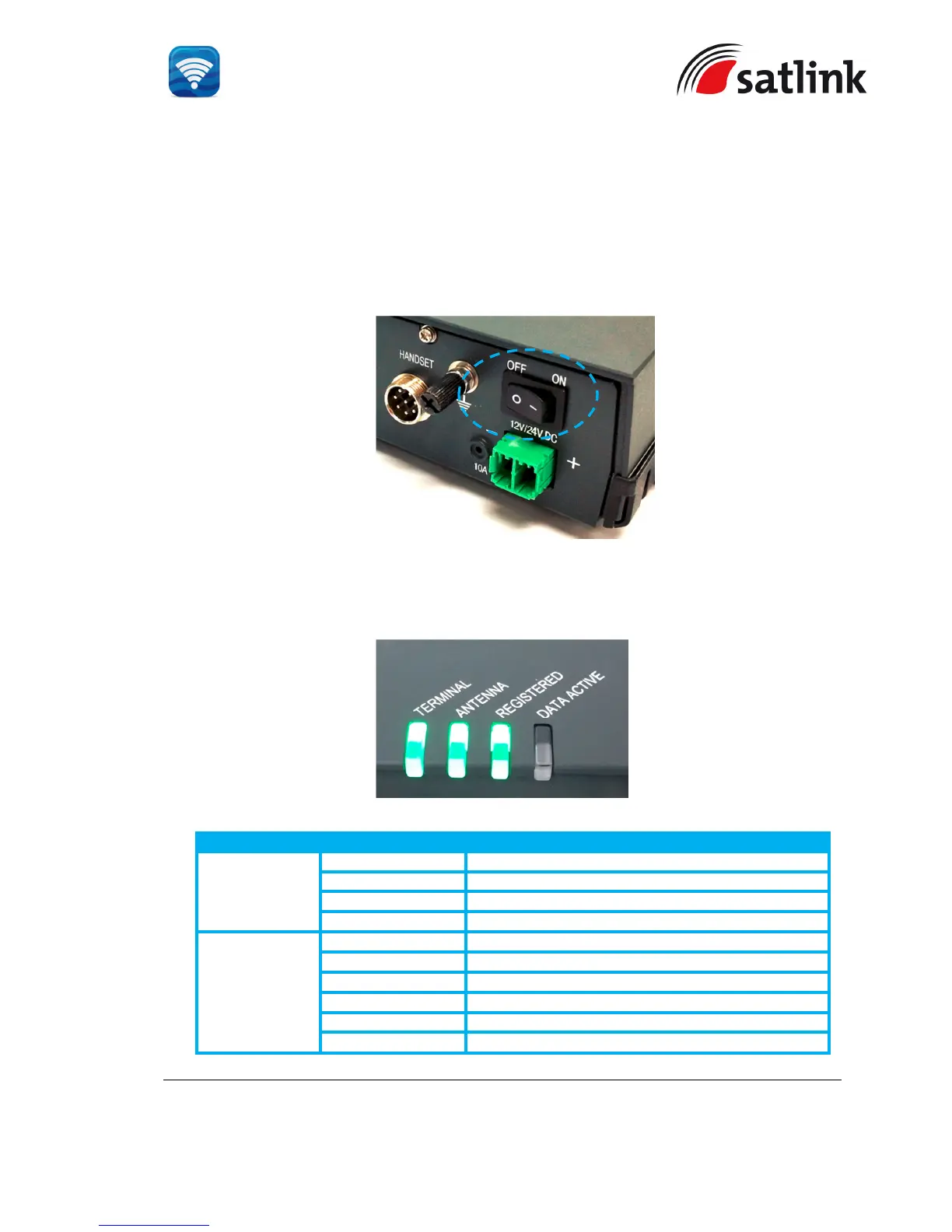
Use the ON/OFF switch on the BDU’s front panel. It normally takes about 1.5 to 3 minutes for the whole
terminal to be powered up and to register into the satellite network .
Wait for the three LED indicators (“TERMINAL”, ”ANTENNA” and “REGSITERED” ) to turn green.
TERMINAL
Steady Amber Terminal (BDU) is powering up.
Steady Green Terminal (BDU) has powered up successfully.
Steady Red Terminal (BDU) detects failure state.
Off Terminal (BDU) is in OFF state.
ANTENNA
Steady Amber ADU is powering up.
Blinking Amber ADU is calibrating.
Blinking Green System is performing satellite search.
Steady Green System has locked on to the satellite.
Steady Red ADU detects failure state.
No light (Off) ADU is in OFF state.


 To Next Page