EasyManua.ls Logo

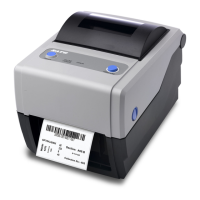
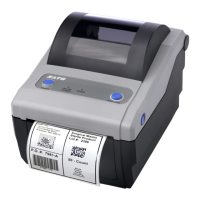
SATO CG4 Series - User Manual

SATO CG4 Series
102 pages
Print Icon
To Next Page IconTo Next Page
Loading...
Operator Manual
For printer model:
CG4 Series
www.satoamerica.com
PN: 9001218A
Read this Operator Manual before using this product.
Keep this document available for future reference.
CG408DT
CG412DT
Direct Thermal Type
CG408TT
CG412TT
Thermal Transfer Type

Table of Contents

Other manuals for SATO CG4 Series

Questions and Answers

  • D
    Deborah Gilbert PhDSep 9, 2025
    What to do if my SATO Printer is not dispensing linerless labels?
    • T
      Terri BlevinsSep 10, 2025
      If your SATO Printer is not dispensing linerless labels: Set Linerless (Non sepa) unit correctly Clean the Linerless platen roller.
  • C
    Christopher MooreAug 25, 2025
    What to do if my SATO CG4 Printer displays 'Ribbon end' error?
    • W
      wrodriguezAug 25, 2025
      If your SATO Printer shows a 'Ribbon end' error, it means that the printer is either out of ribbon or the ribbon is ripped, or the ribbon is not set properly. To fix this, set the ribbon properly.
  • J
    Jennifer LewisAug 25, 2025
    What to do if my SATO CG4 Printer is not feeding media?
    • N
      Natalie TranAug 26, 2025
      To address the issue of your SATO Printer not feeding media: Set media correctly, Set the sensor correctly by Utility Tool setting Check the connection of sensor cable. Adjust sensor level Clean the platen roller.
  • A
    anna29Sep 23, 2025
    What causes a machine error on my SATO Label Maker?
    • J
      jessepatelSep 23, 2025
      If the SATO Label Maker shows a machine error caused by a board defect, board replacement is required.
  • R
    rhondaparkerSep 12, 2025
    What to do if my SATO CG4 displays 'Cutter error'?
    • N
      Natasha HartSep 12, 2025
      If your SATO Printer shows a 'Cutter error', it could mean the cutter is not connected or the cut operation failed. Connect the cutter unit, or set and feed the paper again.
  • L
    lshepardSep 15, 2025
    What does 'Calendar error' mean on my SATO CG4?
    • K
      Katie MartinezSep 15, 2025
      A 'Calendar error' on your SATO Printer means that wrong date/time data is read from calendar IC. Check to see if calendar IC is installed or not and consider board replacement.
  • T
    Tammy DominguezSep 4, 2025
    How to resolve incorrect label sensor selection on my SATO Label Maker?
    • J
      Jacqueline YoungSep 4, 2025
      If you have incorrect label sensor selection on your SATO Label Maker, set the sensor correctly by printer setting tool.
  • E
    ephillipsSep 5, 2025
    What to do if my SATO CG4 Printer cover is open?
    • C
      Chelsea ProctorSep 5, 2025
      If you receive a 'Cover open' error on your SATO Printer, it indicates that the cover is not closed properly. Make sure to close the cover completely.
  • L
    laura11Sep 23, 2025
    What to do if the print head of my SATO Label Maker is defective?
    • E
      elliottloriSep 23, 2025
      If the print head of your SATO Label Maker is defective, replace print head as required.
  • K
    kayla84Aug 30, 2025
    What to do if my SATO Label Maker displays a buffer over error?
    • B
      Blake MorrisAug 30, 2025
      If your SATO Label Maker shows a 'Buffer over' error, it means the amount of data received exceeds the limit of the receive buffer, or the protocol is wrong. Correct the software on the host side or set the correct protocol to resolve this.

SATO CG4 Series Specifications

General IconGeneral
Print MethodThermal transfer
Print Resolution203 dpi
Print Width104 mm
Media TypeLabel, tag
Media Width25.4 mm to 114 mm
Media Thickness0.06 mm to 0.19 mm
Media Roll Diameter127 mm
Processor32-bit RISC
Memory8 MB Flash
InterfacesUSB, Serial
Optional InterfacesWireless
Power Source100-240 VAC, 50/60 Hz
Roll Core Inner Diameter25.4 mm
Operating Temperature5°C to 40°C
Storage Temperature-20°C to 60°C
Print Speed4 ips (101.6 mm/s)
Ribbon Core25.4 mm
Humidity20% to 85% (non-condensing)

Related product manuals