Section 3. Configuration
Page 3-4 PN 9001101 Rev. A SATO M10e
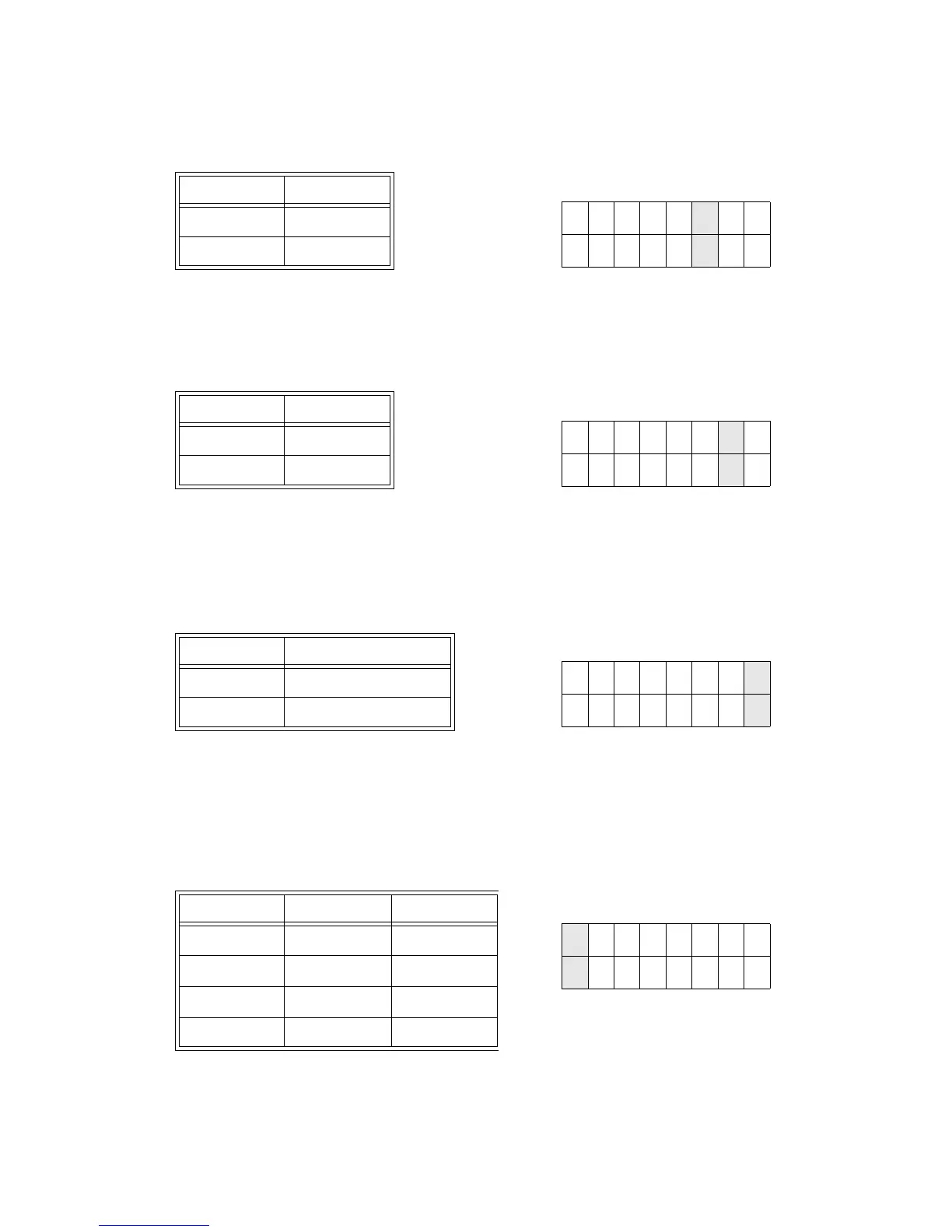
Firmware Download (DSW2-6). Places the printer in the Firmware Download mode for
downloading new firmware into flash ROM.
Protocol Code Selection (DSW2-7). Selects the command codes used for protocol control.
Refer to page E-1 for more information.
Status Select(DSW2-8). For emulating earlier series software commands. Should be used
only if problems are encountered when using existing software. This switch will also affect the
settings selected by DSW1-7 and DSW1-8.
Backfeed Sequence (DSW3-1, DSW3-2). Backfeed is used to correctly position the label for
application and then retract the next label to the proper print position. This operation can be
performed immediately after a label is printed and used, or immediately prior to the printing of
the next label.
DSW2-6 SETTING
Off Disabled
On Enabled
DSW2
ON
OFF
12345678
DSW2-7 SETTING
Off Standard
On Non-Std
DSW2
ON
OFF
12345678
DSW2-8 SETTING
Off Status 3 & 4 Enabled
On Status 2 & 3 Enabled
DSW2
ON
OFF
12345678
DSW3-1 SETTING
Off Off Continuous
Off On Tear-Off
On Off Cutter*
On On Not Used
* Defaults to Continuous if cutter not
installed
DSW3
ON
OFF
12345678



 To Next Page