Page 34/70 | May 2015 | 2.0
4.5. Edit fields
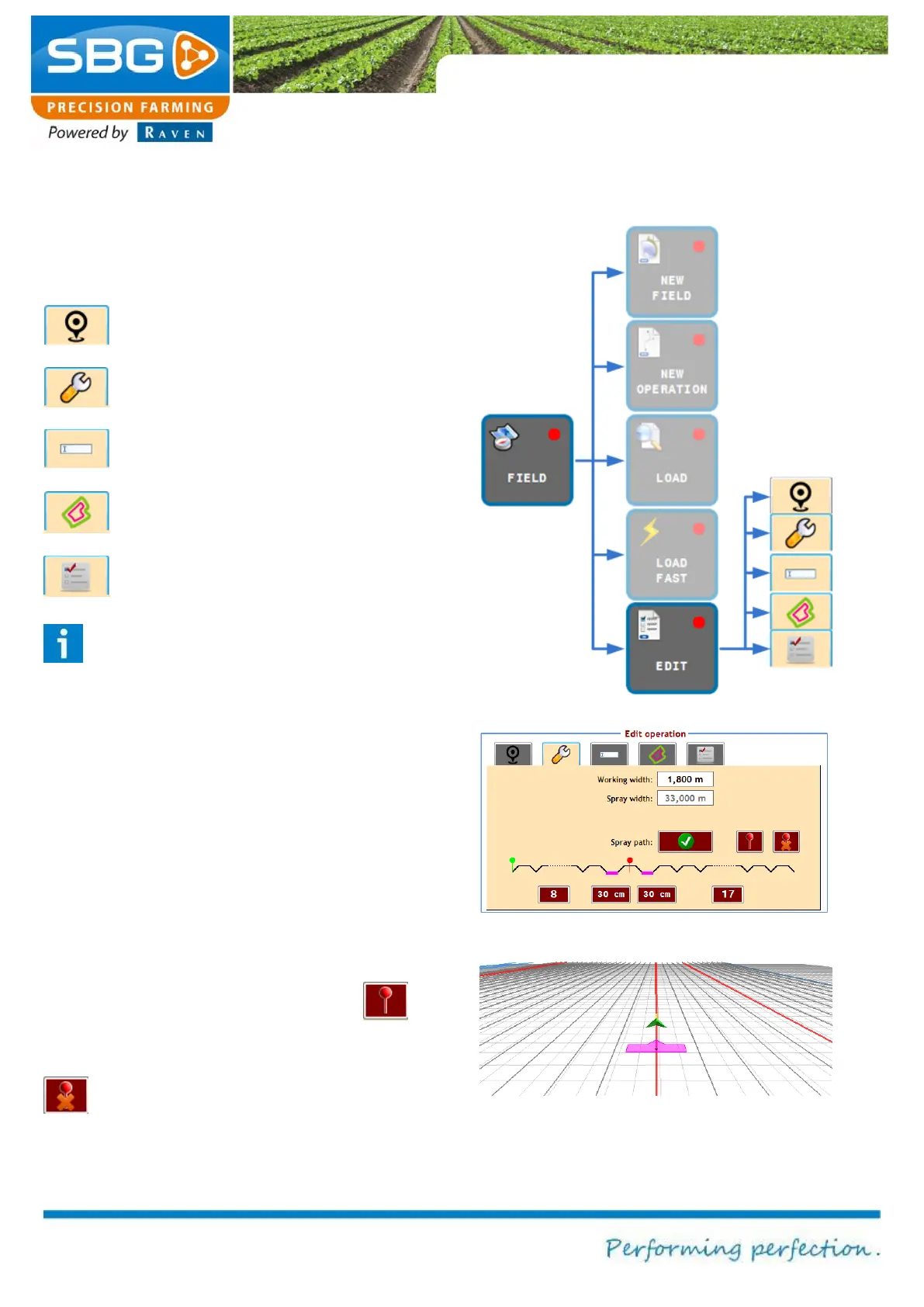
Tap on FIELD and then on EDIT (Figure 38). The
Edit operation menu will now be displayed.
The edit menu contains of five tabs:
Location and shift
Working width and spray tracks
Field name
Headland
Lock operation
Please note!:
The lock operation function is irreversible.
So, if this function is activated, it is not
possible to change anything back on the
operation.
In the tab working width and spray tracks the
normal working width and spray working width can
be edited (Figure 39). Besides that it is possible to
manually mark a track as a spray track, which
allows the user to mark a spray track on a random
place in the spray track pattern. After this manual
marked spray track the original spray track pattern
continues (Figure 40). It is possible to mark
several spray tracks manually with the
button. If the manual marked spray track is the
nearest track, this line can be removed with the
button.
Figure 38 Editing an operation
Figure 39 Menu to mark track as spray track
Figure 40 Marked spray track



 To Next Page