Page 45/70 May 2015 I 2.0
5.2. GPS set-up
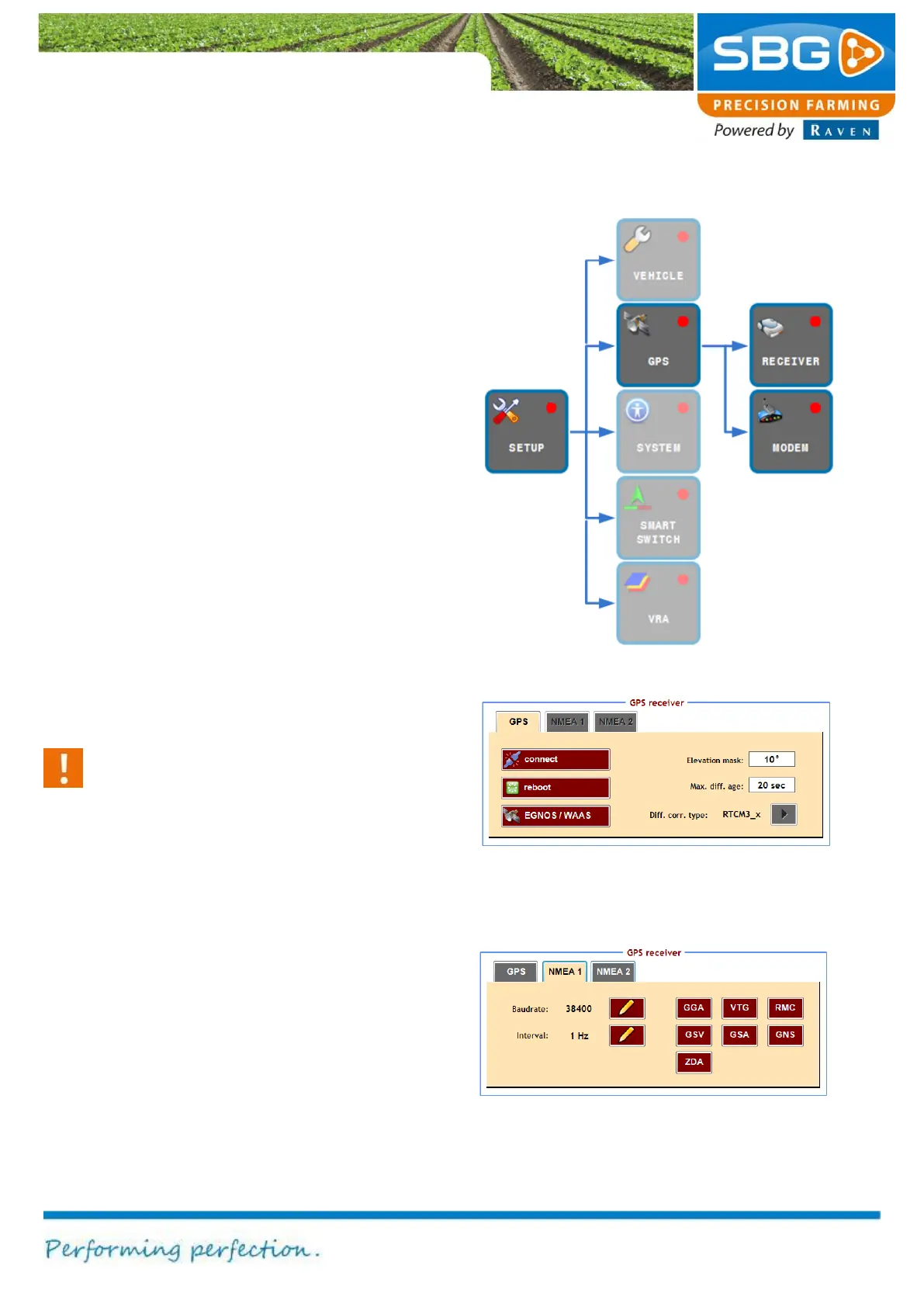
The GPS menu comprises all the functions
necessary for configuring the GPS receiver and
the radio and/or GSM modem (Figure 62).
5.2.1. Receiver
Tap on RECEIVER to change the configuration of
the GPS receiver.
The GPS Receiver menu consists of two tabs.
The GPS tab is displayed by default, as shown in
Figure 63.
Tap on Connect if the connection with the GPS
receiver is interrupted. The connection is
interrupted if the clock at the top right of the
screen is coloured red and/or displays 0:00:00.
The reboot key serves to initialise the GPS
receiver and is only intended to be used in
exceptional cases, e.g. when the GPS receiver
displays three boxes (RTK Float) for a longer
period of time.
Caution!
Never tap the connect and reboot keys
without good reason. Frequent initialisation
of the GPS receiver can cause damage to
the device. Always wait long enough for a
signal to be produced after activating the
keys. The system needs time to perform the
action properly.
The EGNOS key can be used for operations with
a low accuracy to apply automatic steering based
only on the EGNOS signal. If this field is tapped it
will turn green, indicating that the operation can be
automatically controlled using EGNOS.
The elevation mask (default setting = 10 º) can
be changed in order to influence the number of
satellites used. Increasing the elevation mask
ensures that fewer satellites are used but with a
Figure 63 Configuring the GPS receiver
Figure 64 Configuring NMEA1 data



 To Next Page