Page 40/70 | May 2015 | 2.0
5.1.2. SBGuidance Side-Shift
SBGuidance Side-Shift works standard with
proportional steering. While using heavier
implements, whereby the GPS-antenna is not
installed above the Side-Shift cylinder there is an
option to use the pulse steering. The choice
between proportional and pulse steering can only
be done by a SBG dealer.
When only side-shift steering is set by the dealer
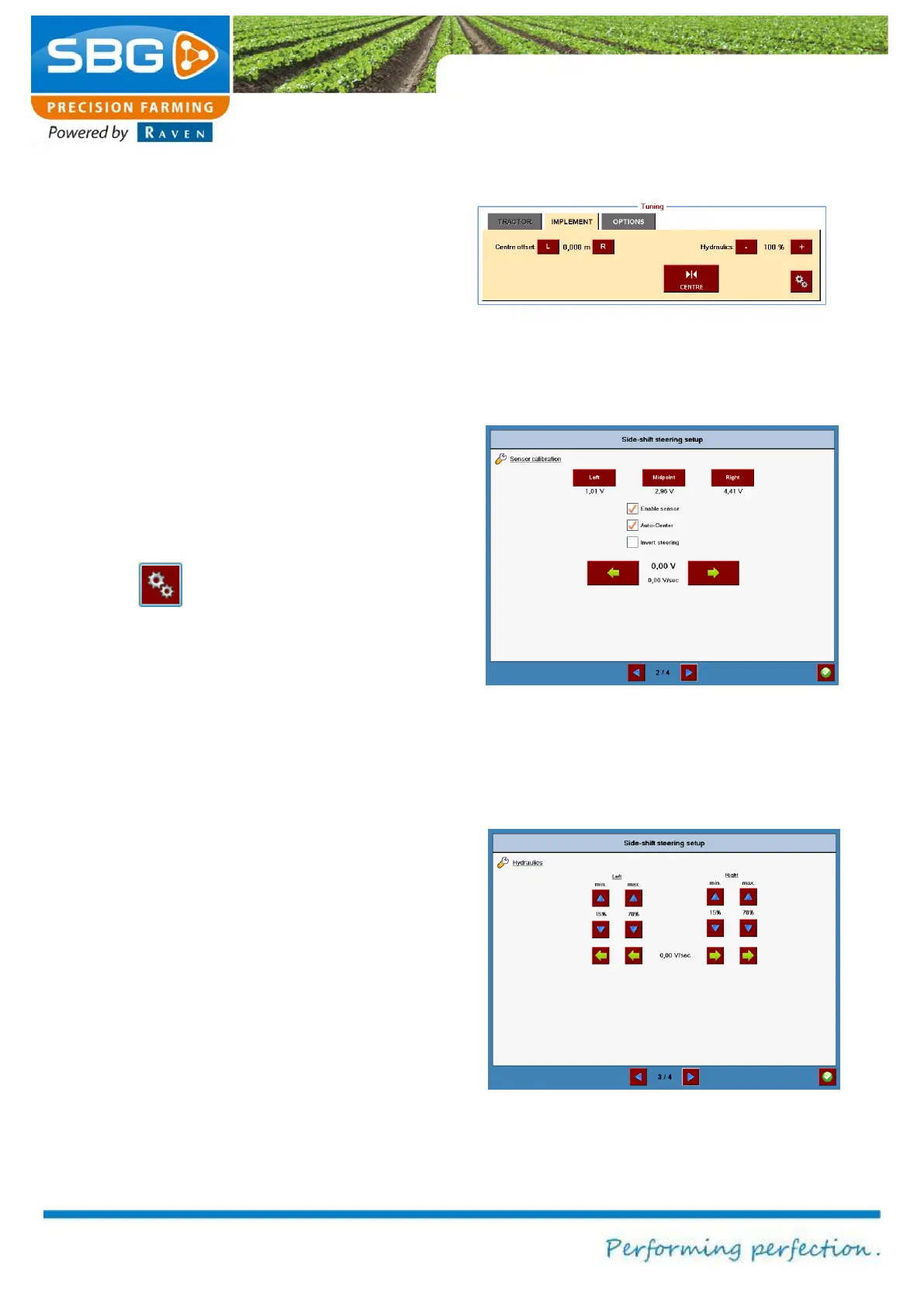
in the configuration tool, only the IMPLEMENT tab
is active in the user software (Figure 52).
The centre adjustment is the same as in the
tractor steering mode (see chapter 5.1.1).
Tap on the key to open the calibration menu
(Figure 53). In this menu the sensor can be
activated and set. The green arrow keys at the
bottom can be used to manually steer the Side-
Shift cylinder to the left or right. Steer the cylinder
completely to the left and then click on “Left”. The
same applies to the maximum adjustment to the
right and the centre position.
The Auto-Center function steers the Side-Shift
cylinder to the middle position of the cylinder when
the steering is deactivated with the “GO” key in the
main screen. A requirement is that a position
sensor is used on the Side-Shift cylinder.
Check Invert steering when the Side-Shift
cylinder steers in the opposite direction.
Tuning proportional steering
For an optimal steering performance it is important
that the minimal and maximal steering
percentages are set by a SBG dealer (Figure 54).
As a user you can make the steering more or less
aggressive by changing the hydraulic percentage
in the Tuning menu (Figure 52).
Figure 52 Tuning SBGuidance Sideshift
Figure 53 Sensor calibration
Figure 54 Steering percentages calibration



 To Next Page