Page 55/70 May 2015 I 2.0
6. Info
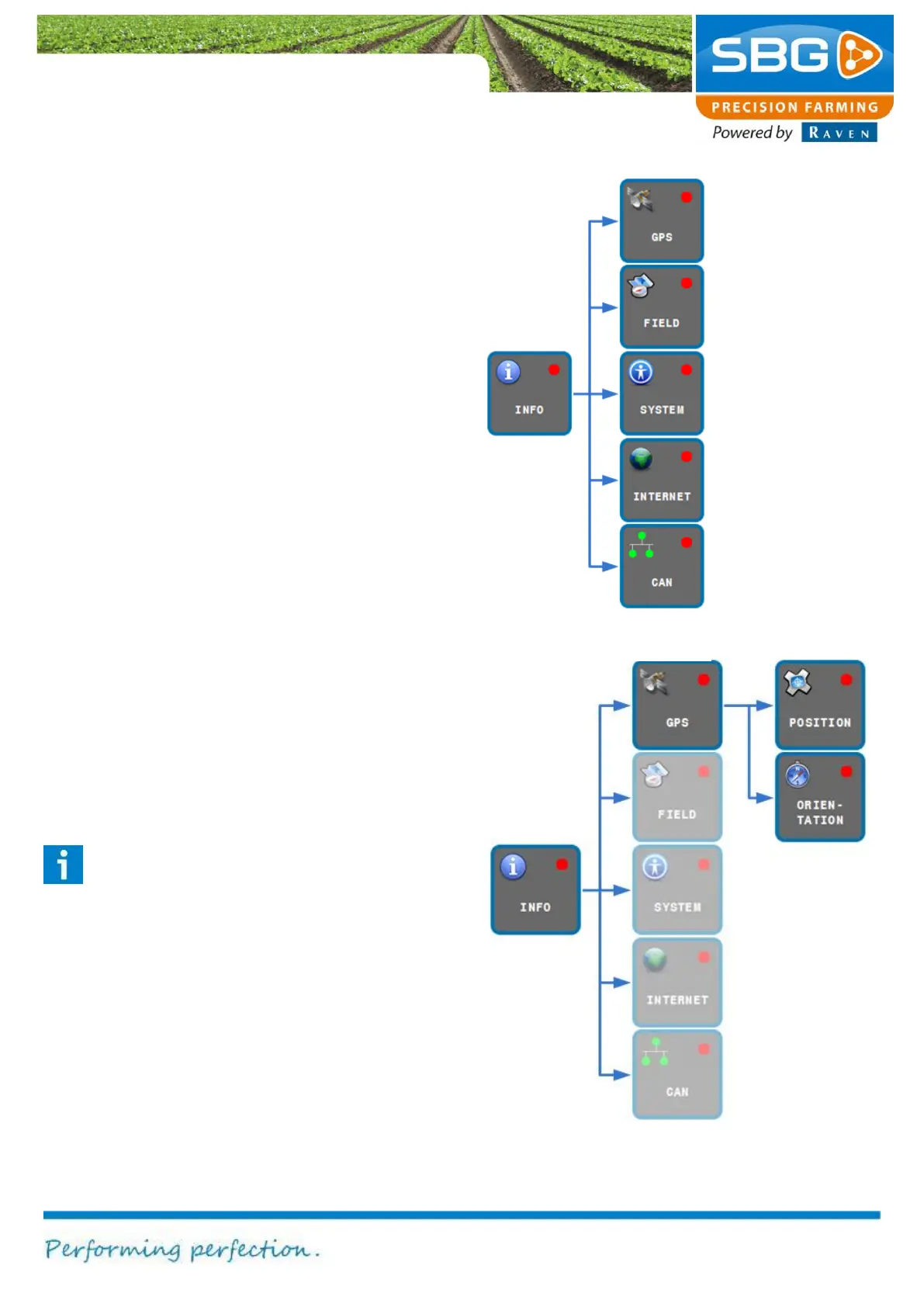
Figure 81 shows which functions are invoked after
selecting the INFO key.
It is always possible to abandon a specific
application and to return to the main menu by
tapping on BACK at the top left of the screen.
6.1. GPS info
The GPS can be used to display information
concerning the position or orientation towards the
destination point. Activating the key at the top right
of the screen invokes data regarding POSITION or
ORIENTATION (Figure 82).
6.1.1. Position
Tap on POSITION in order to display information
on the GPS position. This information is divided
amongst five different tabs: GPS1, GPS2, BASE,
INFO, TERRASTAR and GEOCONNECT.
The GPS1 tab (Figure 83) can be selected in
order to display information on the main GPS
antenna. This is the antenna mounted on the
tractor.
Please note!
The main antenna is the antenna mounted
on the tractor. Connect the main antenna
cable on the GeoStar to the antenna
connection socket closest to the touch-
screen. Connect the main antenna cable on
the Viper 4 to the connection socket
marked with GPS1.
System
information:
Licence, error
fields and
position and
information
Weather forecast



 To Next Page