Page 48/70 | May 2015 | 2.0
5.2.2. Modem
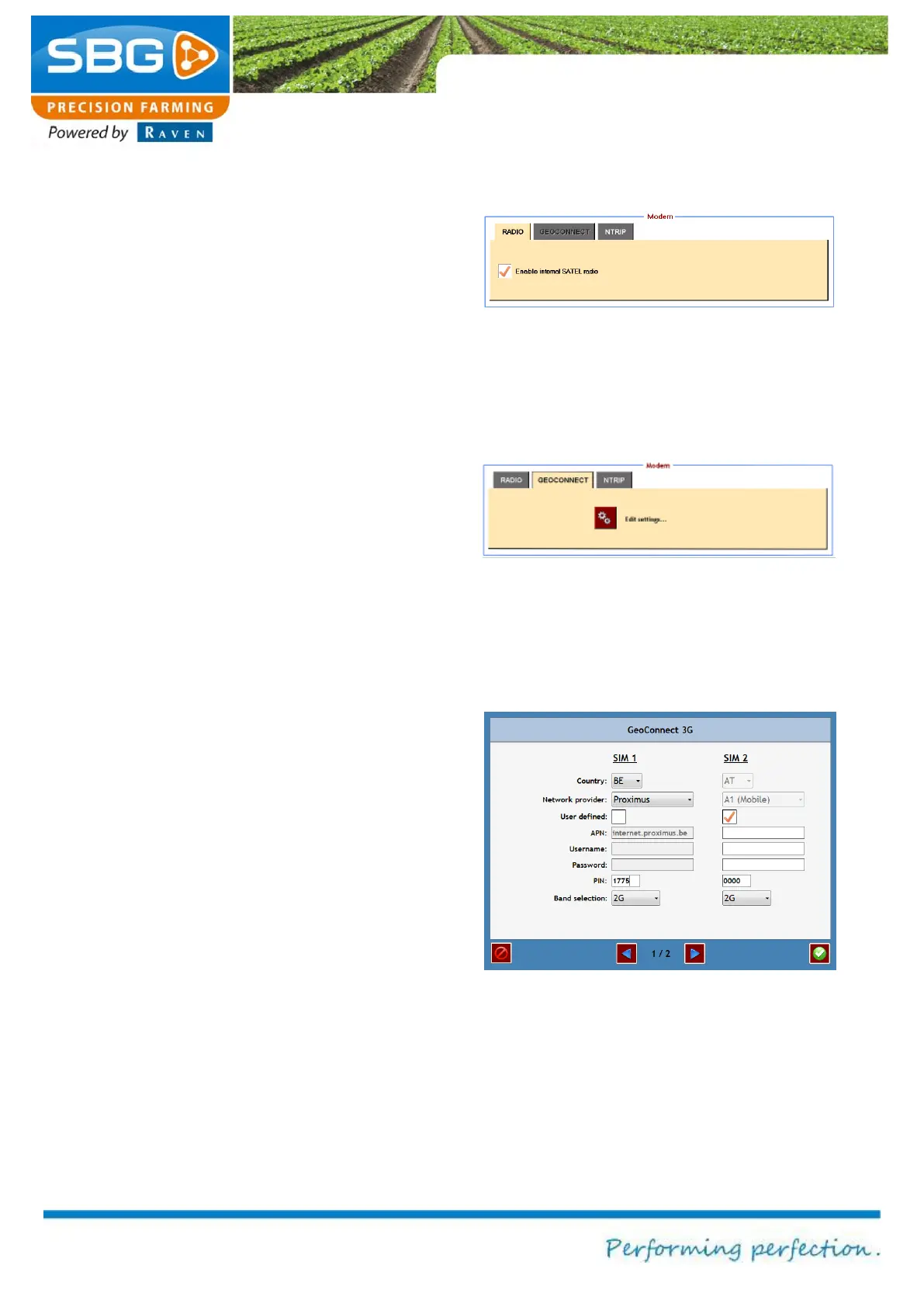
In the GPS menu tap on MODEM to change the
modem settings (Figure 66). The type of modem
to be used will depend on the type of correction
signal. A radio modem (built-in, if desired) is used
for correction signals over fixed or mobile base
stations. A GSM modem (GeoConnect) is used
for correction signals over an NTRIP network.
The screen of Figure 66 is empty while using a
Geostar terminal. There is a check box, to indicate
whether there is an integrated Satel radio modem
or not, while using a Viper 4. The rest of the
configuration on the Satel radio modem is done by
the Base Manager in the SBGuidance Loader
(chapter 2.2).
The GEOCONNECT tab is only active (Figure 67)
if a GeoConnect modem is connected. Tap on
Edit settings to change the configuration of the
GeoConnect modem.
Enter the SIM card data on page 1/2 (Figure 68).
Several providers and their data are already
available for certain countries. If this is the case,
select the country, the correct network provider
and correct PIN code. Other data is entered
automatically. If the desired country and network
provider are not available in the list, select use
defined. This enables the APN (access point
name), username and password to be entered
manually. To obtain these details, please contact
your own GSM network provider. Frequency
band and Selection can be used to select a
connection type: 2G, 3G or AUTO (automatic
selection of available connection type).
Figure 66 Radio modem tab
Figure 68 GeoConnect settings 1



 To Next Page