Page 56/70 May 2015 I 2.0
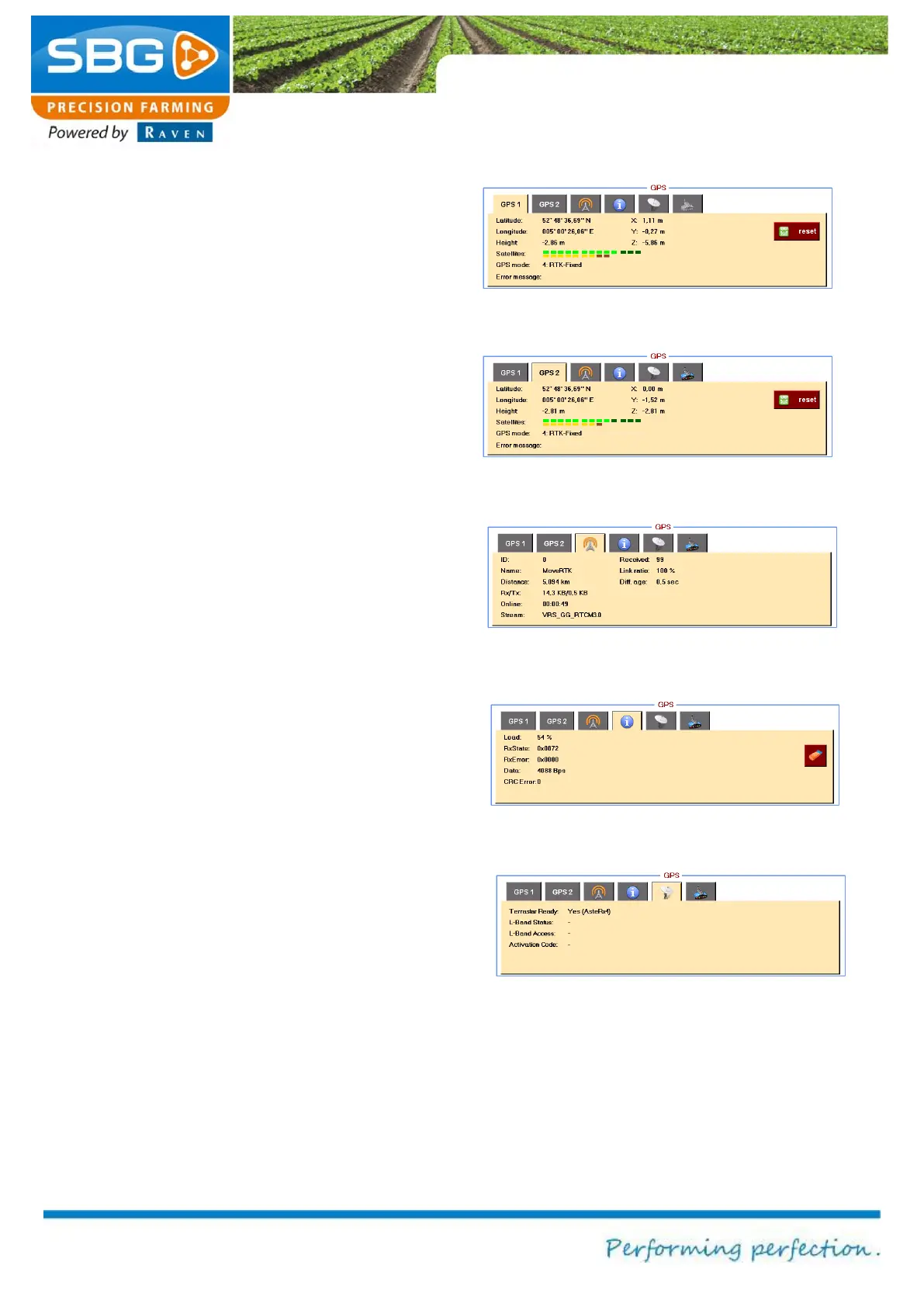
Latitude, Longitude and X, Y, Z can be selected
to display the coordinates of the current GPS
position. Elevation displays the GPS elevation.
The Satellite option displays the number of visible
and active satellites available to the system:
bright green: Number of GLONAS satellites
used
dark green: Number of GPS satellites visible
but not used.
yellow: Number of GLONAS satellites used
brown: Number of GLONAS satellites visible
but not used.
GPS mode indicates the signal quality: No
solution, Stand-Alone GPS, SBAS, RTK-Float
or RTK fixed. Any reception problems are
displayed in the error message. Tapping on the
Reset key resets the RTK filter of the GPS
receiver.
The GPS2 tab (Figure 84) can be selected in
order to display information on the auxiliary device
antenna (AUX antenna), if present.
The BASE tab (Figure 85) can be selected to
display information regarding the base station
(transmitter of the correction signal). Distance
displays the distance in metres from the base
station. Received displays the number of
messages received by the base station. Diff. age
displays the amount of time that has lapsed since
the last correction signal was received.
The INFO tab (Figure 86) can be selected to
display the data being received over the
connection by the GPS receiver. These data can
be used by a specialist for diagnosing the cause
or origin of failures.
Figure 83 GPS1 (main-antenna) info
Figure 84 GPS2 (aux-antenna) info
Figure 85 Base station info
Figure 87 Terrstar information



 To Next Page