Set Function and its Parameters
Function Main Menu
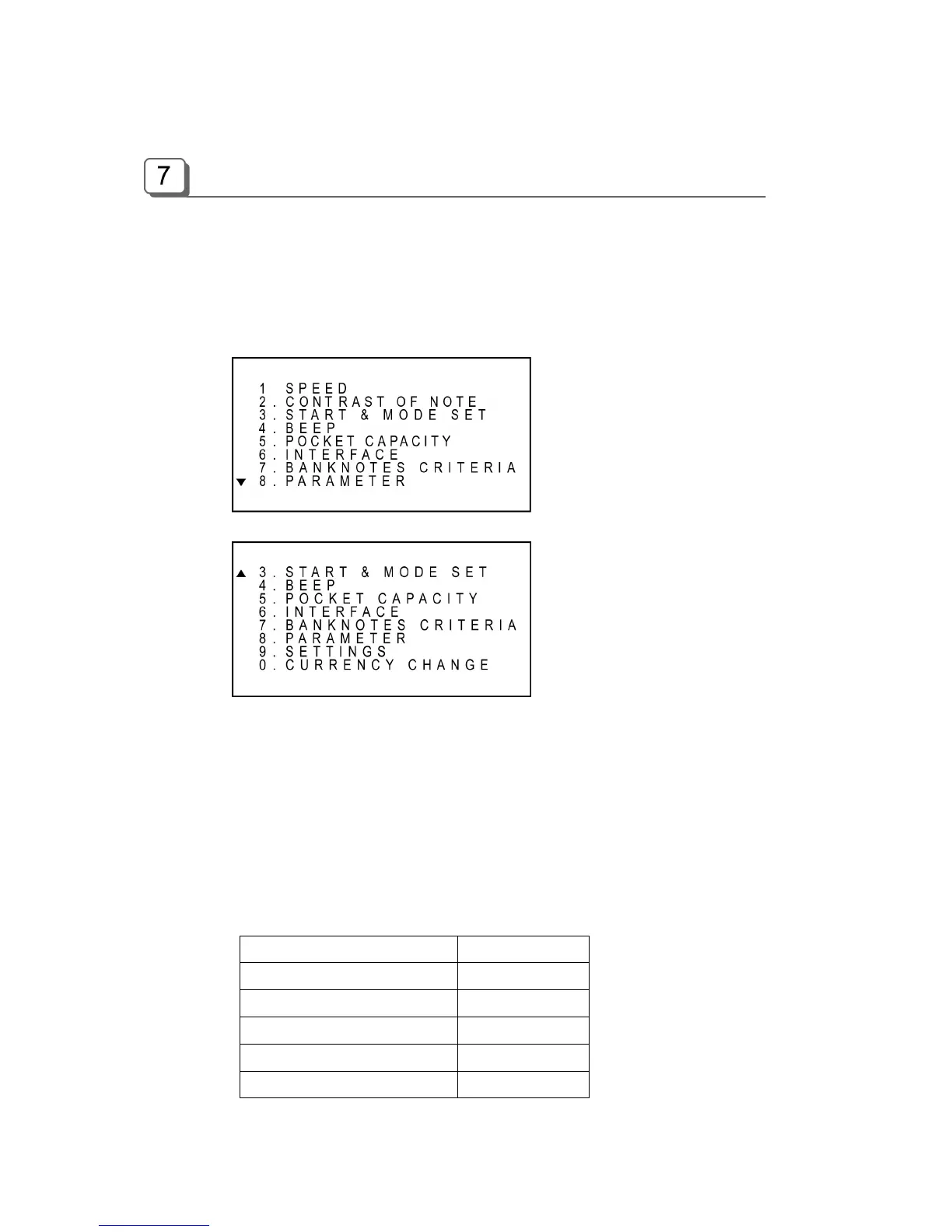
To set a function and its parameters, at first move to Function Main Menu by pressing FUNCTION
key. After pressing FUNCTION key, you can see the Display as shown below. To see the next
page of the Menu, press DOWN key several times.
To move to a menu, press UP/DOWN key. Then press START key to enter. Or you can directly
move to a menu by just pressing a numeric key. For example, to move to the “BEEP” menu, press
DOWN key two times and press START or just press numeric “3” key. Then a sub menu will be
displayed and you can set a value or “ON” /”OFF” condition.
To escape from the menu completely, press CLEAR/ESC key or to continue to set up, press
FUNCTION key again in sub menu mode.
The factory default settings are like below;
Function/Parameter Default Value
Speed 1000 NPM
Contrast of Note Normal
Beep On
Auto Start On
Mode Lock Off



 To Next Page