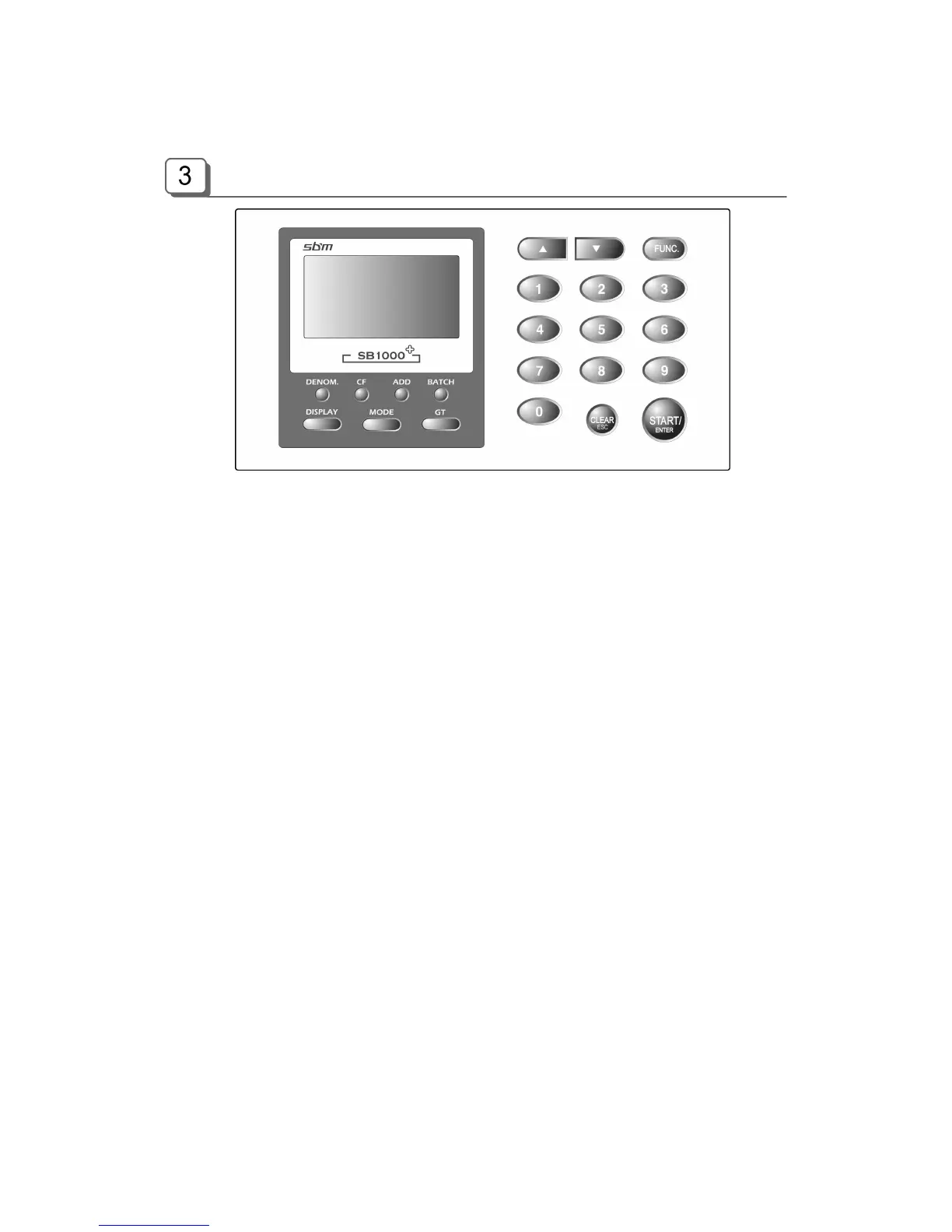
Overview of Control Panel
DENOM. Select a denomination in Single Mode
CF Set Counterfeit Detection Mode (CF ON CF OFF)
ADD Add function On/Off
BATCH Batch function On/Off in Count, Mixed and Orientation modes
Denom. Batch Set On/Off in Single, Sort and Face-All modes
DISPLAY 1) Change Display Mode
Amount & Piece (Large View) Amount (Detail View) Piece (Large
View) Piece (Detail View) Reject Reason
2) HYPHEN key (in some input mode)
MODE 1) Change Mode
Mixed Single Sort Facing Orientation Count
*Option
Serial no. Printing (SRL) / P-OCR/B-CODE and B-MIXED
2) LEFT key (in some input mode)
GT 1) Grand Total Display
2) RIGHT key (in some input mode)
▲ Up
▼ Down
FUNCTION Change Values of various Parameters
START/ENTER Counting Start / ENTER key, PRINT key (if pressed long), Stop key
CLEAR/ESC Clear Errors / Escape from Function Menu / Cancel Input



 To Next Page