Getting Started … (Simple Counting)
Placing Bills into the Hopper
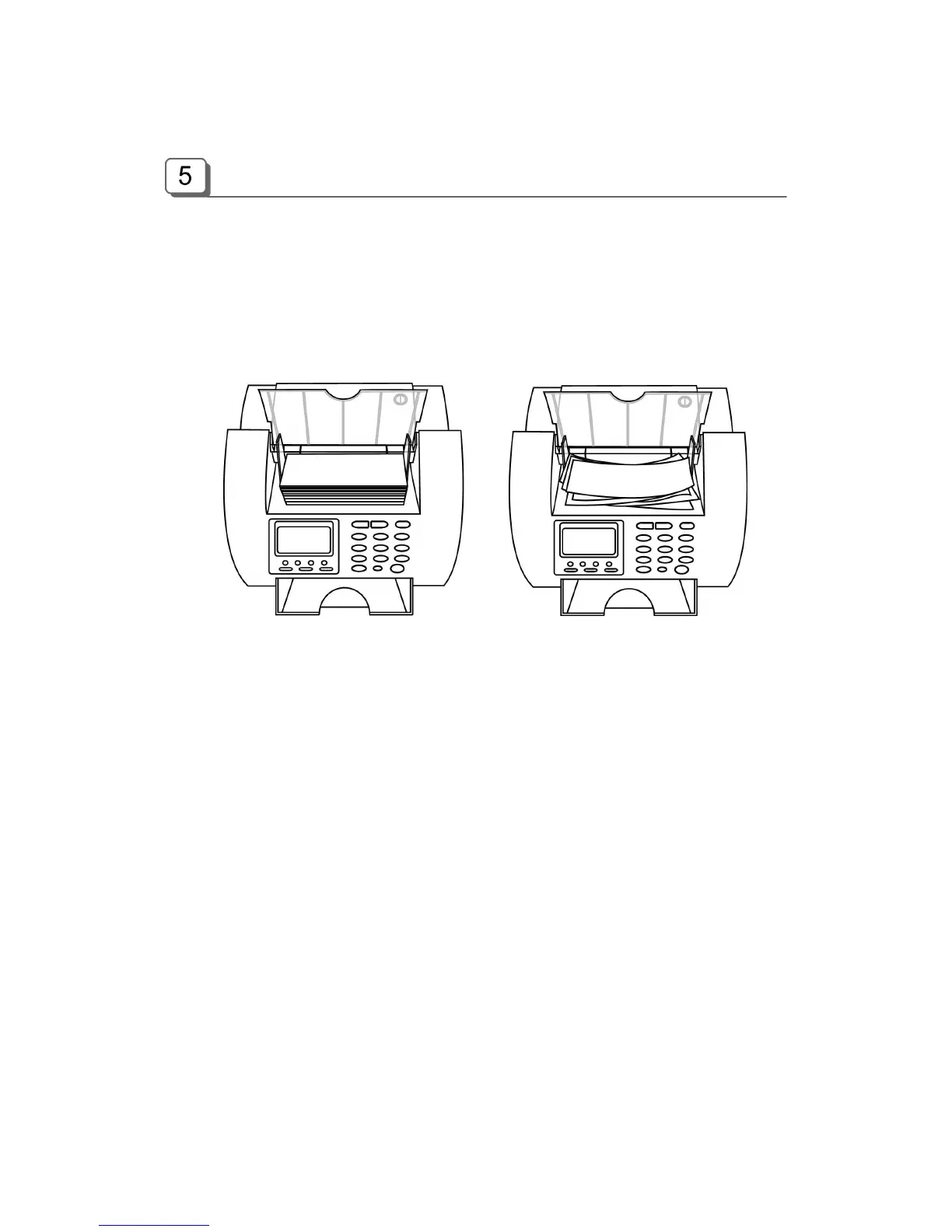
It is very important to place the bills into the hopper correctly because recognition performance of
the bills is highly affected by the arrangement of the bills. And the number of the rejected bills can
be increased when they are not arranged and placed. Refer to the pictures for the correct
placement of the bills.
Good Bad
Please avoid counting bills like wet, excessively dirty, spoiled, folded, curled notes and with foreign
material like clips, bands, etc. Sometimes it causes malfunction of the machine.
Counting
In AUTO mode, the machine starts to count the bill automatically as it detects the existence of the
bill in the hopper. In MANUAL mode, the machine will start to count the bill only if the bills are
placed into the hopper and START key is pressed. While counting, the machine will display the
number of the bills on LCD display and it stops working when it meets the conditions described as
below;
- No bills in the hopper
- Stacker is full.
- Rejecter is full.
- The number of the bills counted is the same as the batch number to be set in BATCH
mode.
- Errors have occurred.
When the machine finishes counting without errors, the number of counted bills will be displayed in
COUNT mode, and the value of the counted bills will be displayed in all modes except COUNT
mode.



 To Next Page