Each Denomination associated Batch function (DB) is available with ‘SINGLE’, ‘SORT’, and
‘FACE’ (ALL)’ modes and can be activated or deactivated by pressing [BATCH] key. This is how
they are organized: By pressing Batch key in SINGL, SORT, or FACE(ALL), batch function will be
changed recursively like below:
In SINGL or FACE (ALL) mode:
Denom. Batch ON Normal Batch (1-200) ON All Batch Off
In SORT mode:
Denom. Batch On Denom. Batch Off
Once Batch Key is pressed, “DB” message will be displayed on LCD ensuring activation of
denomination batch function. If DB is selected, machine will count and batch the desired
denomination by pre-set batch number. For further information on how to set up DB (Denomination
Batch) setting, please refer to Chapter 7. Set Function and its Parameters
Settings.
Changing Display Contents
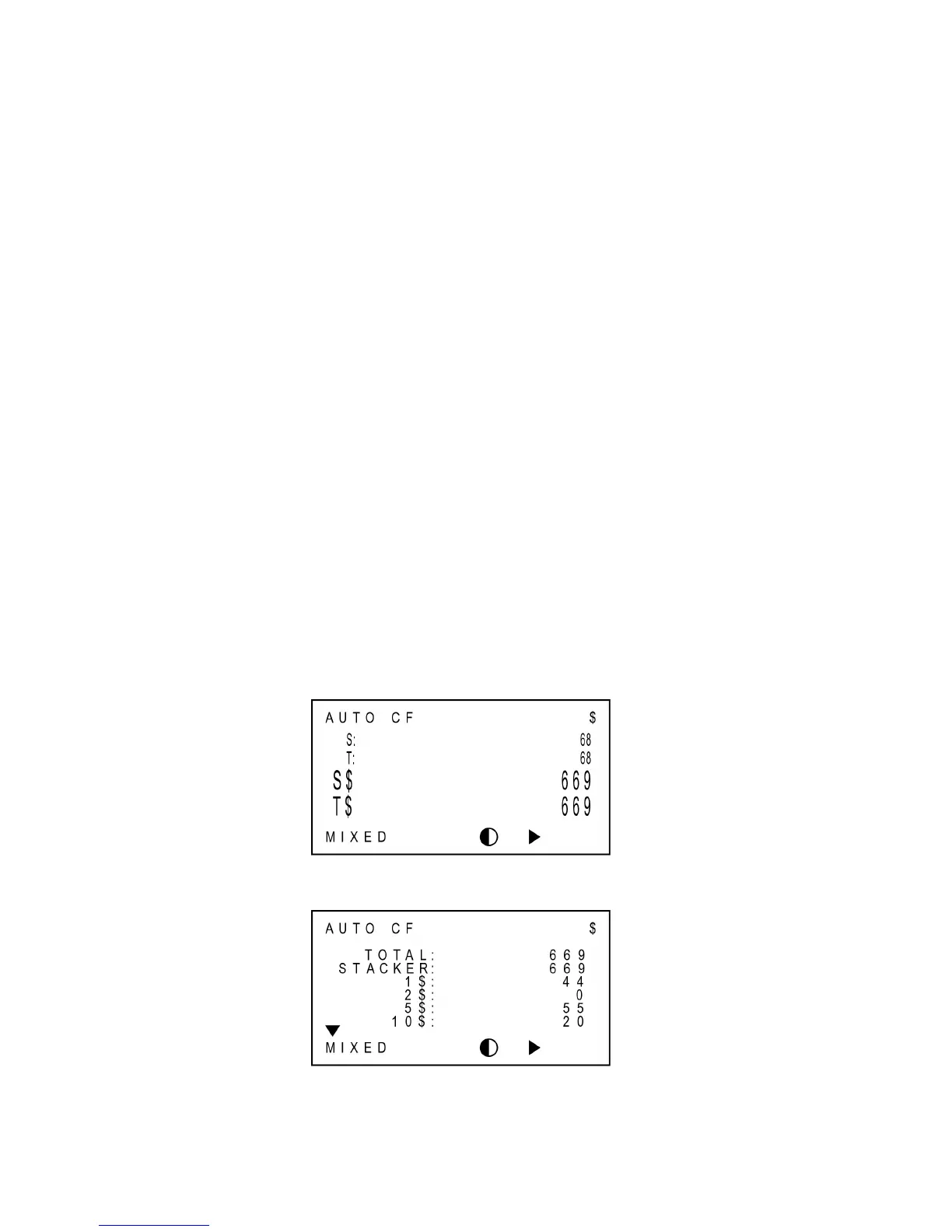
The machine provides various information regarding counting results. Every time pressing
DISPLAY key, the display mode is changed sequentially. There are 5 modes: Count Display (Large
View), Count Display (Detail View), Amount Display (Large View), Amount Display (Detail View),
and Reject Reason. There are some examples of each Display mode.
Amount & Piece Display (Large View)
↓
Amount Display (Detail View)



 To Next Page