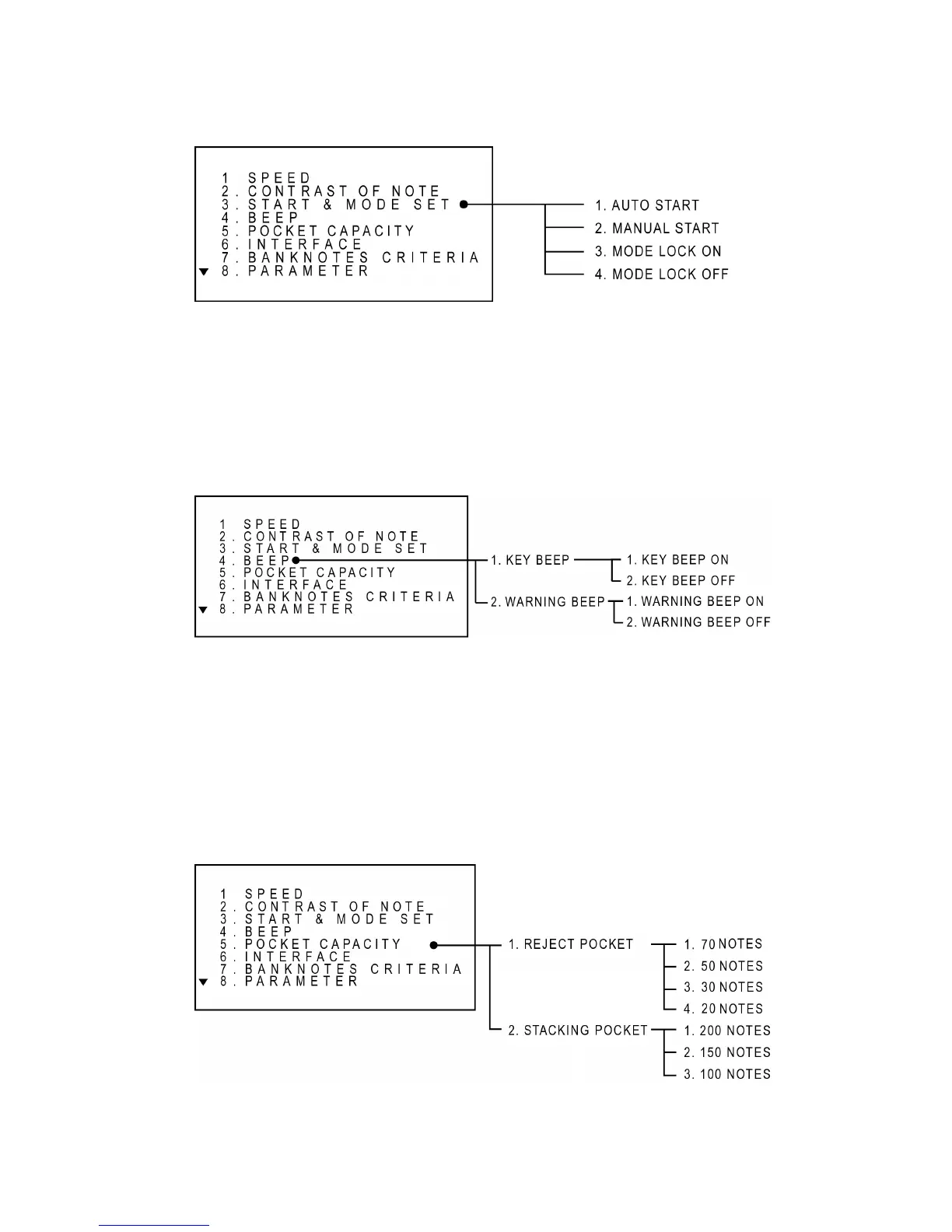
Set Beep Function
If beep function is set to "ON", an audible beep tone will be generated when a key is pressed,
otherwise it will not be generated. To set to an ON/OFF, moves to a level using UP/DOWN key
then press START key to enter or directly press a numeric key.
Set Pocket Capacity
The capacity of the Reject Pocket and the Stacker Pocket is changeable using this function. If a
user normally processes good quality notes, then the capacity of the Reject Pocket and the
Stacking Pocket can be set to maximum 70 notes and 200 notes respectively, otherwise the value
should be set to minimum 30 notes for the Reject Pocket and 100 notes for the Stacking Pocket.
To set to a value, moves to a level using UP/DOWN key then press START key to enter or directly
press a numeric key.



 To Next Page