Priority Audio Source
Higher Priority
↑
Lower Priority
Mobile phone, GPS device instructions
Intercom (Click-to-Link) or Music
1
Music or Intercom (Click-to-Link)
2
FM Radio
1
When audio priority is set to Intercom, you cannot hear navigation app or SMS messages from your phone during an
ongoing intercom call.
2
When audio priority is set to A2DP (music), the intercom is disabled while listening to music (via A2DP). A rider
calling you by intercom hears a sound indicating you are not available.
● Intercom modes all have the same priority, so ongoing intercom calls will not be interrupted by any other
intercom call.
● Bluetooth intercom and Click-to-Link calls have the same priority, so Click-to-Link calls will not interrupt any
Bluetooth intercom call in progress, and vice versa.
If you paired your unit to two mobile phones (see Setting the Default Mobile Phone on page 23), music will be
shared from the mobile phone through which you last played music.
When sharing FM radio (see Sharing Music and Radio on page 33), either rider can change station and Intercom
(Click-to-Link).
4.6 SETTING THE DEFAULT MOBILE PHONE
If you paired your unit to two mobile phones, you must set one of them as the default phone for outgoing calls.
To set the default phone through the SmartSet app:
1. Confirm your unit is in Standby mode (LED flashes slowly).
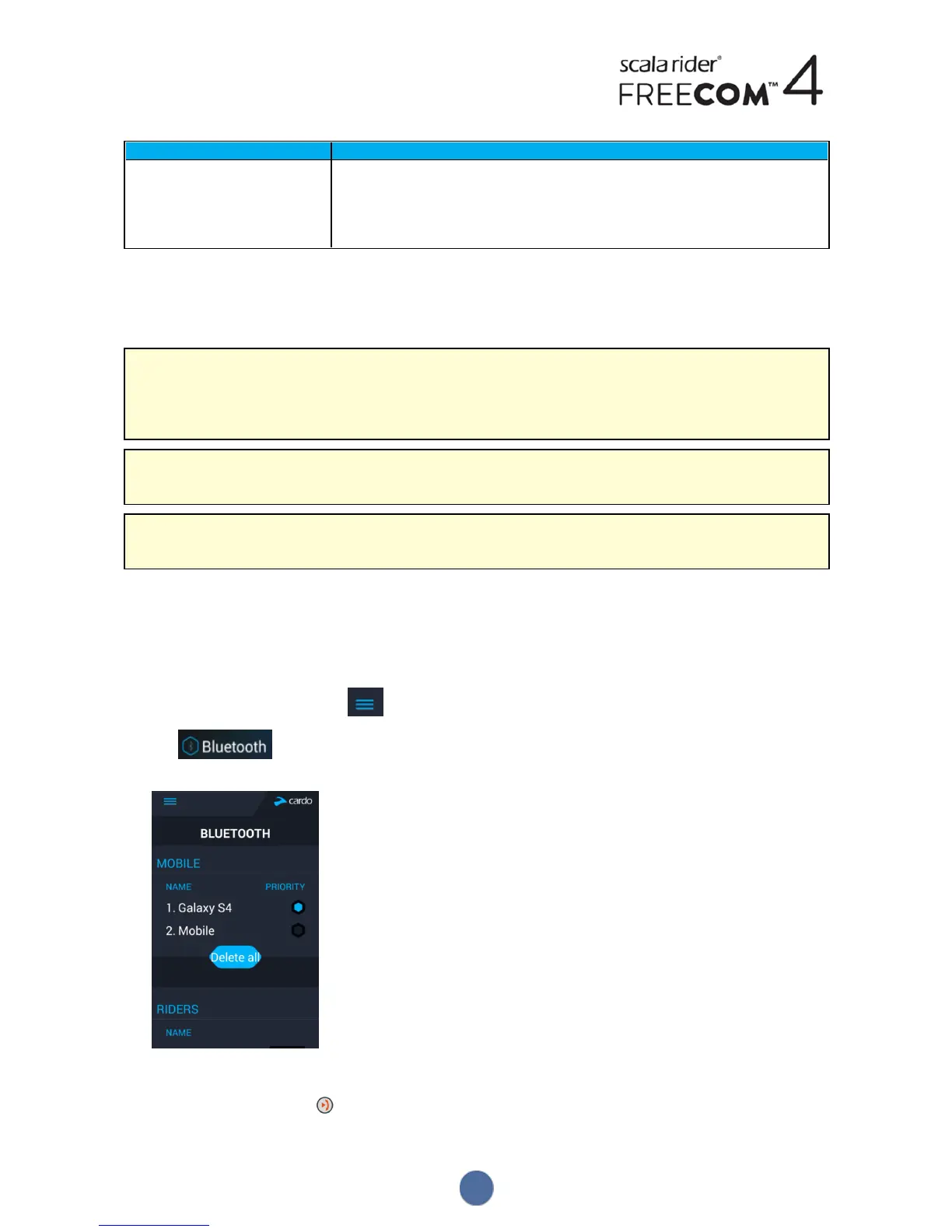
2. Open the SmartSet app and tap :
3. Tap .
4. Tap PRIORITY for the default mobile phone.
To set the default phone through the unit:
● During a mobile call, press for 5 seconds.
23


 To Next Page