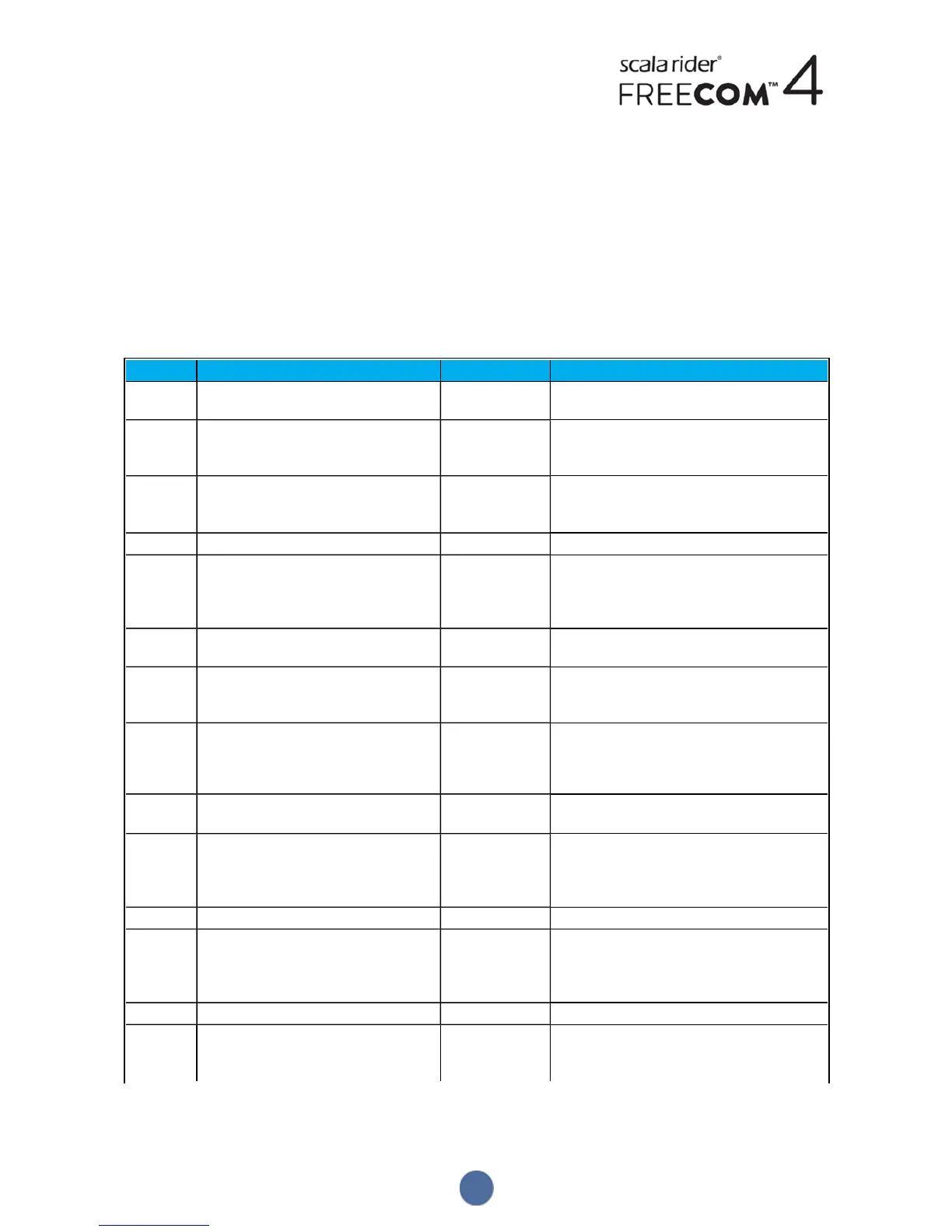
APPENDIX A. FREECOM4 MODES AND EVENTS - LEDINDICATIONS
Your FREECOM4 operates in various modes. Each mode consists of a group of features currently available for your
use. For example, when FREECOM4 plays music, it will be in music playing mode, enabling features related to
playing music such as skipping to the next and previous tracks.
"Events" are considered to occur whenever you operate a feature and when FREECOM4's responds. For example,
turning on music is an "event".
FREECOM4's current mode is indicated by the unit LEDs. You also hear voice announcements on your unit for mode
changes and events.
The following table shows LEDindications for modes and events according to the current battery state.
LED Flashing Battery State Mode or Event
Blue
For 2 seconds Normal ● Rider B connected
● Set VOX to enabled
Blue
Fast (3 times) Normal
Low Battery
Charging
● Power on
Blue
Fast (repeating fast) Normal,
Low Battery
Charging
● Pairing intercom rider B
Blue
Slow (repeating every 3 seconds) Normal ● Standby
Blue
Slow twice (repeating slowly every 3
seconds)
Normal ● Incoming/outgoing call (intercom or
mobile)
● Audio active (intercom, FM, A2DP, GPS,
Feature/Settings menu)
Off
Off Normal
Low Battery
● Off
Purple
Fast (repeating fast) Normal
Low Battery
Charging
● Pairing intercom rider C
Purple
For 2 seconds Normal
Low Battery
Charging
● Mobile pairing successful
● Mobile connected
● Rider C connected
● GPS pairing successful/connected
Purple
Slow (5 times) Normal
Low Battery
● Reset pairing
Purple/Red
Purple twice slowly and red on Charging ● Incoming/outgoing call (intercom or
mobile)
● Audio active (intercom, FM, A2DP, GPS,
Feature/Settings menu)
Purple/Red
Slow purple and red (repeating) Charging ● Standby
Red
Slow twice (repeating slowly every 3
seconds)
Low Battery ● Incoming/outgoing call (intercom
ormobile)
● Audio active (intercom, FM, A2DP, GPS,
Feature/Settings menu)
Red
Fast (repeating slowly every 3 seconds) Low Battery ● Standby
Red
Fast (repeating fast) Normal
Low Battery
Charging
● Pairing intercom rider A
38


 To Next Page