Fuel system
OPM 300 en-GB 75
© Scania CV AB 2020, Sweden
1.
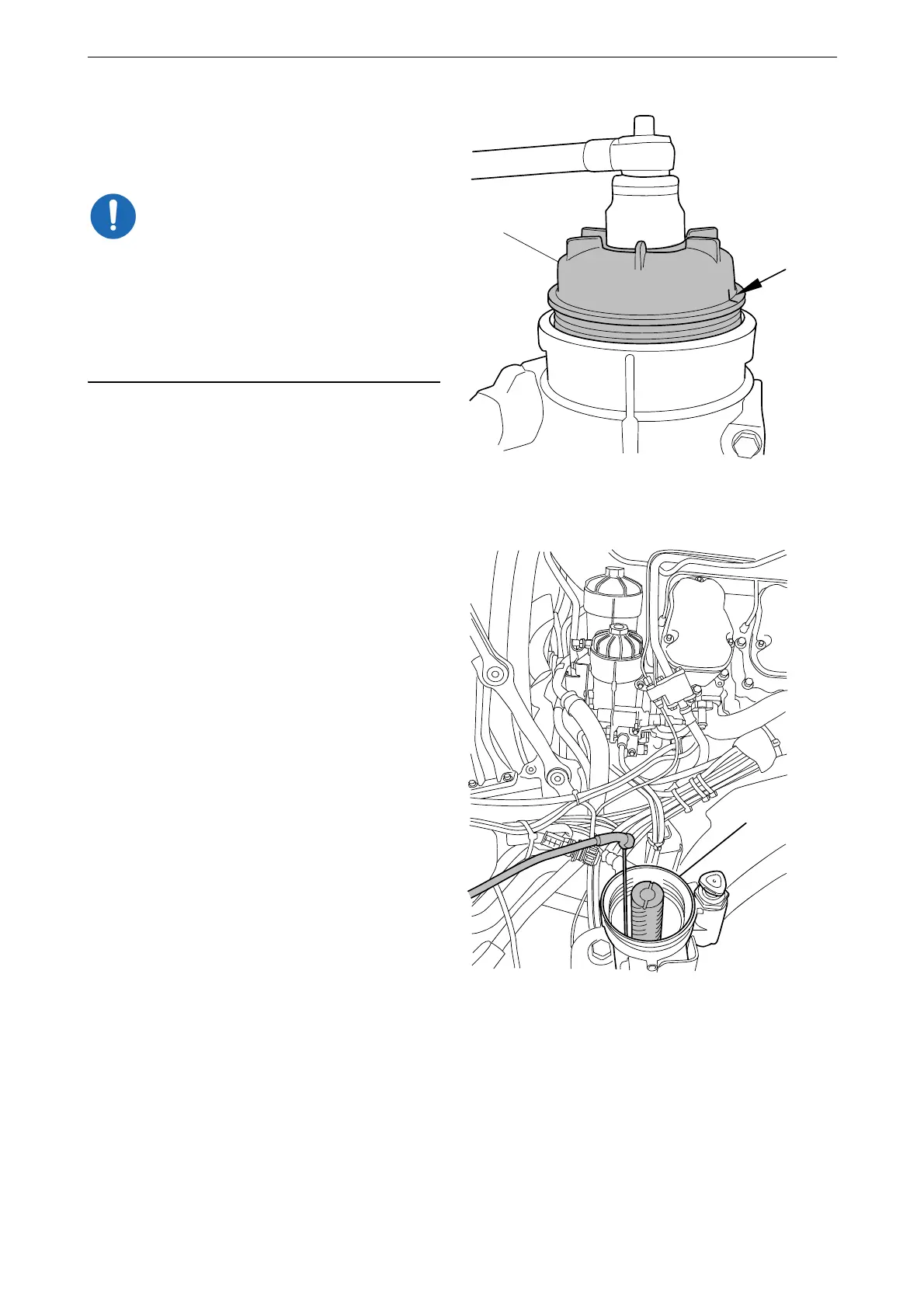
Make a mark on the water separating prefil-
ter cover (A). Unscrew the cover 3 to 4 turns
with the socket.
Do not use an adjustable spanner or other open
tool to remove the filter covers, as the filter cov-
ers may then get damaged.
Wait for at least 2 minutes to allow as much of
the fuel as possible to drain out of the filter hous-
ing.
2. Unscrew the filter cover (A) and lift it up
slowly with the filter element.
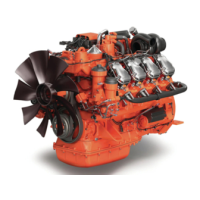
3. Make sure the suction tool is completely
drained before starting work. Draw out re-
maining fuel and any particles using the suc-
tion tool or a similar tool.
4. Keep the suction tool hose in the filter hous-
ing for the water separating prefilter (A).



 To Next Page