Fuel system
OPM 300 en-GB 76
© Scania CV AB 2020, Sweden
5.
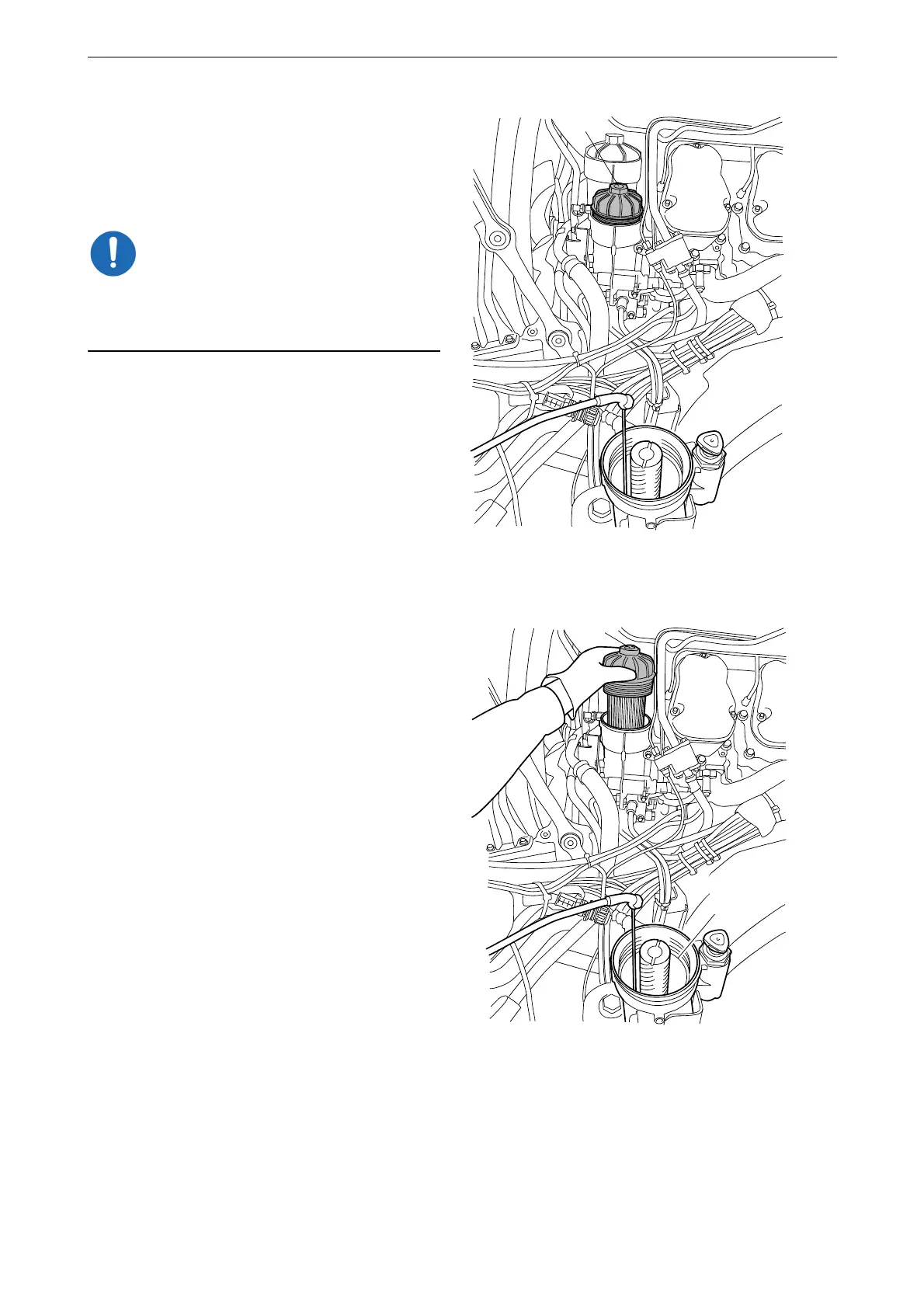
Make a mark on the main filter cover (B).
Unscrew the cover 3 to 4 turns with the sock-
et. Draw out fuel which may drain into the
water separating prefilter housing when the
main filter is detached.
Wait for at least 2 minutes to allow as much of
the fuel as possible to drain out of the filter hous-
ing.
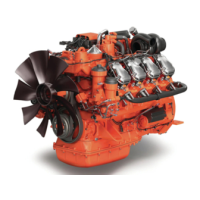
6. Unscrew the main filter cover (B) and lift it
up slowly with the filter element.
7. Fuel from the main filter housing (B) will
flow into the water separating prefilter hous-
ing (A). Leave the suction tool in the water
separating prefilter housing until it is com-
pletely drained of fuel.



 To Next Page