OPM 300 en-GB 94
© Scania CV AB 2020, Sweden
Other
6.
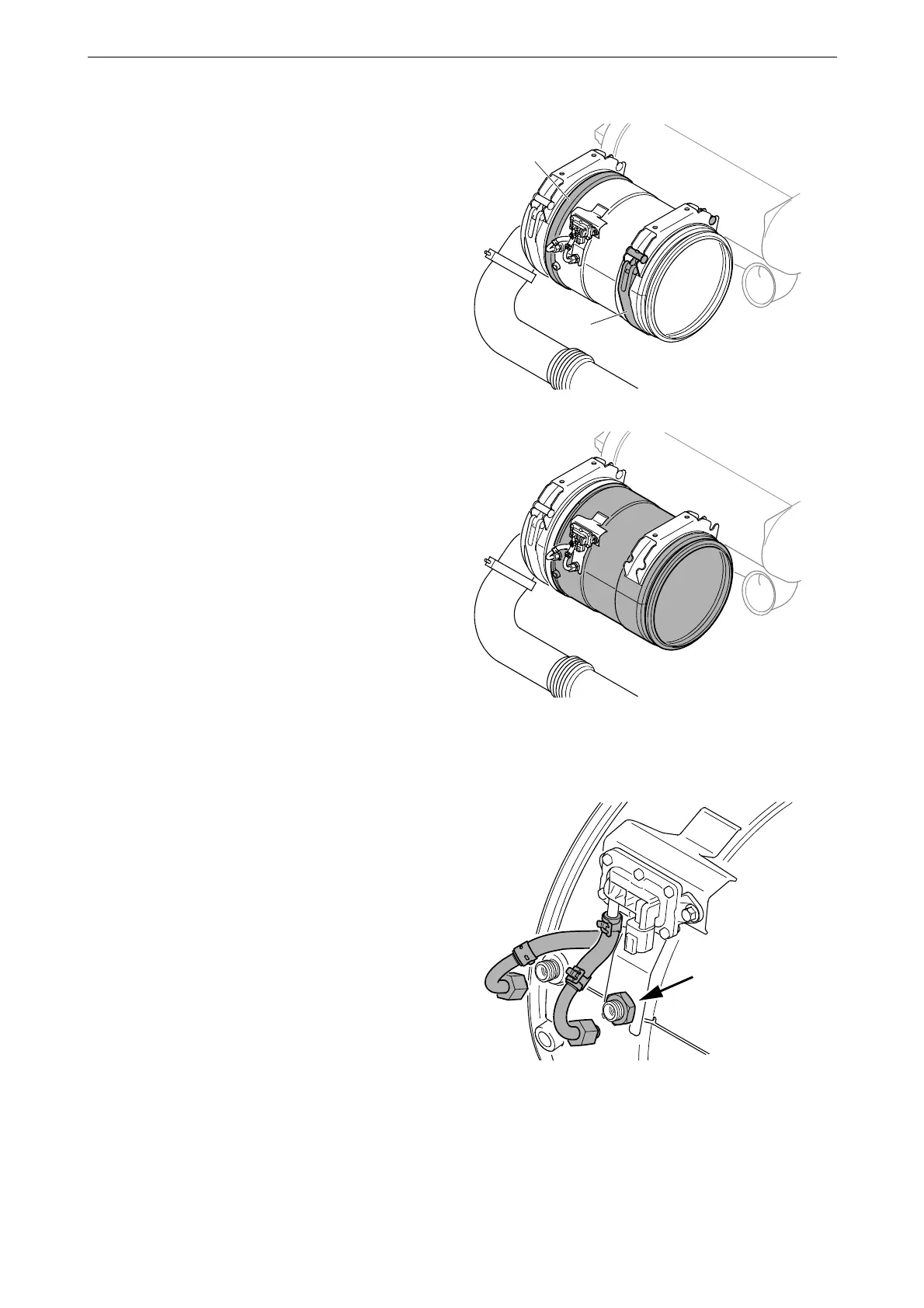
Remove the V-clamp (2) and the band clamp
around the particulate filter (1).
7. Lift off the particulate filter carefully.
8. Connect the engine to SDP3 with 99 654
VCI3 and follow the instructions in the wiz-
ard to enter a new ID number. In the wizard,
data for soot and ash are also reset. See SDP3
> Checks and adjustments > Functions >
Calibration > Emission control > Exhaust
gas aftertreatment > New ID number upon
renewal of the particulate filter or silencer.
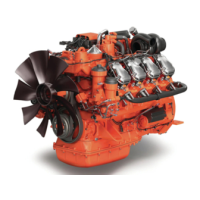
9. Detach the differential pressure sensor con-
nections and remove the nut from the brack-
et.



 To Next Page