4.3 Control panel
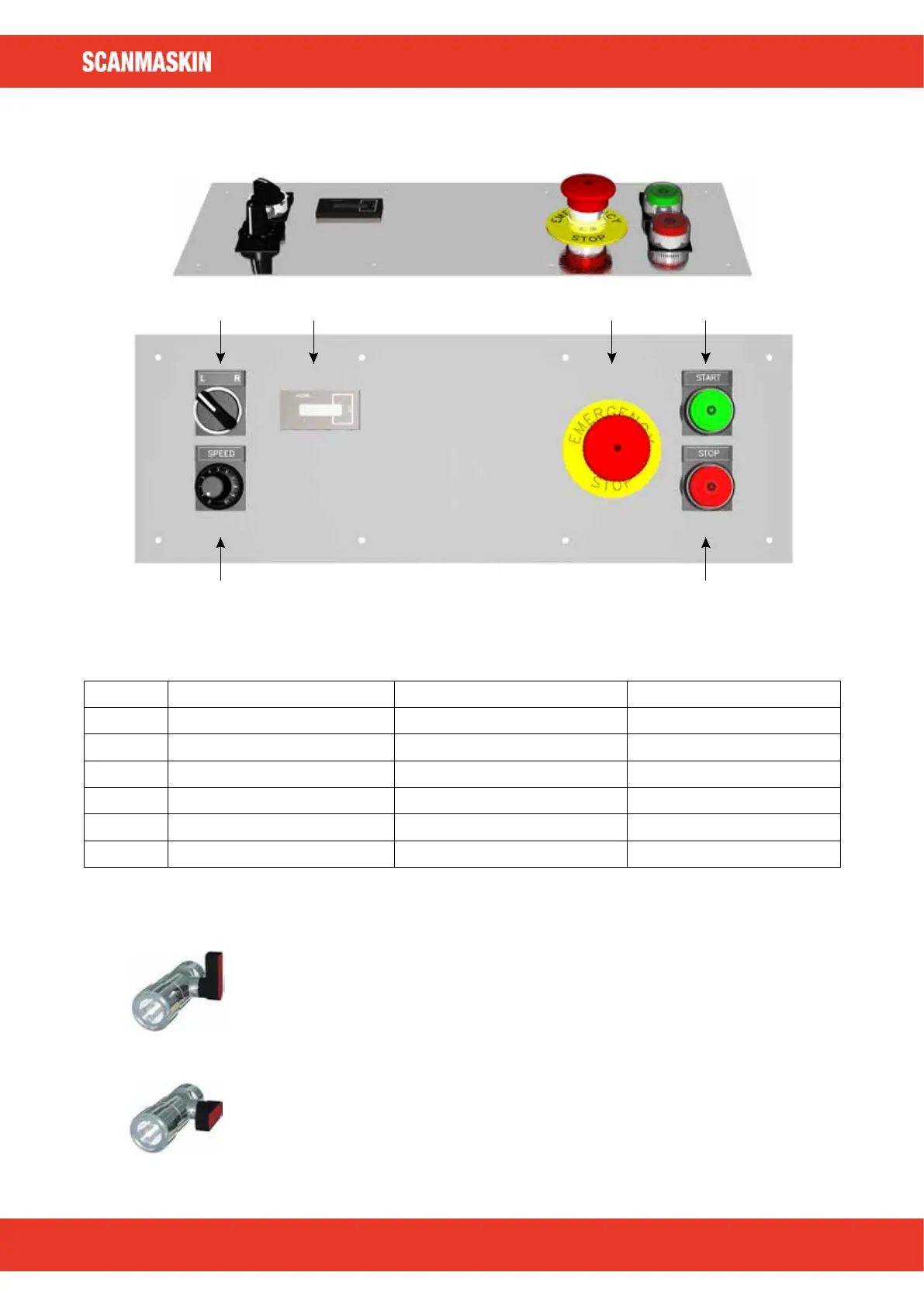
Figure 4.2 Control panel of Scanmaskin 650.
Item Text Description Partnumber
1 L/R Selects rotation direction 596001
2 HOURS Hour meter 570028
3 EMERGENCY STOP Emergency stop 596003
4 START Starts the machine 596006
5 STOP Stops the machine 596007
6 SPEED Speed of rotation 596008 + 596009
Table 4.1 Description of the control panel.
4.4 Water connection
Closed – No water will flow
Open – Water will flow
54
www.scanmaskin.com



 To Next Page