Users manual Coffee on the Spot
Scanomat A/S Vibe Allé 3. Postboks 131 DK-2980 Kokkedal (Copenhagen) Reg.nr. 236.990
Tel: (+45) 49 18 18 00. Fax: (+45) 49 18 01 18
10
Initial start up of the coffee brewer
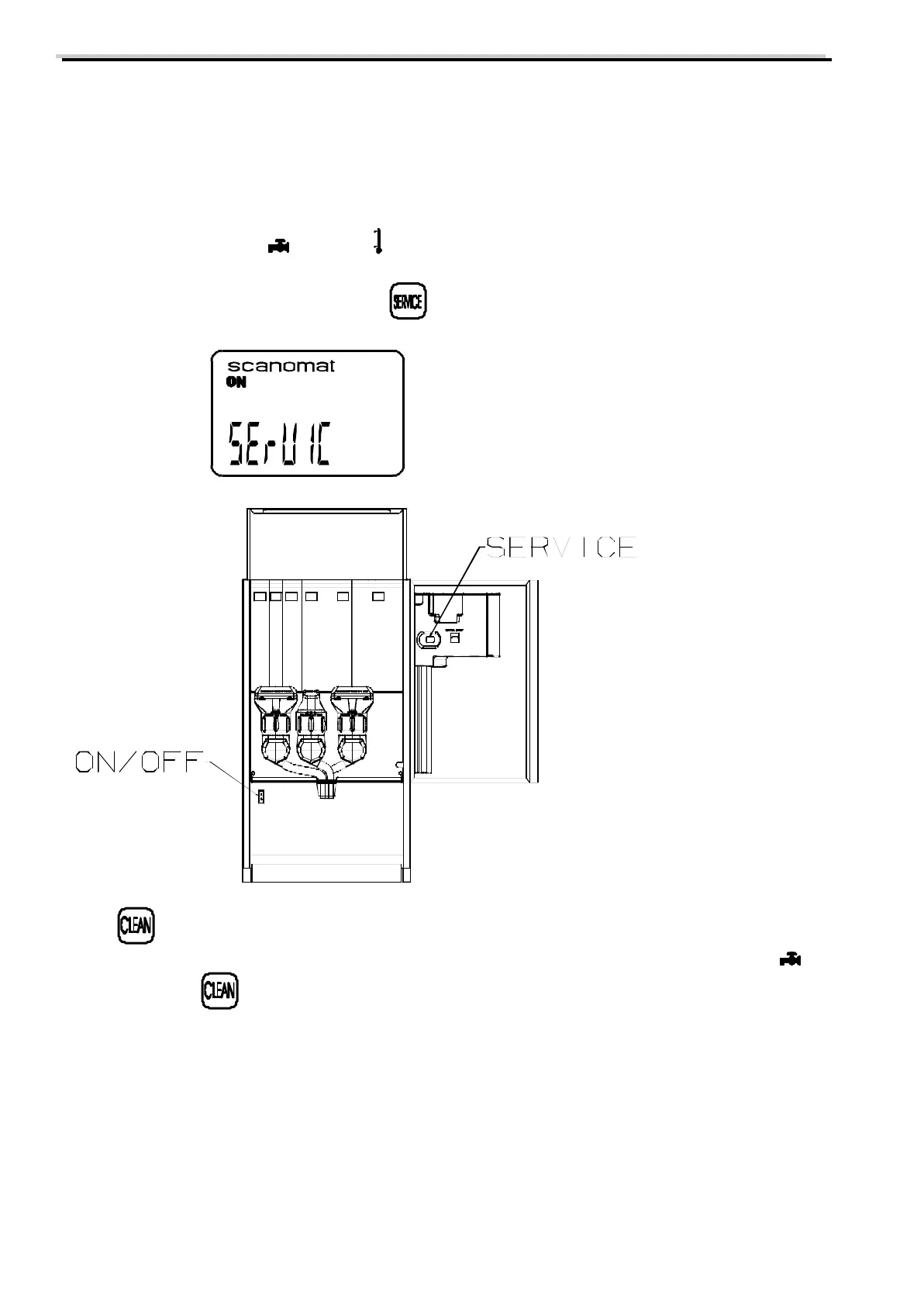
1) Set the On/Off. switch in the brewing region to On = 1. Press the start switch “A”(optional). There will be
light in the display of the coffee brewer.
When the coffee brewer has been connected to power and water, it will automatically take in water. The
display will show a flashing , a flashing and a low temperature.
2) Activate the SERVICE program by pressing , which is placed on the inside of the door.
The display shows
3) Press , and the coffee brewer will start taking in water for a maximum of 3 minutes. If the water supply
pressure is low, this might not be enough to fill the water tank. This will be indicated by the flashing on
the display. Press to repeat the process.
When the water tank is full, the heating element will be activated and heat the water to the programmed
temperature. When this is reached, the coffee brewer is ready for test.
4) Fill the ingredient bins of the coffee brewer.



 To Next Page