Users manual Coffee on the Spot
Scanomat A/S Vibe Allé 3. Postboks 131 DK-2980 Kokkedal (Copenhagen) Reg.nr. 236.990
Tel: (+45) 49 18 18 00. Fax: (+45) 49 18 01 18
6
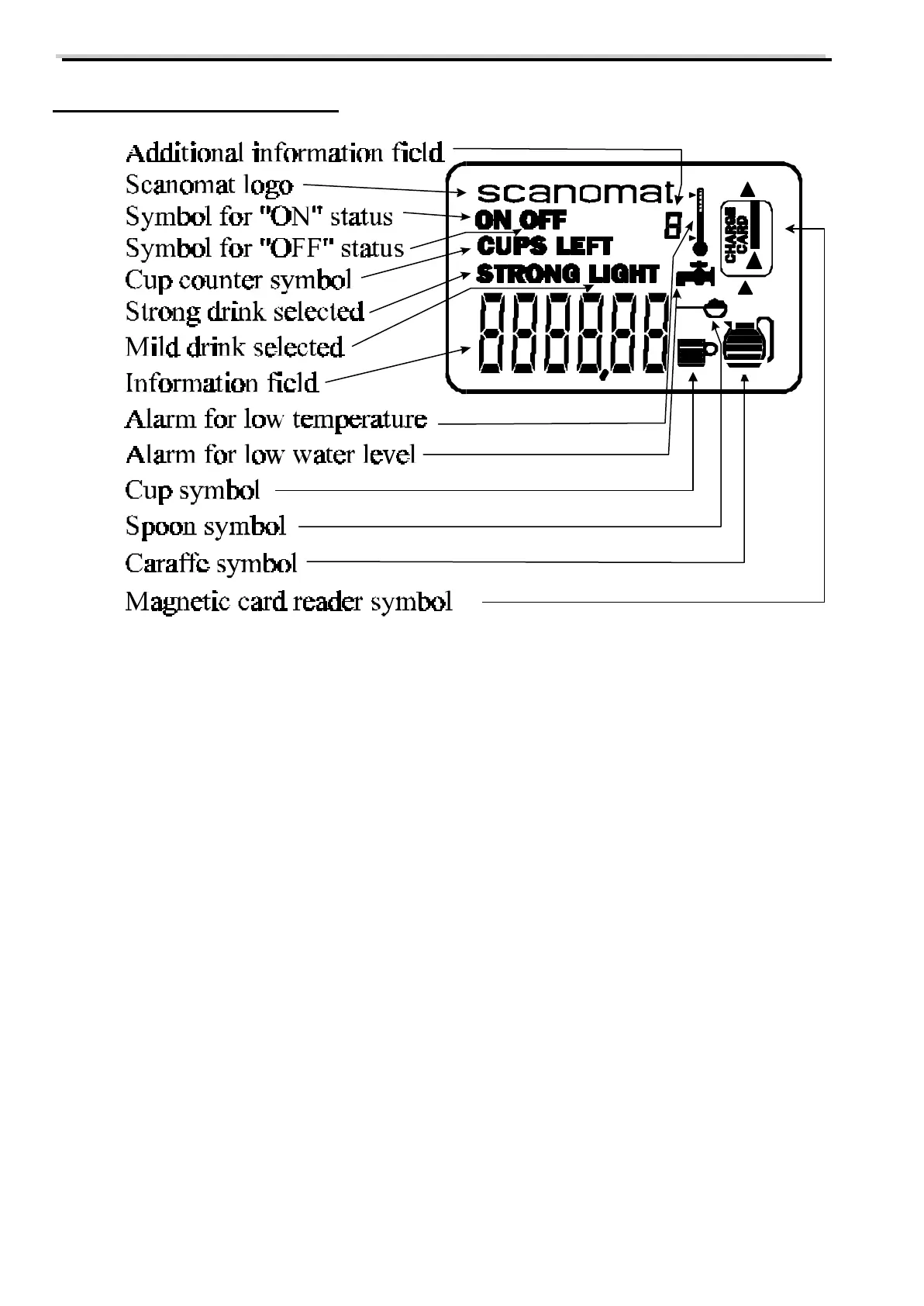
The display of the coffee brewer
Explanation of the individual symbols in the display.
ON Shows that the coffee brewer is in normal operating status. The symbol is also used
during programming of the timers.
OFF Shows that the coffee brewer has been switched off either by means of the keyboard or
by one the programmable timers. No drinks can be brewed.
CUPS Used when reading out the counters and when adjusting the carafe sizes.
STRONG Shows that a strong drink has been selected.
LIGHT Shows that a light (mild) drink has been selected..
INFORMATION Used to display temperature and functions, which do not have fixed symbols.
FIELD



 To Next Page