Users manual Coffee on the Spot
Scanomat A/S Vibe Allé 3. Postboks 131 DK-2980 Kokkedal (Copenhagen) Reg.nr. 236.990
Tel: (+45) 49 18 18 00. Fax: (+45) 49 18 01 18
18
Adjusting blocked drinks in timer function 3:
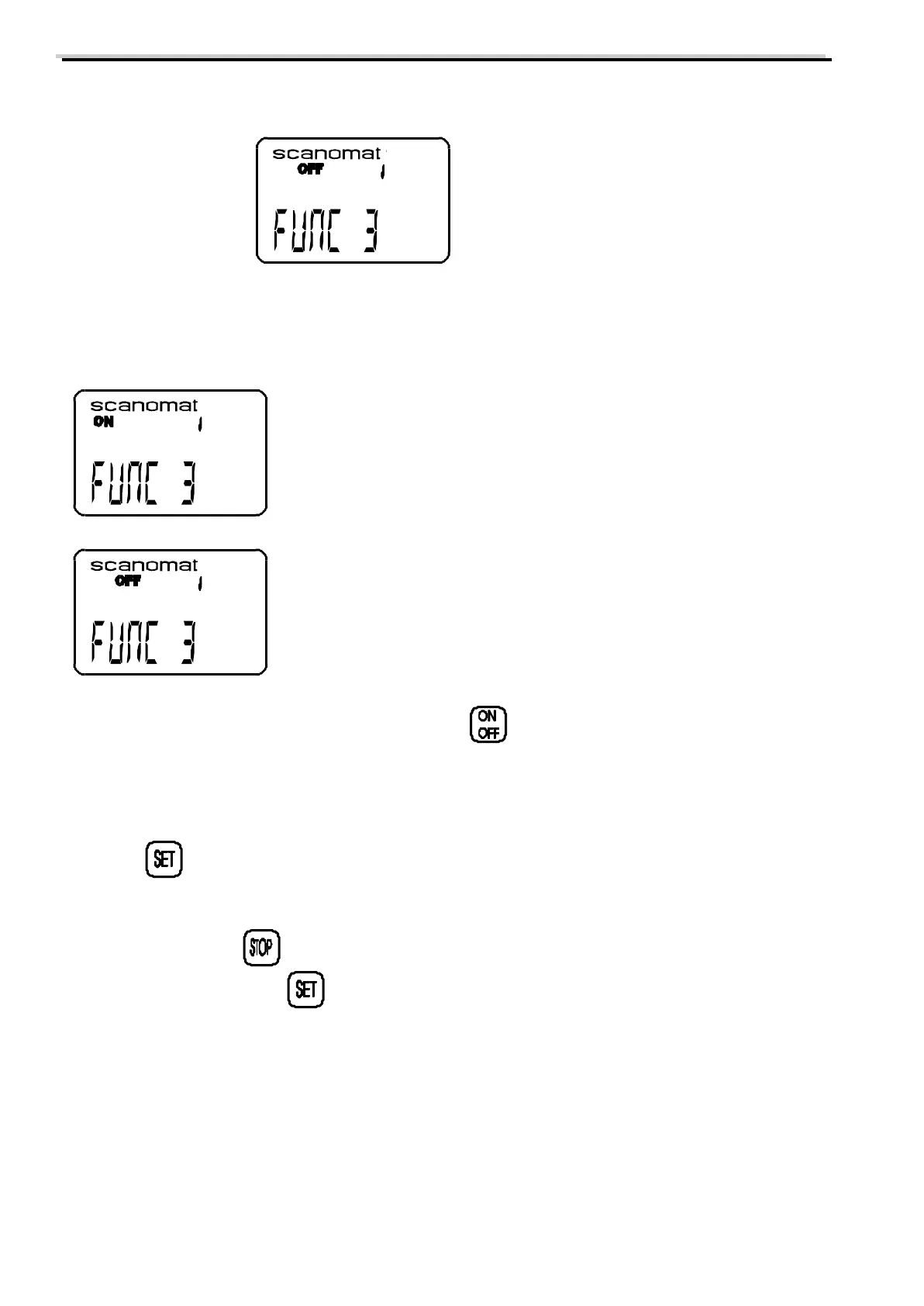
When the display shows
the individual selections can be enabled/locked in the following way:
a) Press a selection key, and the display will show the current status for this:
Means that the selection can be dispensed during the programmed period
Means that the selection is locked during the programmed period
b) switching between he 2 functions is done by pressing
After completing the setting for all selections this can be verified by pressing the selection buttons one by one
and then controlling the ON / OFF symbol in the display.
c) Press to accept the new settings for this programmable timer.
The coffee brewer will now proceed to the next programmable timer (point h) until all 5 timers have been
programmed. Pressing at any point during the timer programming will interrupt this and only values,
that have been accepted with will be stored.
Adjusting time format:
The coffee brewer can be set to run with 24 hour format or 12 hour format (Am/Pm). When all 5
programmable timers have been adjusted as described above, the display will show:



 To Next Page