Users manual Coffee on the Spot
Scanomat A/S Vibe Allé 3. Postboks 131 DK-2980 Kokkedal (Copenhagen) Reg.nr. 236.990
Tel: (+45) 49 18 18 00. Fax: (+45) 49 18 01 18
17
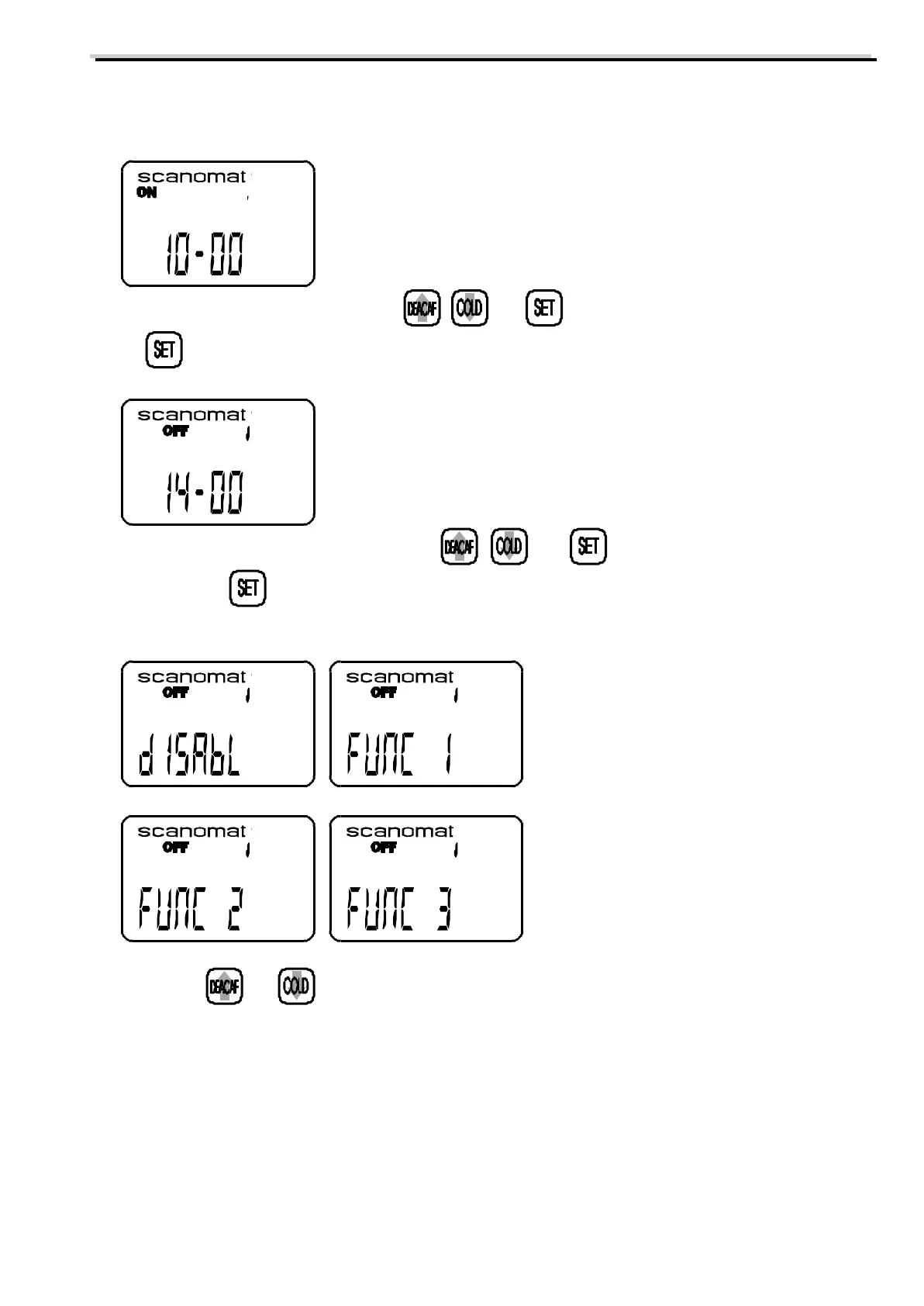
The display will now show the starting time for the first programmable timer with the minutes flashing:
g) This time can now be adjusted using , and as described in point c to f. After pressing
the end time for this programmable timer with the minutes flashing will be on the display:
h) This time can now be adjusted using , and as described in point c to f. After
pressing the function for this will be on the display. There are 3 different timer functions
available:
i) Press and to select between the 3 functions and "disabl".
"Disabl" Means that this timer is not active.
"Func 1" Means that the coffee brewer will switch off in the programmed period.
"Func 2" Means that the coffee brewer will dispense free drinks in this period (for coffee brewers
with payment or accounting system).
"Func3" Means that the coffee brewer will lock out individual drinks in the programmed period.



 To Next Page