- 13 -
www.SCEPTRE.com
SCEPTRE E27 Display User Manual
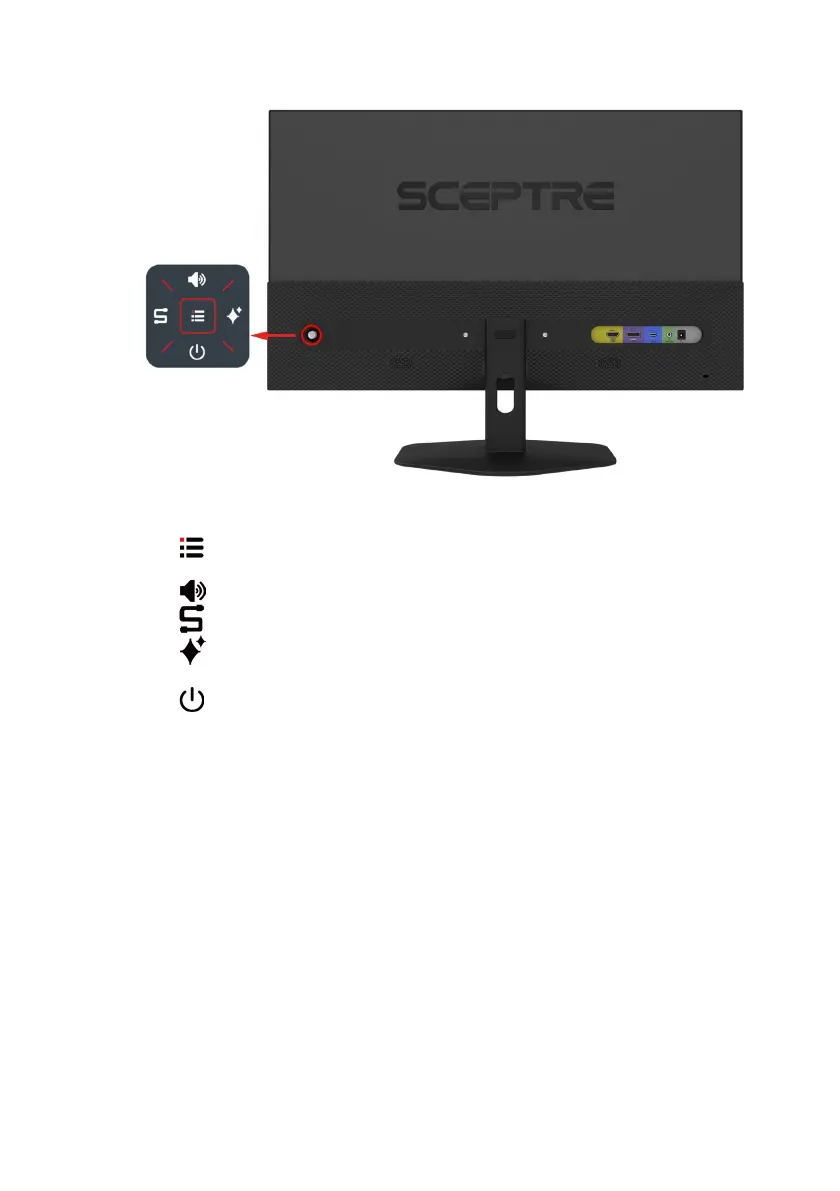
Rear View with Buttons
Buttons from left to right,
1. – This button activates the On-Screen Display (OSD). While the OSD is active,
this button will act as the select button to open up an option for adjustment.
2.
– When the OSD This option adjusts the loudness of the monitor speakers.
3. – When the OSD Selects which input device is to be displayed on the monitor.
4. – When the OSD Preset values that adjust color accordingly to your purpose
of use.
5. – When the OSD turns the display off.



 To Next Page