- 24 -
www.SCEPTRE.com
SCEPTRE E27 Display User Manual
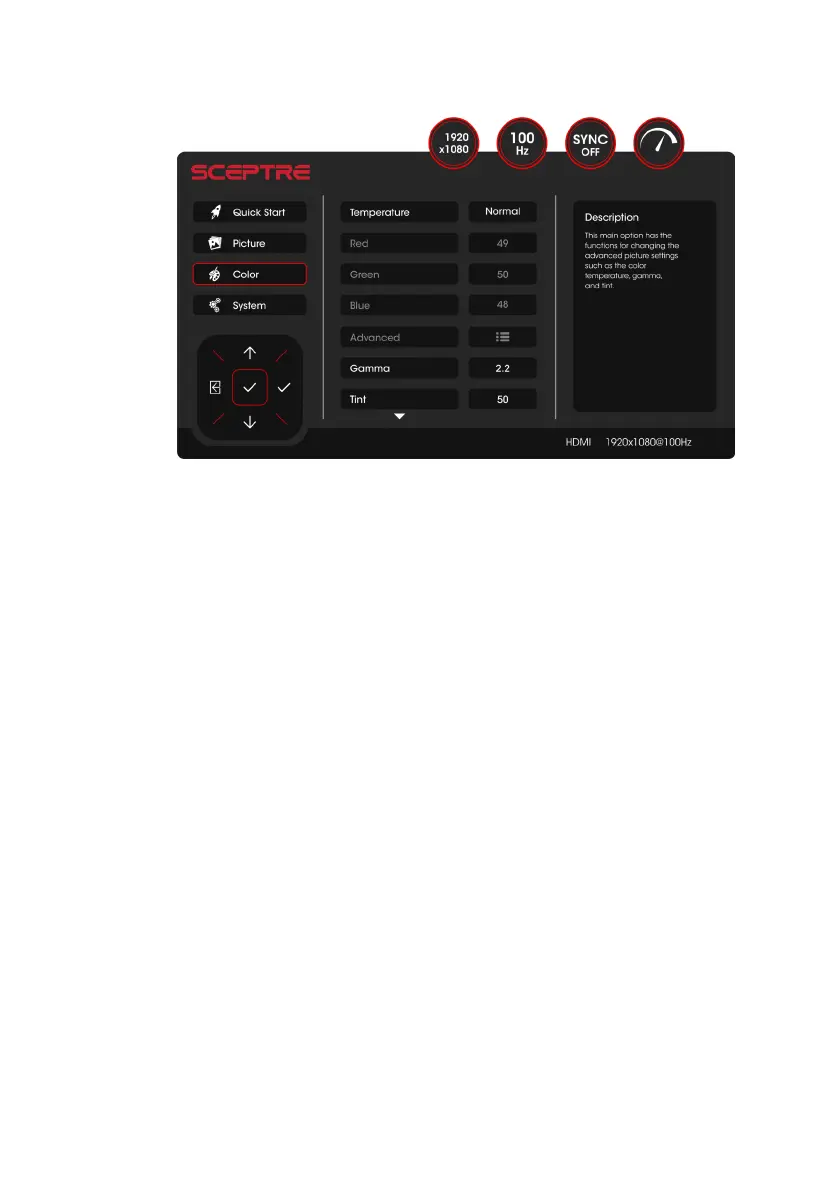
COLOR
1. TEMPERATURE
– This option adjusts the RGB Color scale of the monitor display.
a. WARM – This color temperature is for users who prefer a warm white
balance.
b. NORMAL – This color temperature is for users who prefer a neutral white
balance.
c. COOL – This color temperature is for users who prefer a cool white balance.
d. USER – This color temperature is for users who would like to adjust the
RGB (red, green, blue) values manually.
i.
ADVANCED – Adjusts the tint and saturation of the six colors
(Red, Green, Blue, Cyan, Magenta, Yellow).
2. GAMMA – This option adjusts the picture's white color details.
3. TINT – This option adjusts the color white balance.


 To Next Page