18
BA 68
Schaeffler Technologies
Schaeffler OPTIME
Gateway connections and
indicators
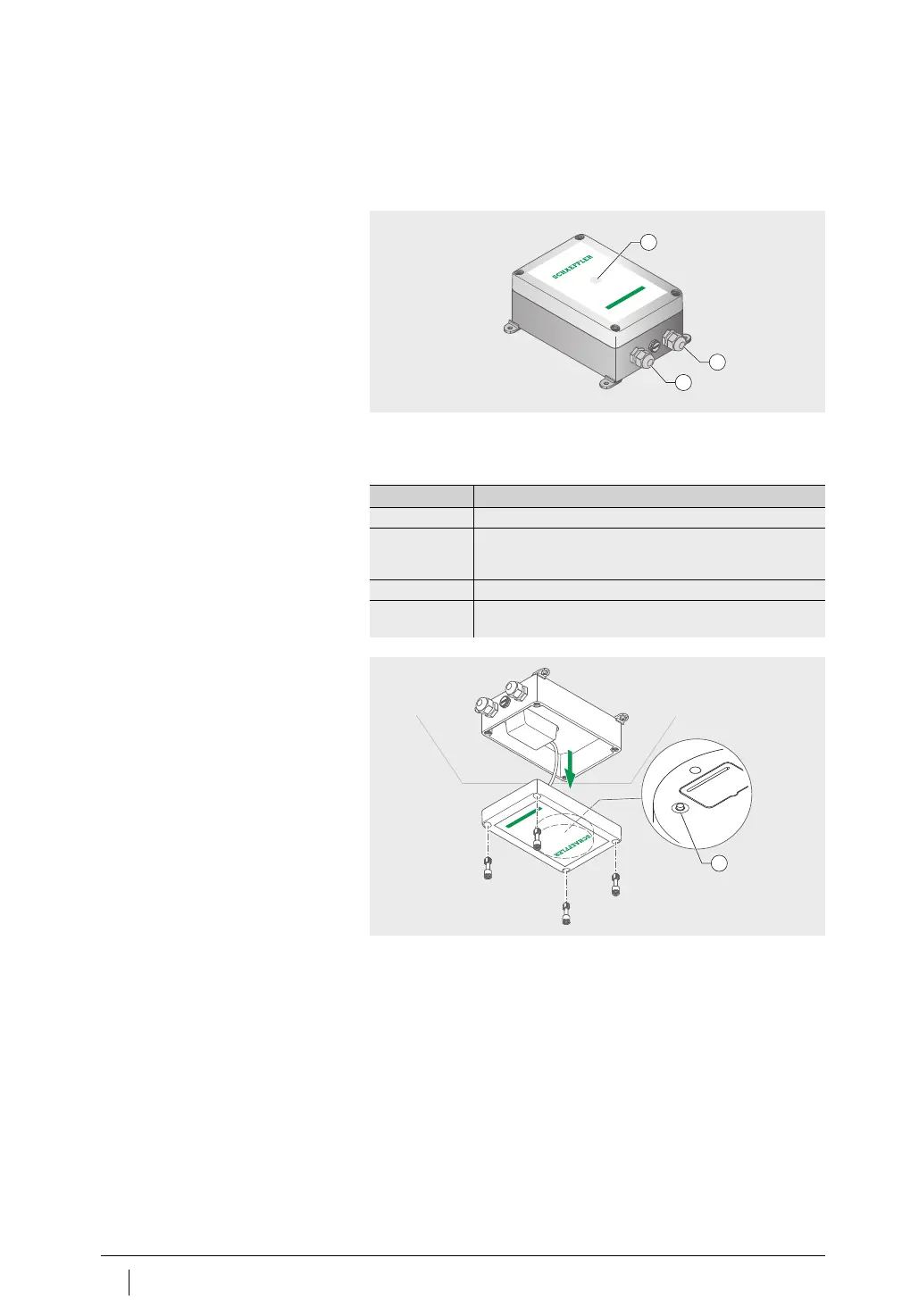
The gateway has two cable glands for routing the cable to the power
supply and, optionally, feeding through the network cable,
Figure 8
.
The gateway is equipped with an LED indicator, which displays
the various operating states, see
table
.
LED displays
Put the gateway into configuration mode by pressing the
[
Configuration
] button.
Input power supply
Input network connection
LED for indicating operating status
Figure 8
Gateway connections and
indicators
OPTIME
1
2
3
LED Function
Green light The gateway is connected to the internet.
Blue light The gateway is trying to connect to the internet.
Please remember that if conditions are unfavourable it can
take 15 minutes to establish a connection to the internet.
Flashing blue The gateway is in configuration mode.
Red light An error has occurred. More information is provided
in the web interface on configuring the gateway.
[
Configuration
]button
Figure 9
Button for gateway configuration



 To Next Page