Schaeffler Technologies
BA 68
71
Level
[
Machine
]
The [
Machine
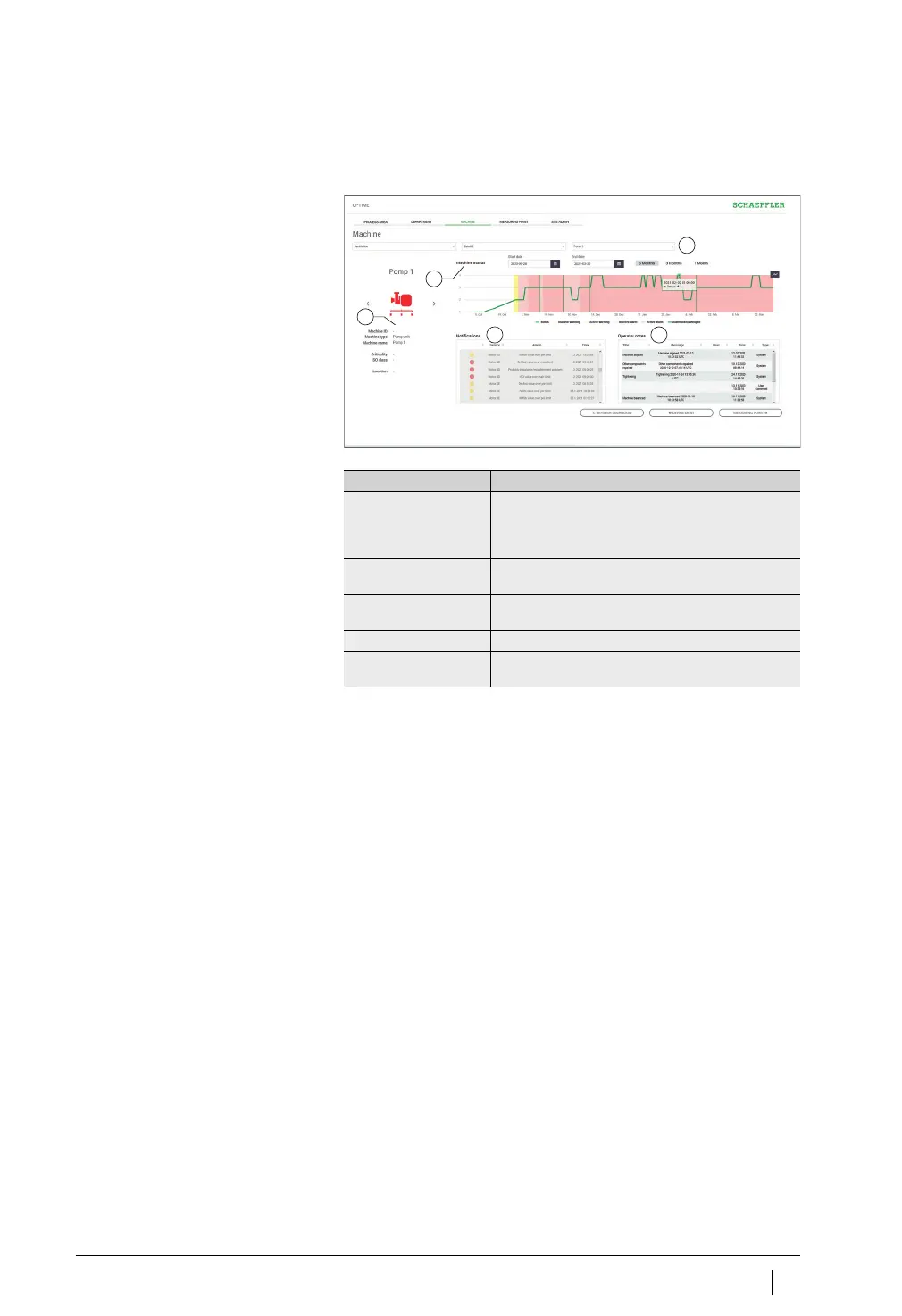
] level shows the status of the machine.
Explanations
The machine name and symbol are used to identify the machine.
The metadata are listed below the symbol; depending on machine
type this information could be:
■
ID
■
machine name
■
description
■
location
■
speed
■
machine type
■
criticality
■
department.
This information is specified when installing the sensor and can be
edited via the OPTIME app.
Filter for period of analysis
[
Machine status
]
Machine symbol and machine metadata
[
Notifications
]
[
Operator notes
]
Figure 48
Level [
Machine
]
Designation Description
Filter for period
of analysis
Start and end dates can be entered. Alternatively,
the corresponding period up to the current date can
be selected using the buttons [
1Month
], [
3Months
]
or [
6Months
].
[
Machine status
] The machine status shows the state diagram and
the alarm status.
Machine symbol and
machine metadata
Depending on machine type, information can be
entered to specify the machine in more detail.
[
Notifications
] Displays the alarm notifications for the machine.
[
Operator notes
] Displays the history of alarm notifications and
log entries for the machine.



 To Next Page