Schaeffler Technologies
BA 68
79
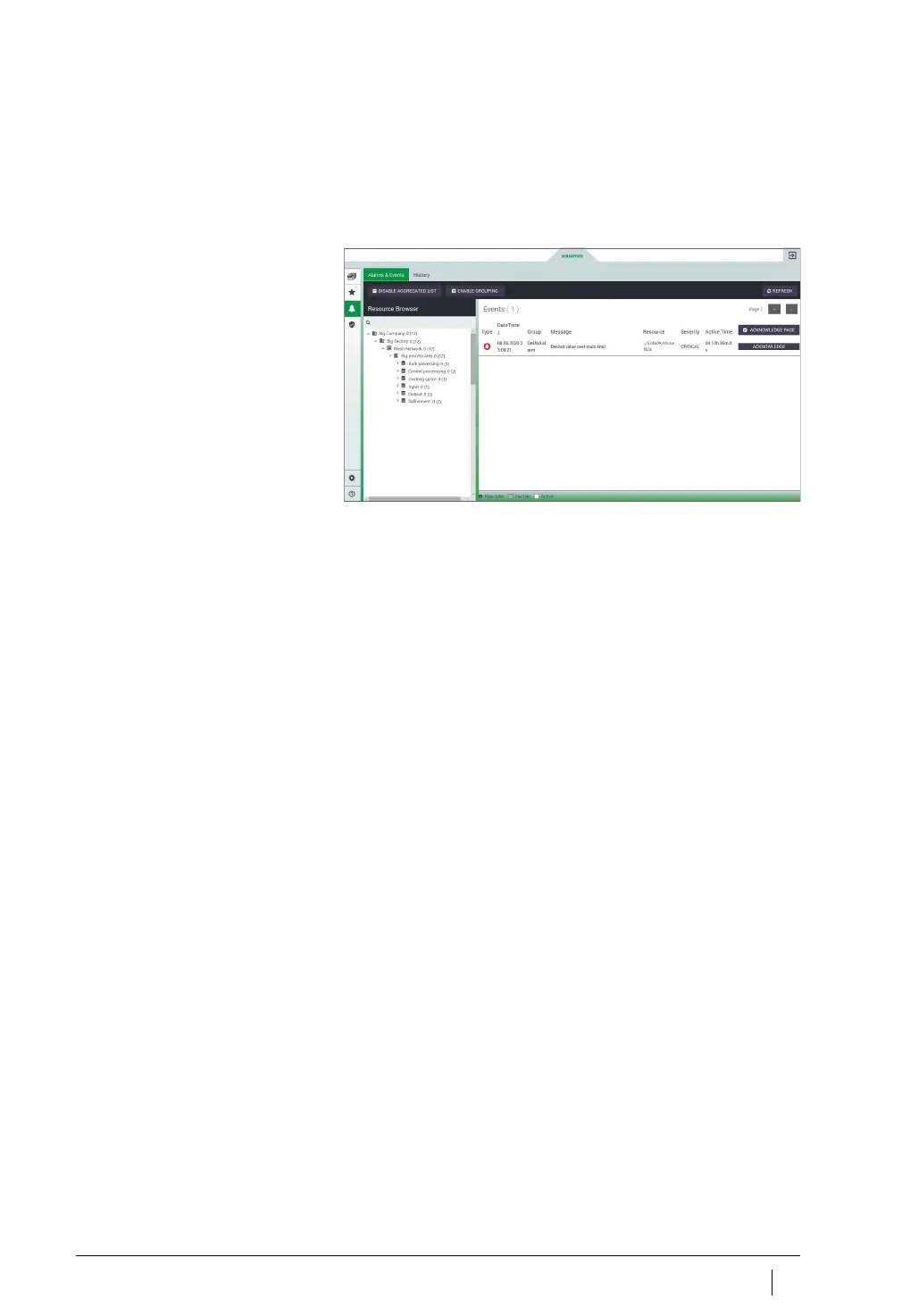
Alarms
In the [
Alarms & Events
] view, alarms for departments, machines
and sensors are displayed in one place. The user can reach the
[
Alarms & Events
] view from several access points on the OPTIME
dashboard.
The [
Schaeffler-Tab
] provides access to further functions, if you
click on the button at the bottom of the page. Click on the button
at the top of the page to close the view that was opened by the
[
Schaeffler-Tab
]. Alternatively, the [
Alarms & Events
] view can be
accessed from the Department level by clicking on the buttons
under [
Notifications
], the colour of which indicates the status and
additionally the number of alarm notifications.
Note
Reliable alarm notifications are only displayed after completion
of the learning phase during which each sensor is “trained” to estab-
lish and respond to threshold values. The same applies for the alarm
counter with the number of alarm notifications. The exception to this
is the absolute alarms that are already triggered during the learning
phase, see page 24.
Key information about the status of the monitored machines and
assets is provided by the alarm status. Schaeffler has developed
a dedicated logic for this value, for use in summarizing and evalu-
ating all of the measured data. The alarm status is clearly indicated
by the colour coding and defined designations. The diagrams
showing the alarm status over time as a graph are to be interpreted
in a similar way.
Figure 55
Display of alarm notifications
[
Alarms & Events
]



 To Next Page