Schaeffler Technologies
BA 68
67
Description of dashboard
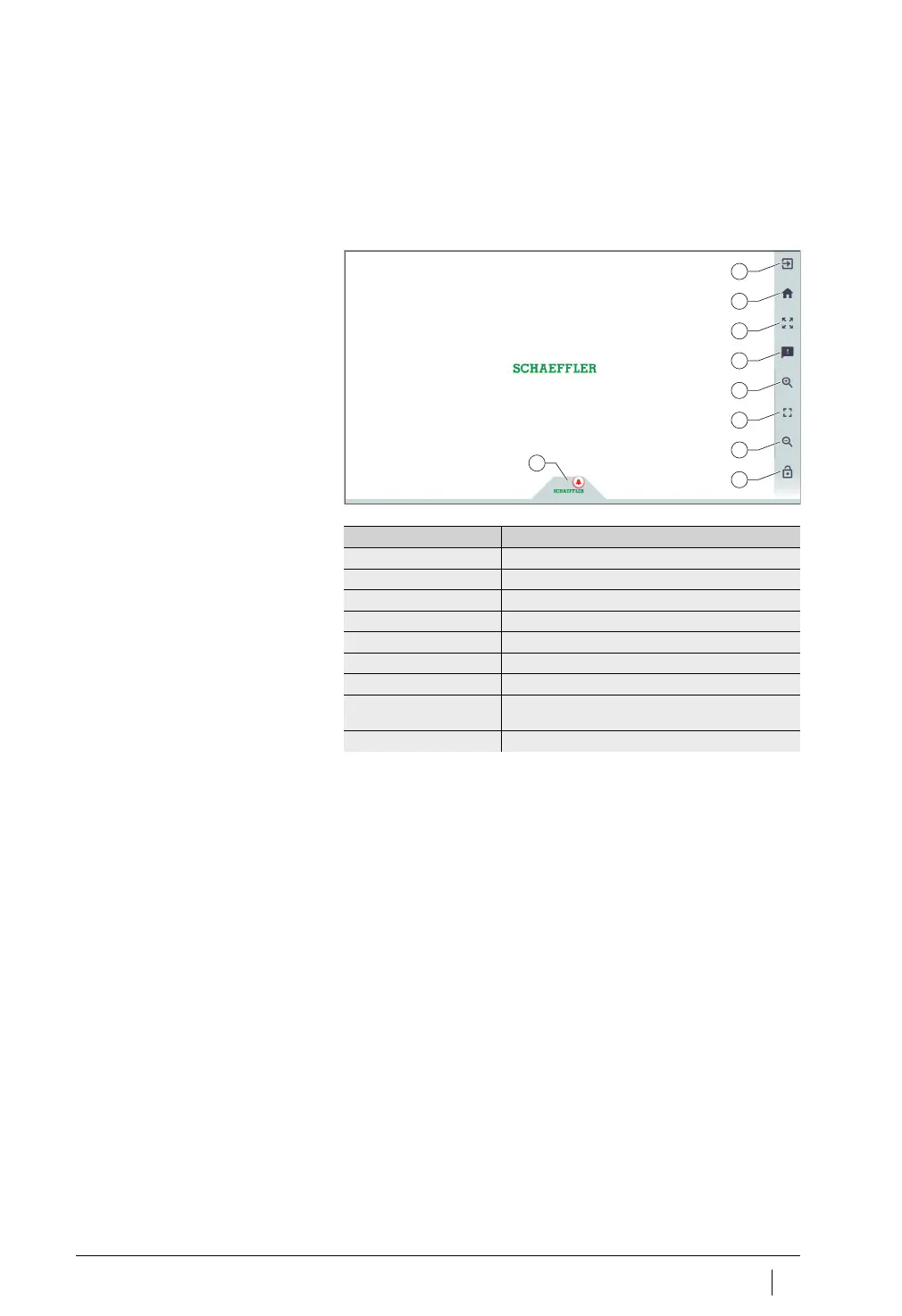
Start page
After logging in, the user is taken to the start page or a user-defined
dashboard, depending on the user’s settings. The pages contain
standardised navigation elements.
Explanations
[
Logout
]
[
Go to start page
]
[
Toggle fullscreen
]
[
Give feeback
]
[
Zoom in
]
[
Reset Zoom to 1:1
]
[
Zoom out
]
[
Auto-hide the menu
]
[
Schaeffler-Tab
]
Figure 45
Start page
Designation Description
[
Logout
] Logs the user out.
[
Go to start page
] Switches to the start page.
[
Toggle fullscreen
] Switches to full screen mode.
[
Give feeback
] Opens the feedback page.
[
Zoom in
] Magnifies the view.
[
Reset Zoom to 1:1
] Returns to the default view.
[
Zoom out
] Reduces the view.
[
Auto-hide the menu
] Hides the menu. The same button can be used
to show the menu again.
[
Schaeffler-Tab
] Provides access to other functions, see page 77.



 To Next Page