66
BA 68
Schaeffler Technologies
Schaeffler OPTIME
Settings
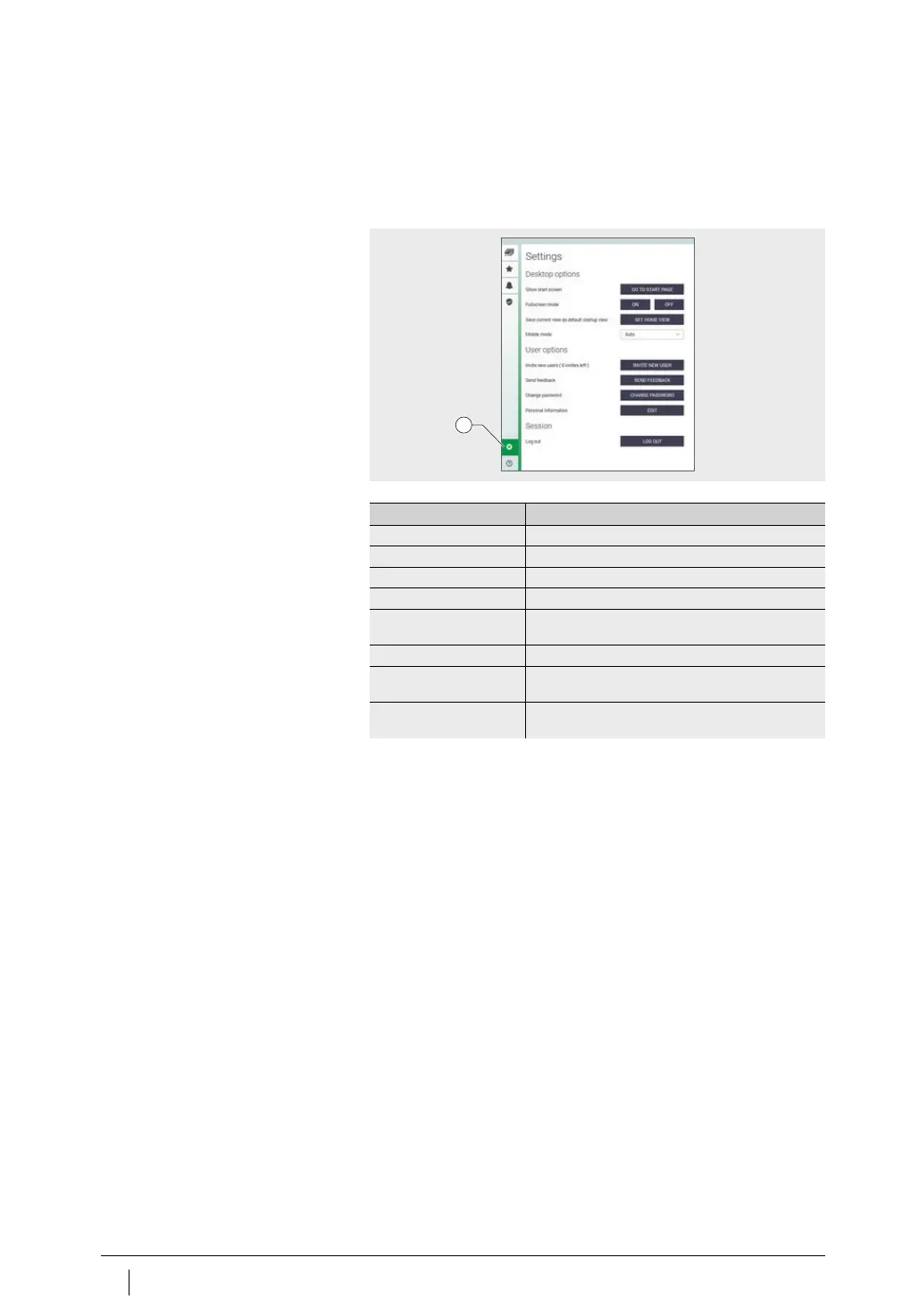
The left-hand menu bar is expanded using the [
Settings
] button.
In addition to logout, other settings are available for adjusting
the [
Desktop Options
] and [
User Options
].
Explanations
Search function and filters
The search function can be used in various sections of the OPTIME
dashboard and helps refine search results for assets, machines or
sensors according to specific criteria.
Filters can be set based on an input-capable search string,
the criticality of the machine and the machine type. The filters can
be reset using the [
Clear Filters
] button.
[
Settings
]
Figure 44
Other settings
1
Designation Description
[
GO TO START PAGE
] Switches to the start page.
[
FULLSCREEN MODE
] Toggles full screen mode on and off.
[
SET HOME VIEW
] Sets the current page as the home view.
[
MOBILE MODE
] Enables mobile device mode.
[
INVITE NEW USERS
] Button takes the user to the “invite new user” page
(for administrators only).
[
SEND FEEDBACK
] Button takes the user to the “send feedback” page.
[
CHANGE PASSWORD
] Button takes the user to the “change password”
page.
[
EDIT PERSONAL
INFORMATION
]
Adjust user profile.



 To Next Page