Schaeffler Technologies
BA 68
77
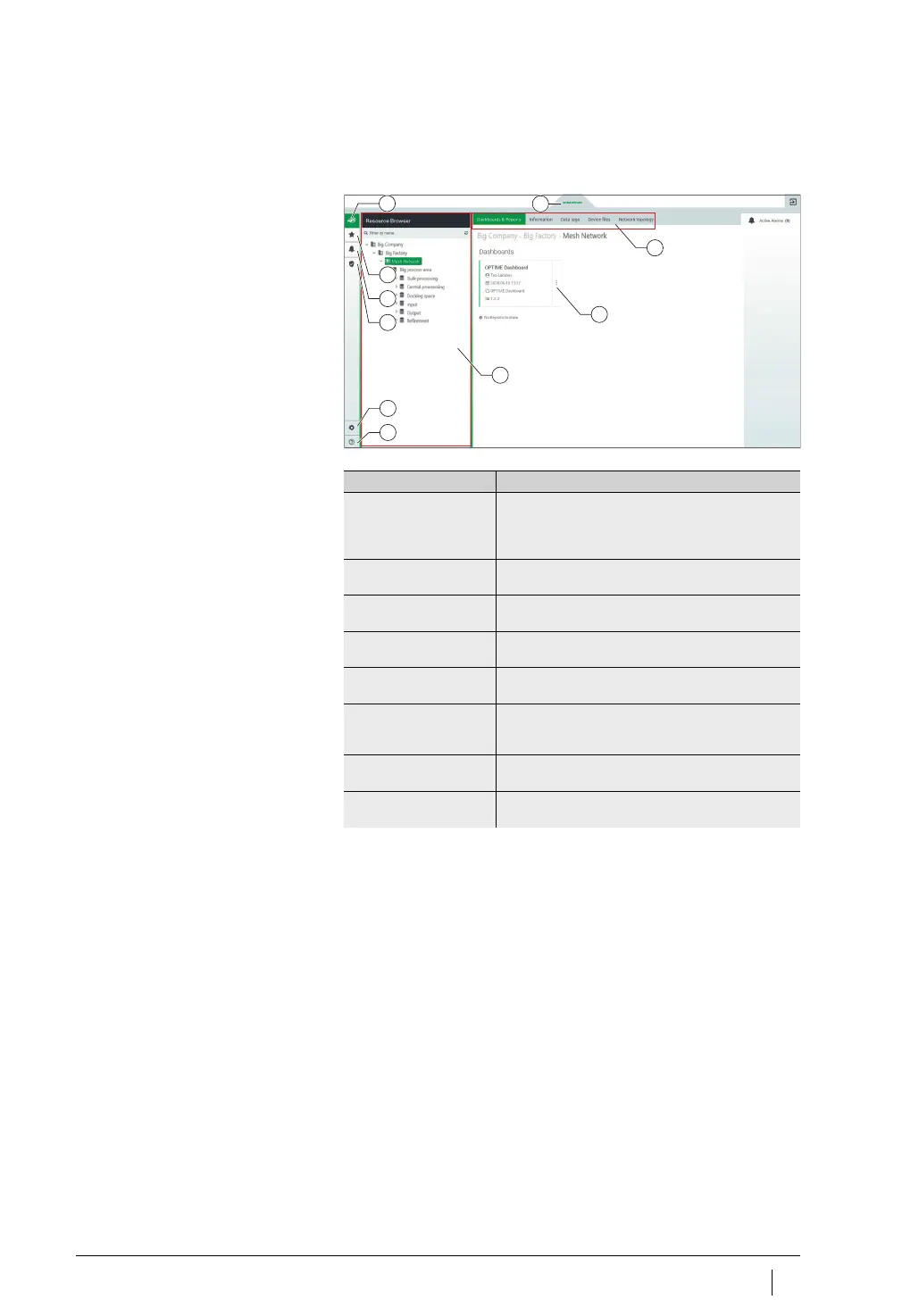
[
Schaeffler-Tab
]
Use the [
Schaeffler-Tab
] button to access the various views.
Explanations
For users with administrator rights, the [
Schaeffler-Tab
] offers extra
functions if accessed via the [
Management Mode
] view.
[
Schaeffler-Tab
]
[
Dashboard Browser
]
[
Favorites
]
[
Alarms & Events
]
[
Management Mode
]
[
Settings
]
[
Help
]
[
Resource Browser
]
[
Tab
]
[
Dashboard with vertical ellipsis menu
(more options menu)
]
Figure 54
[
Schaeffler-Tab
]
10
8
9
2
1
3
4
5
6
7
Designation Description
[
Dashboard Browser
] Switches to the view in which the [
Resource
Browser
] and the [
Dashboards & Reports
] tab are
displayed. Other tabs are only displayed for users
with administrator rights.
[
Favorites
] Switches to the view in which favourites are
displayed.
[
Alarms & Events
] Switches to the view in which the notifications are
displayed.
[
Management Mode
] Switches to the view in which the OPTIME dashboard
is managed by users with administrator rights.
[
Settings
] Switches to the view in which settings are carried
out.
[
Help
] Contains IoT ticket documentation about various
views and settings. This support function has only
limited validity for the use of OPTIME.
[
Resource Browser
] Tree structure showing the hierarchical structure
of your asset.
[
Vertical ellipsis menu
(more options menu)
]
Provides access to other options.



 To Next Page