38
BA 68
Schaeffler Technologies
Schaeffler OPTIME
Settings
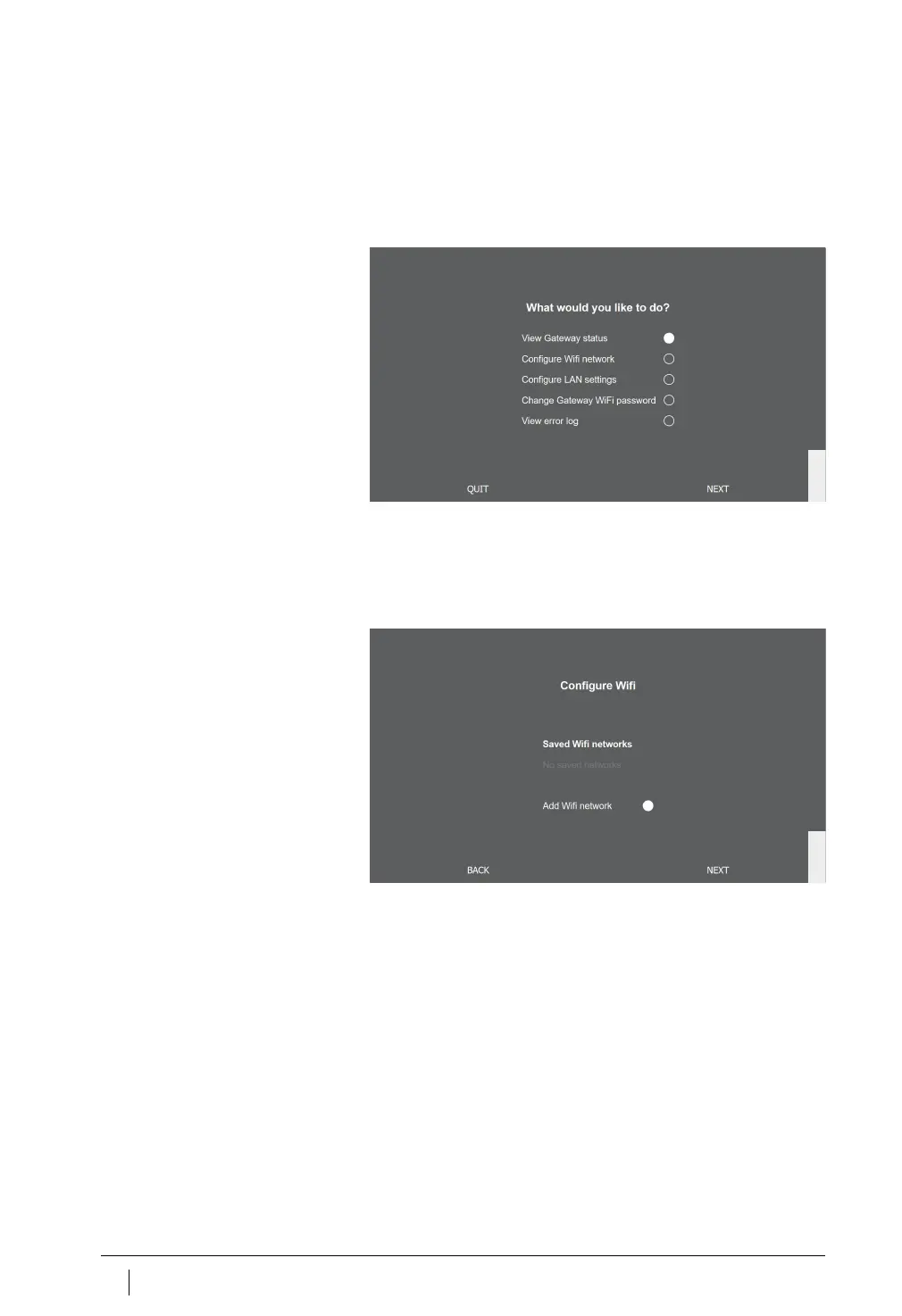
The menu items [
View Gateway status
] and [
View error log
] are not
relevant for normal operation of the gateway. The information retriev-
able under these menu items can be used by specialist personnel if
the gateway is not working properly.
Configure WiFi
Under the menu item [
Configure WiFi network
] the WiFi settings
of the gateway can be modified. A known network can be selected
or a new network added. If necessary the password for the WiFi
can be changed under another menu item [
Change Gateway WiFi
password
].
Figure 22
Drop-down menu
for gateway configuration
Figure 23
Settings for operation
in WiFi network



 To Next Page