www.schaerer.com Service and maintenance
BASCP_EN
V08 | 08.2018
56
Service and maintenance
Descaling
Have the following items ready before descaling the machine:
• 2 bottles (0.75 l) of liquid decalcifier
• Container for placing under the machine (5 l)
The descaling procedure is performed in three stages and is display-guided.
• Cooling
• Descaling
• Rinsing
► Select the [Caretaker] service menu (PIN entry).
► Select the [Settings] menu.
► Select the [Start descaling] field in the [Service] menu.
The next steps in the descaling procedure are shown on the display.
The descaling process can be started or cancelled here.
Water filter (Option)
Installing the water filter for the internal drinking water tank (Option)
Prior to installation of the supplied water filter in the internal drinking water tank, a water test
must be performed to determine whether use of the water filter is necessary. In addition, the
water value must be entered when the machine is first put into service.
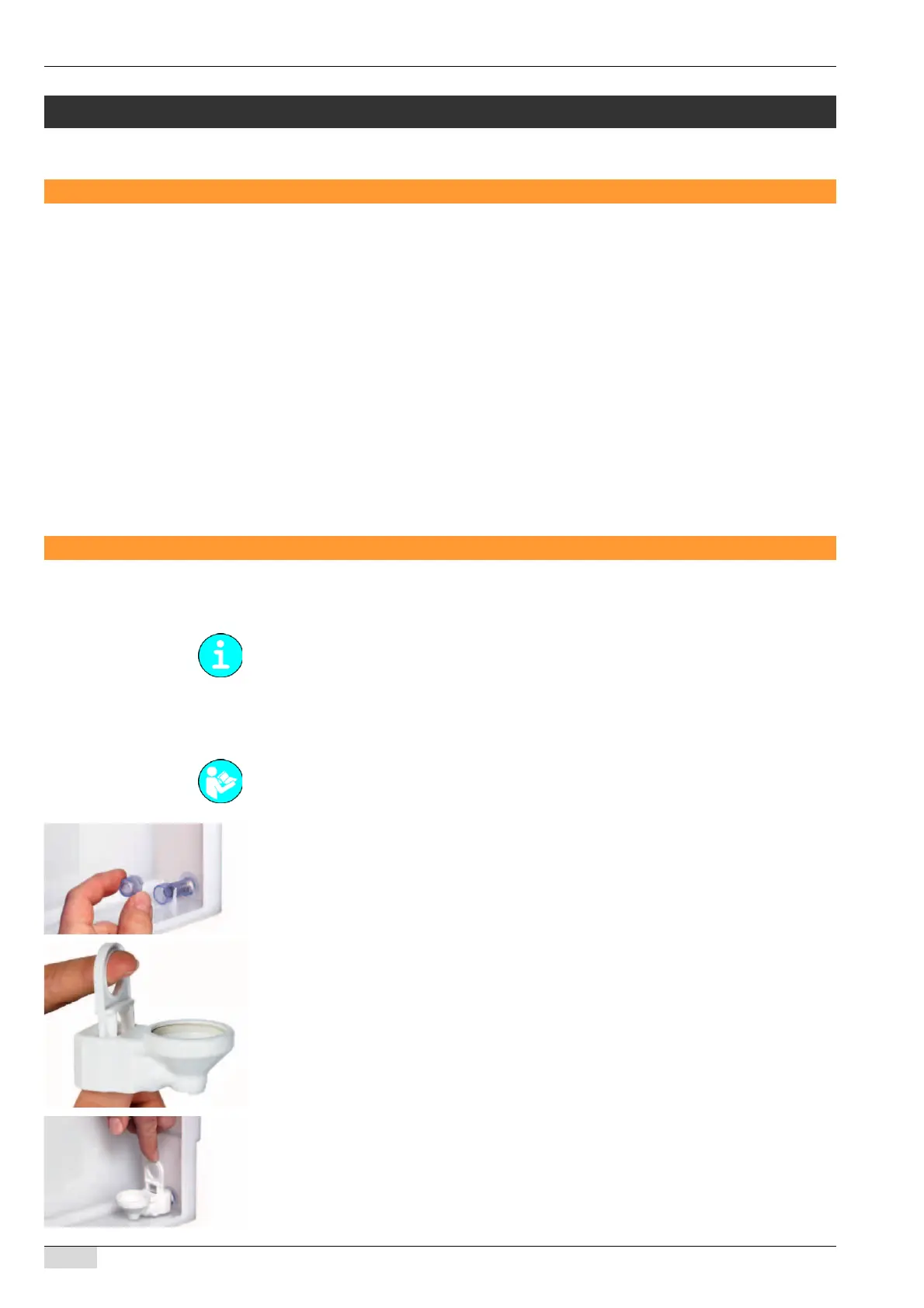
► Remove the water outlet screen installed in the water tank.
► Open the water filter box.
The water filter adapter is located on top, and the filter cartridge is packaged separately
underneath it.
► Pull up the locking mechanism on the adapter.
► Attach the adapter to the water outlet connector from above and push down the locking
mechanism.
The supplied water filter is only suitable for installation in the machine’s internal drinking water
tank.
See "Determining the water hardness" in this chapter.














 To Next Page