4.2 CONFIGURING THE READER PROPERTIES IN SYSTEM GALAXY
Reader behaviors can be configured from System Galaxy. This section briefly covers the options that can be set
from System Galaxy. See the System Galaxy Software manual for in depth instructions on reader properties.
4.2.1 SETTING READER PROPERTIES IN SYSTEM GALAXY
To configure a Reader Port, open the Reader Port window. Follow the menu selections Configure >
Hardware > Reader Ports, or click the Doors/Readers button on the toolbar.
Open the Reader Properties screen: click on the Door button on the toolbar,
{Or from the menu, select Configure > Hardware > Reader Ports}
Select the loop and panel that controls your DSI 485-Channel.
Select the specific Reader Name you are setting up then click the Edit button.
You can change the Reader Name (up to 65 characters) to something that describes the reader (i.e. Room
101; supply closet). The system mapping for that board is still displayed above the reader name field.
The Reader Type field will be disabled, but it will display the format you assigned to this reader in the
Serial Channel properties screen
(PIM Wiegand or PIM ABA).
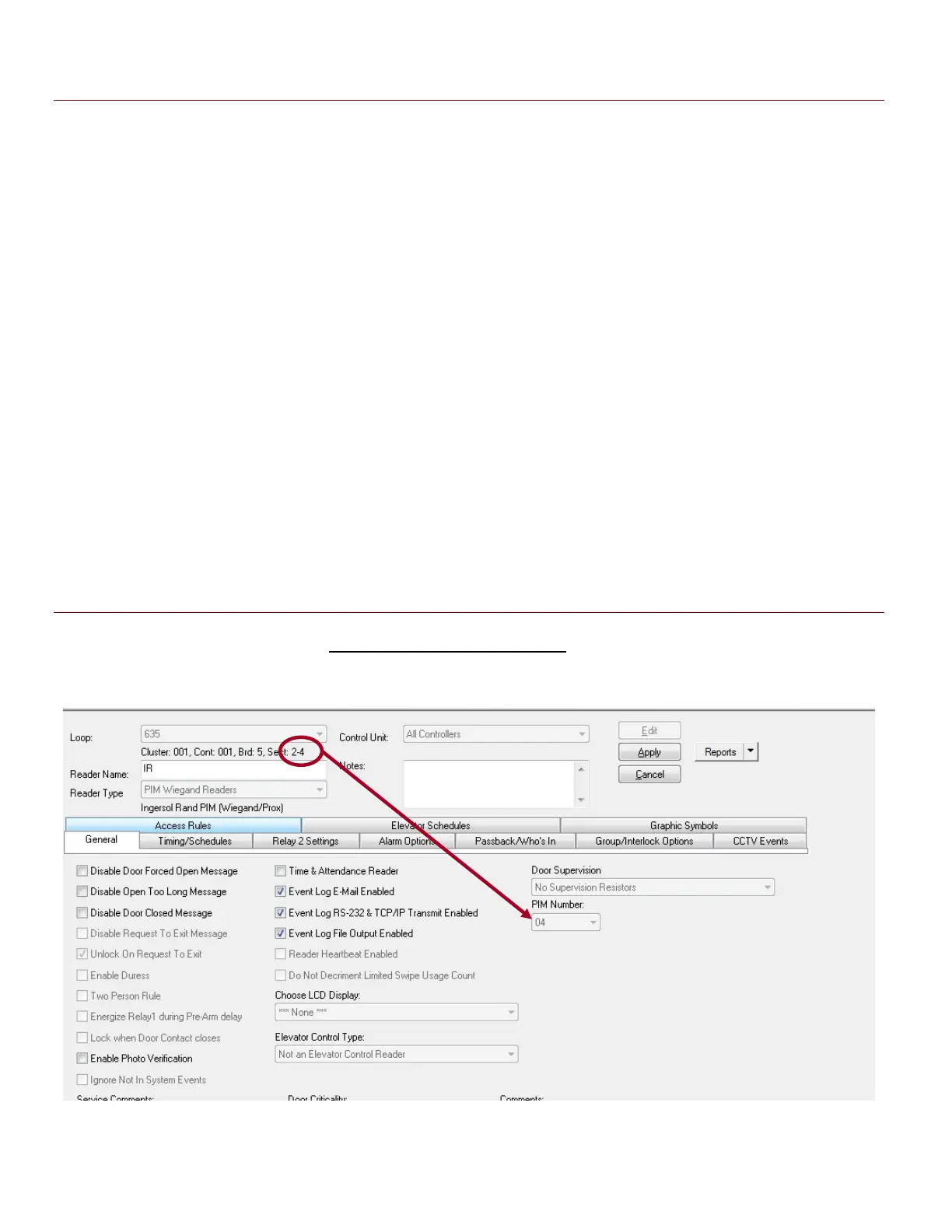
On the General Options tab, the PIM number is automatically set to the same value as the READER ID.
Figure 14 – Reader Properties: Configuring the PIM Number AD300 ONLY (HARDWIRED)
In this screen shot, notice that DSI Board-5 Section-2 Reader-4 automatically takes the PIM ID of 4.
Auto-numbering of the PIM ID is only done on dedicated AD300 networks.
System Galaxy Integration to Schlage AD400/AD300 Page 34



 To Next Page