1 Introduction & Requirements
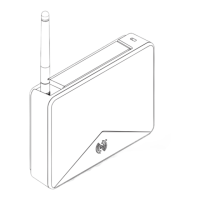
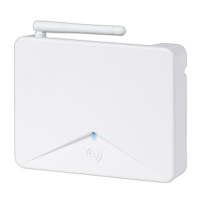
This guide provides requirements and installation/configuration instructions for integrating Schlage AD400
wireless technology and AD300 Hardwired Readers with System Galaxy.
1.1 VERSIONS & COMPATIBILITY
System Galaxy version 10.2 supports Schlage AD400 Wireless PIMs/Readers and AD300 Hardwired Readers.
• System Galaxy software v10.2.0
• 635 panels running Flash V5.0; including 635-CPU & 635-DSI Boards
• AD400 PIMs & Wireless Readers (can install on a dedicated 485-bus or mixed with AD300’s)
• AD300 Hardwired Readers (can install on a dedicated 485-bus or mixed with AD400’s)
• Schlage Utility Software (SUS) and Hand Held Device (HHD) are needed for addressing and
linking AD400 PIMs and Readers, as well as AD300 Readers.
• Schlage Wireless Test Kit
• AD400 & AD300 Readers come in ABA and Wiegand formats – you cannot mix card formats on
the same network bus (i.e. DSI board section)
For information about integrating with legacy Schlage PIMs/WAPMs, see the Galaxy 485 ODT PIM Guide.
For complete list of requirements, see the Requirements section of this guide .
1.2 UNSUPPORTED READER OPTIONS
The following reader options are not supported with Schlage wireless readers.
• Relay-2 configuration is unsupported
• You cannot use a Schlage reader for an elevator reader when wired through a DSI board
• Door Group and Door Interlock features are unsupported
• Duress is not supported
• Pin Schedule Mode is not supported
• High security mode (card plus pin) is not supported
• Any grayed option is not supported – See the section in this guide that covers Reader Properties programming.
System Galaxy Integration to Schlage AD400/AD300 Page 6



 To Next Page