4.2.2 SETTING READER GENERAL PROPERTIES
After configuring Reader Properties, the reader settings must be loaded to the access control panel.
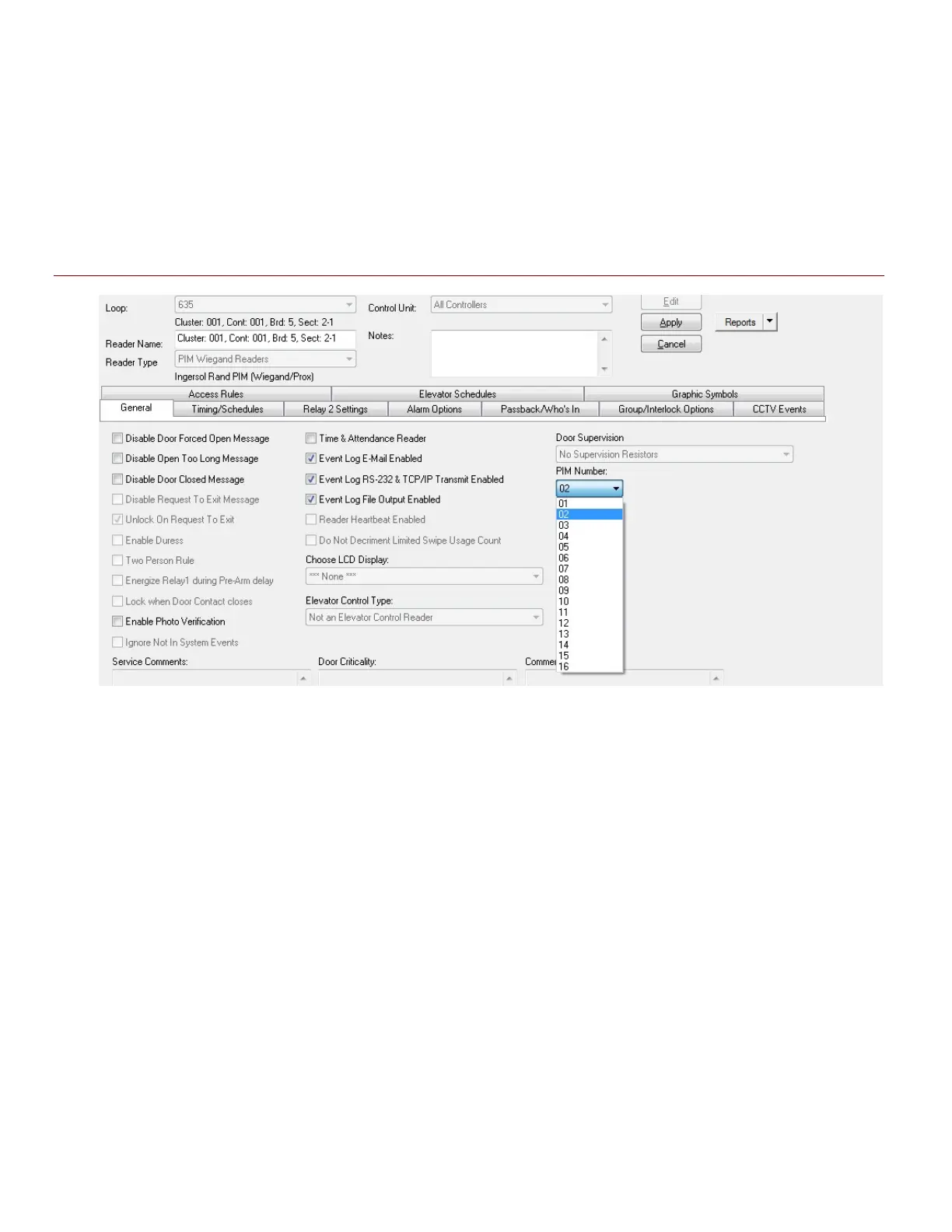
The General Options tab offers a variety of options to control reader events.
Figure 17 – Reader Properties: Configuring the General Options
Disabled or grayed out options are not supported for Schlage readers
System Galaxy Integration to Schlage AD400/AD300 Page 36



 To Next Page