5 APPENDIX OF TABLES AND TIPS
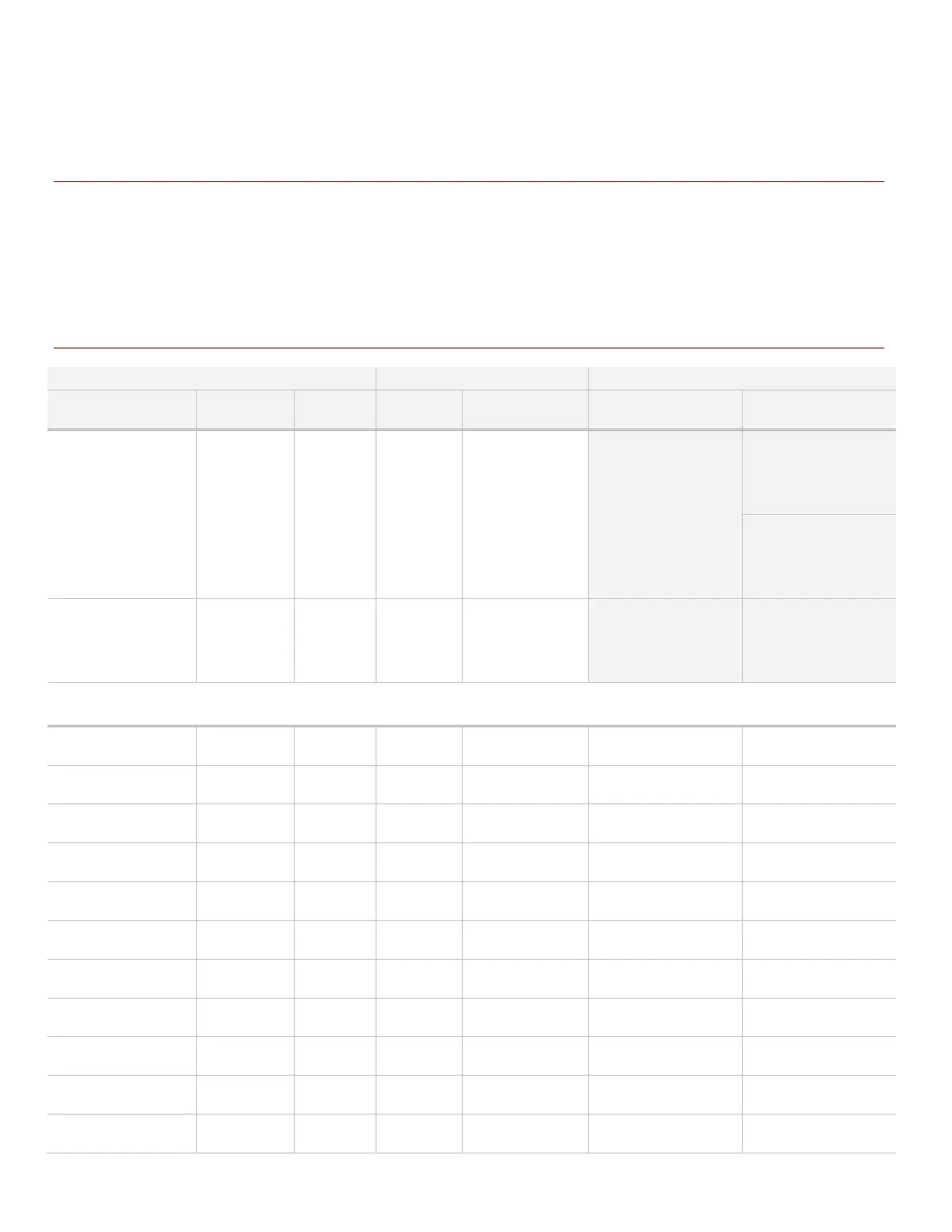
5.1 READER MAPPING TO DEVICE ADDRESS TABLE
The following table is used during the install of the Aperio & Galaxy hardware. Take care to accurately record
the addresses of Panels, Boards, Schlage PIMs and readers. This helps you configure the Reader to PIM
mapping in the System Galaxy software. Sample entries help you get started. Make copies as needed.
This table goes with Chapter-3: enabling sections in Serial Channel screen and mapping in Reader Properties.
Figure 21 – MAPPING PIMS AND READERS IN SYSTEM GALAXY SOFTWARE
LOOP# / UNIT # BOARD ID SECTION
No. of Locks
‘paired’ to HUB
Mapping of reader
numbers
LOOP 1 / UNIT 1
DSI 5
1
1
2
and controller-1;
board-5 sect 1;
Choose the correct
Schlage type and
network type and
enable (check)
Board 5; Sect 1-1;
maps to
Board 5; Sect 1-2
maps to
PIM 1/READER 2
2/READER 1
thru …
Board 5; Sect 1-3
thru …
Board 5; Sect 1-10*
The hardware entry (shown above) is an example of how to record hardware addressing. Info in gray is an example of
what you expect to see in the SG Reader Properties when you map readers to the Schlage PIM/reader numbers.
System Galaxy Integration to Schlage AD400/AD300 Page 41



 To Next Page