1.4 UPDATING OR EXPANDING EXISTING SYSTEMS
NOTICE: Legacy Wireless 485-PIM-ODT & WAPMs are still supported in SG 10.2; however the Galaxy
CPU must be flashed up to 5.0 – if you are upgrading from SG 8 or 9, you may want to contact dealer
technical support to ensure you properly step through the hardware flash upgrade.
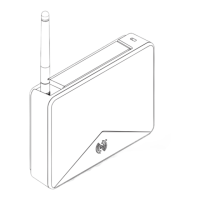
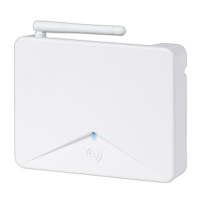
1.4.1 ADDING AD400’S TO AN EXISTING LEGACY SYSTEM
a) DEDICATED NETWORK: You can install AD400 wireless hardware onto a separate DSI section. In this case
you must configure the Serial Channel programming (in SG software) to use the Network Type = AD400
(wireless only) for the both new AD400 network bus as well as the legacy Schlage ODT bus. The addressing
requirements must meet specifications – see the following sections on addressing AD400 PIMs and Readers.
b) SHARED NETWORK: You can install the AD400 wireless hardware onto the same network bus with the
existing legacy PIMs and Readers as long as you do the following:
• You must assign unique AD400 PIM addresses that do not duplicate the ODT PIM addresses.
• You must assign unique addresses to AD400 Readers that do not duplicate the legacy readers on the
network bus.
• You cannot cross-link the equipment: Legacy readers can only link to legacy PIMs and visa-versa, AD400
readers can only link to AD400 PIMs.
• You must set the Network Type to “AD400 (wireless only)” on the Serial Channel (in SG software).
1.4.2 ADDING AD300’S TO AN EXISTING AD400 SYSTEM
a) DEDICATED NETWORK: You can install AD300 hardwired readers onto a separate DSI section. In this case
you must set the Network Type to “AD300 (hardwired only)” the Serial Channel (in SG software) for the new
AD300 network bus. Note: It is a requirement that even hardwired readers have a PIM address. Therefore the
SG software auto-assigns a PIM number to the Reader that matches the binary address of the AD300 Reader.
b) MIXED NETWORK: You can install the AD300 hardwired reader onto the same network bus with existing
AD400 wireless hardware as long as you do the following:
• You must address the AD300 Readers to a binary value that is not used by any AD400 readers on the same
network bus.
• You must use treat the binary address of an AD300 reader its own PIM number; and therefore you cannot
give the same binary address to an AD300 Reader and an AD400 PIM.
[Example: if an AD300 Reader is addressed to “4”, then there cannot be any AD400 PIMs addressed to 4].
• You must set the Network Type to “AD300 & 400 (mixed-network)” on the Serial Channel (in SG software).
See other sections in this guide for diagrams of the mixed-networks and dedicated networks. Also
See Creating a “Mixed-Network” Channel and Creating an AD300-Only Channel for step-by-step
instructions.
System Galaxy Integration to Schlage AD400/AD300 Page 8



 To Next Page