4.2.5 SETTING READER PASSBACK/WHO’S IN OPTIONS
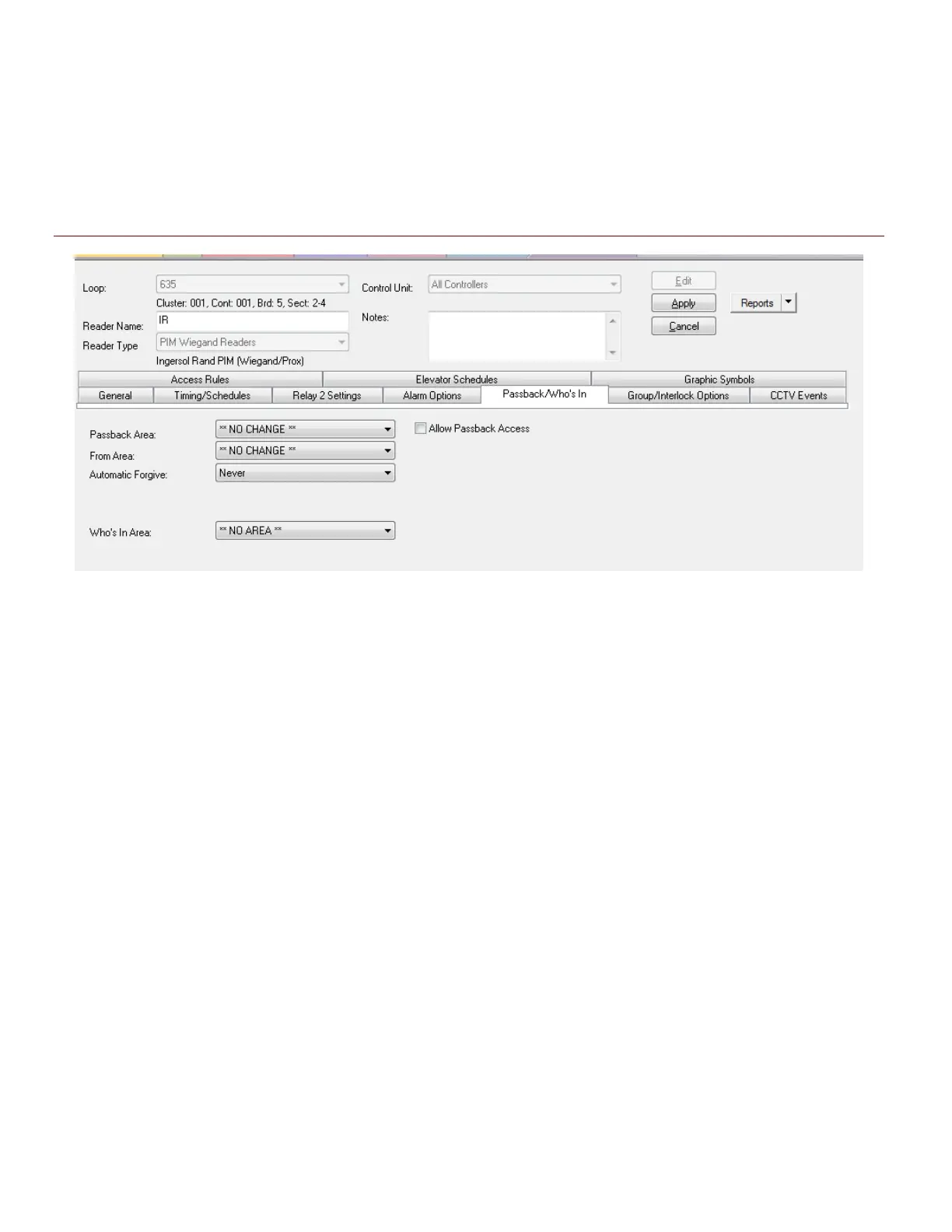
Passback and Who’s in are available for wireless readers. You must configure Schedules and Areas before
you can set up these options in the Reader Properties screen.
See the main SG Software User Guide for instructions on Schedules, Areas, Who’s In and Passback
configuration.
Figure 20 – Reader Properties: Configuring the Passback/Who’s In
Disabled or grayed out options are not supported for Schlage readers
4.2.6 UNSUPPORTED READER OPTIONS
The following reader options are not supported with Schlage wireless readers.
• Relay-2 configuration is unsupported
• You cannot use a Schlage reader for an elevator reader when wired through a DSI board
• Door Group and Door Interlock features are unsupported
• Duress is not supported
• Pin Schedule Mode is not supported
• High security mode (card plus pin) is not supported
• Any grayed option is not supported – See the section in this guide that covers Reader Properties
programming.
System Galaxy Integration to Schlage AD400/AD300 Page 39



 To Next Page